

Picture does not represent the actual item
Picture does not represent the actual item
This item is no longer available.
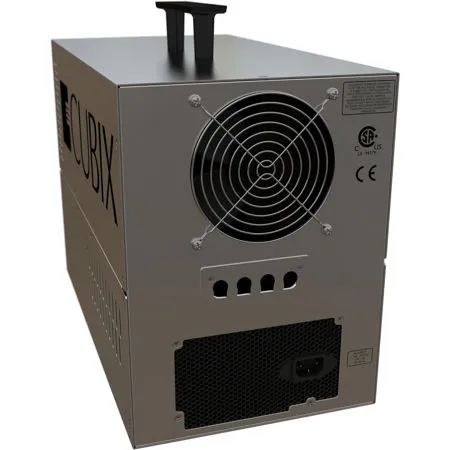
Add 4 single-slot or dual-slot PCIe cards in you host PC or Mac Pro using Xpander Desktop Elite. Connecting Desktop Elite to your 2008-2012 Apple Mac Pro, Linux or Microsoft Windows 7 / 8 host computers provide your desktop operators with the ability to support up to four dual-slot GPUs, graphics cards or other third party PCIe cards such as Red Rocket, NVIDIA SDI Capture and Fusion-io memory cache.
Desktop Elite is an economical way to add GPUs or other PCIe cards to your host computers. Installing the Cubix host interface controller (HIC) in an open PCIe Gen 2 / Gen 3 x16 slot within your host computers assures your operators that they will enjoy up to 128Gbps data (16 lanes at 8Gbps bi-directional) transfer rate to and from the GPUs or other cards you install in Xpander Desktop Elite.
Add four NVIDIA Quadro K4200 / K5200 / M6000, GeForce GTX 980 / TITAN X, Tesla K40 or other PCIe cards to most dual-CPU computers which have an available PCIe expansion slot using Xpander Desktop Elite. Install the HIC in the computer's open PCIe x16 slot and connect it to Desktop Elite - you have just added four dual-slot or four single-slot, CUDA-capable graphics or HPC I/O cards to your current PC or 2008-2012 Mac Pro without buying a new computer.
Benefits
• Hardware acceleration without purchasing a customized PC workstation or a new Mac Pro (2008+)
• Works with almost any standard PC featuring PCIe Gen2 / Gen 3 x16 open slots
• Add multiple graphics or GPU cards to any standard form-factor computer regardless of power supply limitations
• Add multiple graphics or GPU cards without having to specify, purchase, install and configure new computers
• No power or cooling needed from the host computer; Xpander Desktop Elite provides its own power and cooling
• Zero or minimal impact on desktop screen configuration
• Less impact on desktop space than a customized tower workstation
• Connect two or more Xpander units to one computer (using two or more PCIe x16 slots available in the host computer)







