



See Options
Need help? Ask our experts.
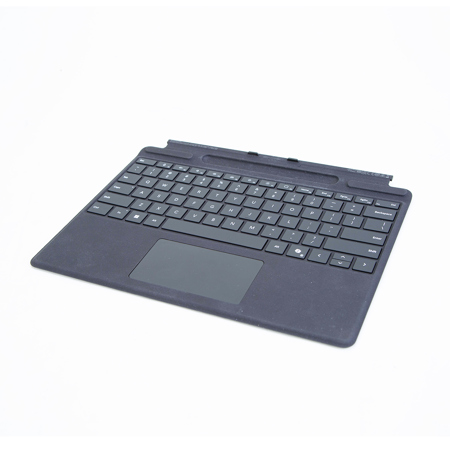
Next-level versatility comes in the perfect, premium keyboard, featuring a large glass touchpad and the new Copilot key for AI power at your fingertips. A built-in Surface Slim Pen storage tray provides secure and easy recharging. Available in a choice of rich colors.
Surface Pro Keyboard with pen storage is compatible with Surface Pro (11th Edition), Surface Pro 9, and Surface Pro 8.
Typing and writing in one
Natural inking at your fingertips
Sketch and write naturally on the screen and enjoy no-fuss pairing with Surface Slim Pen, always ready and charged in the keyboard's storage tray.
An exceptional typing experience
Sleek and compact, this keyboard performs like a traditional laptop keyboard, complete with full mechanical keyset, backlit keys, and large glass touchpad for precise control and navigation.
Adjusts instantly
Work your way anywhere. This keyboard clicks into place instantly and stays securely attached so you always have your keyboard and pen with you.
Choose your color
Available in rich colors and covered with durable Alcantara material, this keyboard adds a rich texture to everyday tasks.
Bold keyset option
The optional bold keyset has subtle accessibility features such as larger and bold font, high contrast, and backlighting that make keys more visible and easier to type.
Quick access to three new keys
Instant Copilot
Open Copilot with a single key to help improve productivity and simplify daily tasks.
Mute quickly
Simply tap the key to quickly unmute or mute your microphone.
Snip in a snap
Effortlessly grab a screenshot with a key that gives you quick access to the snipping tool.
