+4
more
more
This item is no longer available.
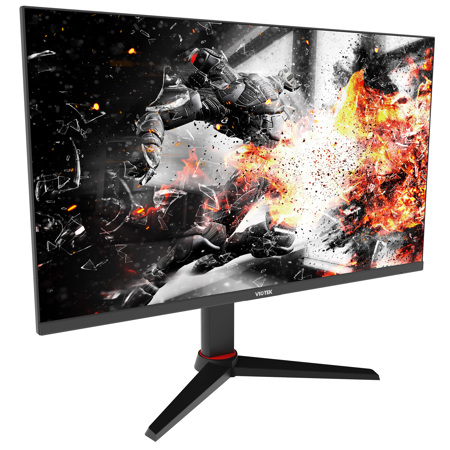
VIOTEK returns with a flat-panel 27-inch WQHD gaming monitor, crafted from an HDR-ready VA panel, expertly engineered for color-rich images with depth and detail, flicker-free video and rapid-fire response time. Everything you need to play and win - every time - all in a beautifully designed desktop monitor that looks great.
Over 1.7x the pixels of a full-HD monitor. Our QHD monitor resolution (2560x1440p) with widescreen 16:9 not only delivers pin-sharp images with incredible detail. It also creates a wider workspace. You can see more of the documents you're working on and the webpages you're viewing - and with less scrolling and zooming. Movies and TV shows play back exactly as the director intended, filled with energy and life.
The 144Hz monitor refresh rate delivers all the action flawlessly smooth. Whether you're catching up on your favorite TV drama, watching a video, or working from home and teleconferencing, your video is flicker-free, smooth, with minimal lag. And thanks to the wide 99% sRGB color gamut, the colors are stunningly accurate, with depth and detail. The 3000:1 contrast ratio (1M:1 DCR) means that blacks are deep, whites are bright, and RGBs are rich and vivid.
You demand a superfluid entertainment experience - and you'll get it with the GNV27DAB. Thanks to the lightning fast refresh rate and AMD FreeSync with low-framerate compensation (LFC). Watch movies and play games without visual artifacts and graphic disturbances, even with the refresh rate drops below 48Hz. On-screen motion - especially during fast action gameplay - is clear and seamless. No motion blur. No image tearing. No ghosting. And with its G-SYNC compatibility, you won't need to buy an overpriced G-SYNC monitor to benefit from the technology. The GFV27DAB is all you need.
FreeSync with LFC isn't the only way our monitor helps gamers reach epic levels. User-activated GAMEPLUS integrated crosshairs helps gamers score a bullseye, every time. Engage FPS/RTS optimized game mode to see scenes more vividly and spot enemies hiding in the dark. Manually adjust the display to find the optimal color settings with a press of a button. Save up to three user profiles and instantly recall them once you've found the perfect setting.
Working from home more? Then you'll need to stay on top of your eye health. That's why we include focused eye comfort through Viotek Protect - our hardware/software combination, designed to protect your eyes from the fatigue of extended viewing and use. Optimized 144Hz refresh rate. Anti-glare treated screen. User-controlled blue light filter. These all combine to reduce the eye strain during extensive monitor use, so your eyes stay fresh longer.
You'll have the flexibility to incorporate the GFV27DAB into your home or office setup, thanks to robust, high-performance ports, including DisplayPort 1.2, multiple HDMI ports - even a 3.5mm audio out. If you want to use it as an Xbox One monitor, as a second laptop monitor, or even a monitor for PS4. And while the full-range stand lets you swivel, pivot, lift or rotate this ergonomic monitor to your liking, you'll also be able to mount the GFV27DAB to a VESA monitor mount or articulating arm, thanks to the VESA mounts (75x75mm and 100x100mm).
Pixels Brought To Life
The vibrant QHD monitor resolution (2560x1440p) pushes every with stunning detail. And with 99% sRGB gamut, colors are rich and accurate, with customizable display settings and space to store up to 3 user profiles.
The Gamer "Sweet-Spot"
A 27-inch 1440p 144Hz monitor that combines lightning-fast speed and spectacular image quality in a compact, beautiful design. Smooth video. Zero dropped frames. Rapid-fire 1ms response times. A multimedia dream!
Take The Lead & Keep It
Our 1440p monitor with 1ms (OD) gives you extra tools to be a solid player. AMD FreeSync with LFC for liquid-smooth gameplay. GAMEPLUS crosshairs for direct hits, every time. FPS/RTS optimization for extra details in darker games
A Work From Home Powerhouse
This WQHD monitor isn't just for gamers. The flicker-free video makes teleconferencing a pure joy. And you'll have multiple ports to connect to the devices you need, even if you just need a second monitor for laptop.