


This item is no longer available.
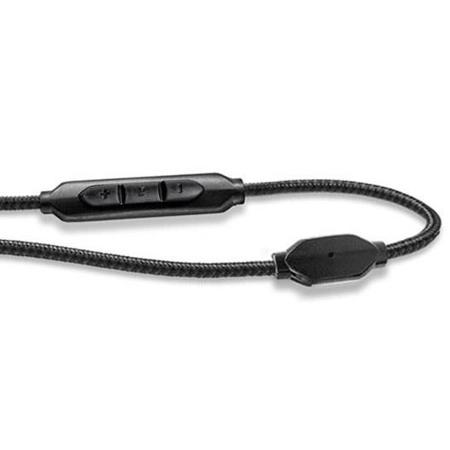
The reinforced 3-Button SpeakEasy cable with microphone and remote is designed to work with Apple products. The 3-Button SpeakEasy cable features a separated microphone and remote control housing for improved function in noisy environments. It is also optimized to work with voice recognition apps like Siri. The remote control function allows for full media control and a seamless transition between music and calls.
Durability
• Reinforced cable
• 24k gold plated plug
• 45-degree plug strain relief
• Can withstand over 1 million cable bends (100x industry standard)
Compatibility
Headphone compatibility
V-MODA Crossfade series: Crossfade M-100, Crossfade LP2, Crossfade LP, XS, M-80, V-80
Source compatibility
• Audio: universal 3.5mm (1/8") ports
• Microphone: all smartphones and tablets & newer notebooks including Apple products, Samsung products, any devices running iOS, Android or Windows, any Amazon Kindle or Blackberry
• Remote: iPhone 6 Plus, iPhone 6, iPhone 5S, iPhone 5C, iPhone 5, iPhone 4s, iPhone 4, iPhone 3GS, iPod shuffle (3rd gen and newer), iPod touch (2nd gen and newer), iPod nano (4th gen and newer), 120gb iPod classic as well as MacBook, MacBook Pro, MacBook Air, iMac and Mac Pro (2009 and newer models)
Convenience
During music playback
• Click center button once to pause and again to resume playback
• Click center button twice quickly to track forward
• Click center button three times quickly to track backward
During calls
• Click center button once to answer incoming call, click once to end call
• Press and hold center button down for about two seconds to decline an incoming call
• Click center button once to switch over to call waiting, click again to switch back to original call
Increase volume
• Press top button
Decrease volume
• Press bottom button






