Orders placed during Passover Holiday (Wed 4/1 after 4PM ET – Thurs 4/9) will ship Fri 4/10. View our holiday shipping schedule.
This item is no longer available.
Review Summary
Accidents happen where life happens. Protect your favorite Adorama products and purchase a protection plan to stay covered from accidental damage, mechanical or electrical failure, and more.
If we can’t fix it, we’ll replace it at no additional cost.
Protect your product from drops, spills, and more.
Enjoy your gear without fear. We have you covered!
When regular use of your product over time results in mechanical or electrical failure.
We will never charge you a deductible after the purchase of a plan.
Our claims process is simple & easy and our customer service team is happy to help.
Adorama Protect powered by Extend is available for purchase to customers in the United States. Not available for purchase Internationally or in U.S. Territories.
Browse our FAQ
Cintiq Pro 13 and 16 Creative Pen Display
Windows 7 or later
Mac OS X 10.11 or later
USB Type-C port (for up to 3840 x 2160) or
Mini DisplayPort (for up to 3840 x 2160) and USB Type-A port or
HDMI port (for up to 2560 x 1440) and USB Type-A port with high-speed 1 meter HDMI cable
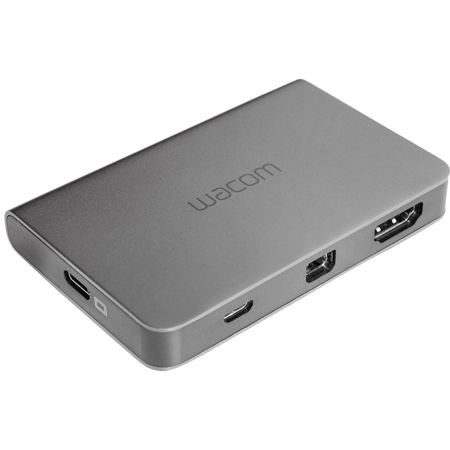
1x USB Type-C
1x Mini DisplayPort
1x HDMI
1x micro-USB Type-B
USB Type-C Cable: 4.9' (1.5m)
Mini DisplayPort Cable: 3.3' (1m)
USB Type-A to micro-USB Type-B Cable: 3.3' (1m)
753218987068
Tap into the power of your Mac or PC by connecting it to Wacom Cintiq Pro 13 or 16 with Wacom Link Plus. You have three options: For up to 3840 x 2160 resolution (UHD) use either USB-C cable alone or Mini DisplayPort and USB-A together. Alternatively, connect to your HDMI and USB-A ports with a high speed HDMI cable (up to 3 meter, 1 meter recommended) for up to 2650 x 1440 resolution (QHD). Lastly, connect your Cintiq Pro power cable directly to the Wacom Link Plus for a one-cable solution to your Cintiq Pro 13 or 16 display.






