Orders placed during Passover Holiday (Wed 4/1 after 4PM ET – Thurs 4/9) will ship Fri 4/10. View our holiday shipping schedule.
This item is no longer available.
Review Summary
2011-10-09T21:00:00
I'd used tablets before and decided that when I had the money, I'd purchase a Cintiq. I finally purchased the 21UX about a year ago and I'm very happy with it. I've use the Cintiq 21UX for doing touch up work and adjustments to photographs for and it really works great! It's well made, precision fit and finish, and flexible built in to be used by either right handed or left handed users. It was simple to connect to my system and once the driver was loaded, it was up and running. It's extremely easy to use and I glad I bought it.
Fred
I love it!
By Fred
I'd used tablets before and decided that when I had the money, I'd purchase a Cintiq. I finally purchased the 21UX about a year ago and I'm very happy with it. I've use the Cintiq 21UX for doing touch up work and adjustments to photographs for and it really works great! It's well made, precision fit and finish, and flexible built in to be used by either right handed or left handed users. It was simple to connect to my system and once the driver was loaded, it was up and running. It's extremel...
View full Review
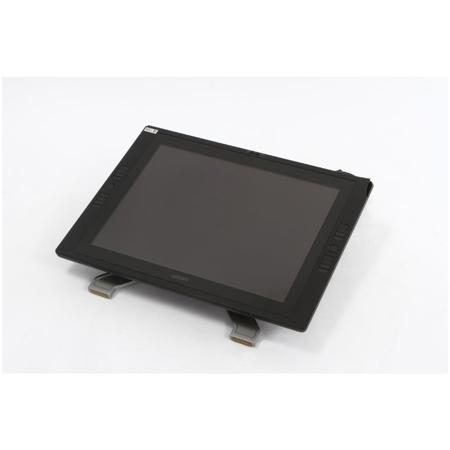
The combination of a color LCD with industry-leading pen input capabilities allows photographers, designers, animators and other creative professionals to work naturally and intuitively directly on the surface of the large-format, 21.3" screen. The new Cintiq 21UX detects 2048 levels of pressure, giving you even more control over pressure-sensitive pen effects such as line weight, opacity and exposure. With Wacom's new Tip Sensor, the pen now features a lower activation force that captures even the most subtle nuances of pressure.
The ambidextrous design of the second generation Cintiq 21UX features a pair of rear-mounted Touch Strips, along with accompanying Touch Strip Toggle Buttons. In this manner, you'll gain instant control of up to four application-specific Touch Strip functions on each Touch Strip, such as brush size, zooming, scrolling and canvas rotation. Sixteen ExpressKeys (eight on either side of the display) boost productivity by providing quick access to keyboard shortcuts and modifier keys.