
This item is no longer available.
Enhance photos with pen control
Quickly and easily edit your digital photos using the control of the Graphire pen and the included copy of Adobe Photoshop Elements 2. Selectively apply highquality photographic effects using your copy of the nik Color Efex Pro 2 GE filter collection.
Draw and Paint
Create great looking artwork with the natural feel of your Graphire pen and the amazing capabilities of Corel Painter Essentials 2 (included). When used with a Wacom pen, Painter Essentials 2 looks and feels like just about any natural art tool your heart desires.
Mark up, sign, and more!
The Graphire pen makes it easy to sketch and write notes in Microsoft Office and Apple Inkwell. Mark up documents in Microsoft Word, annotate presen-tations in Microsoft PowerPoint, and even jot a note to friends and family.
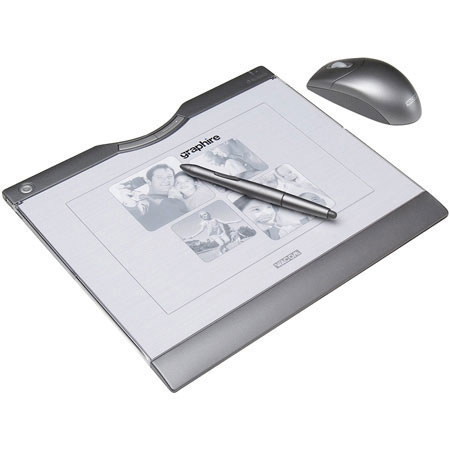
With both a Wacom pen and mouse you'll have the right tool for any task. Using them alternately reduces repetitive motion. You will enjoy control, comfort, and productivity
A Wacom Pen Gives You Control
The Wacom pen is pressure-sensitive so you can control the amount of a software tool's effect by varying how firmly you press the pen tip to the tablet. The pen is easy to use because every point on the tablet has a matching point on the screen. When you move your pen over the tablet, the cursor moves in precisely the same way on the screen. Where you touch your pen tip to the tablet is where you click. Using a pen also gives you natural control. Think how easy it is to sign your name with a normal pen.
Valuable Included Software
Adobe Photoshop Elements 2 for editing family photos
Corel Painter Essentials 2 for creating natural media art
nik Color Efex Pro 2 GE for selectively applying photo enhancements
Bluetooth technology
For up to 30 feet of wireless freedom, Rechargeable lithium polymer tablet battery for up to 25 hours between charges, Universal power adapter permits simultaneous tablet charging and comfortable use
ExpressKeys
Two programmable ExpressKeys for convenient mouse clicks, modifier keys, and keyboard shortcuts.