Orders placed during Passover Holiday (Wed 4/1 after 4PM ET – Thurs 4/9) will ship Fri 4/10. View our holiday shipping schedule.
This item is no longer available.
Review Summary
2013-10-02T21:00:00
My old Wacom tablet was almost non-functional with Windows 7 as updated, so I bought this new one. Would have loved the Cintiq, bu it is price prohibitive for me. I use the tablet mostly for photos in Photoshop, but also for some graphics work. The pen is extremely accurate and intuitive, maps the screen well, and having adjustable sensitivity and custom function settings is a joy. I especially like the single/double click switch on the pen. The side buttons are useful, but it is hard to remember what each does. Solved that with small sticker reminders which are easy to change if I change button functions. The only other drawback is, the eraser end of the pen erases everything, not just what one applied via the tablet. Maybe that can be customized, but I haven't found a way just yet.
Robert W.
2013-06-02T21:00:00
Initially I started with the Intous5 Small version but bought the Large to compliment my dual monitor setup. Pros: Impecable accuracy and control, workflow in ANY application will double over mouse or trackball of any quality. Programable express keys and dial are wonderful. The driver also has a function for customizable "radial menus" and it is AMAZING and customizable for any and every application you have. Multitasking is effortless with individual settings switching from app to app to app like silk. Cons: Probably only specific to my crazy setup but the touch interface driver module crashes like 10 times daily necessitating a restart to resolve. WACOM support, sadly, really hasn't been much help although I'm not sure it was intended to be used with the small mapped to one smaller monitor with the Large mapped to my primary 1920x1200 wired and with wireless all on the same system at the same time as well as a professional trackball and wireless keyboard. The last 3 drivers essentially are identical with no resolution of my crashing issues. After countless troubleshooting efforts I've got it all working rather well. Note* The aspect of these tablets is 16:10. If used on a display with different aspect ratio handwriting will be very awkward unless you force the driver to map corretly in which case you will be using a smaller portion of your tablets usable area. Also* the small is ideal for a laptop or screens 1440x900 MAX. And if your monitor is 1920x1200 or larger you NEED the Large version it is worth every penny. Finiky driver issues were only present when I connected the second tablet to my system. Otherwise it would have been 5 stars easy.
MATTHEW E.
Excellent tool
By Robert W.
My old Wacom tablet was almost non-functional with Windows 7 as updated, so I bought this new one. Would have loved the Cintiq, bu it is price prohibitive for me. I use the tablet mostly for photos in Photoshop, but also for some graphics work. The pen is extremely accurate and intuitive, maps the screen well, and having adjustable sensitivity and custom function settings is a joy. I especially like the single/double click switch on the pen. The side buttons are useful, but it is hard to ...
View full Review
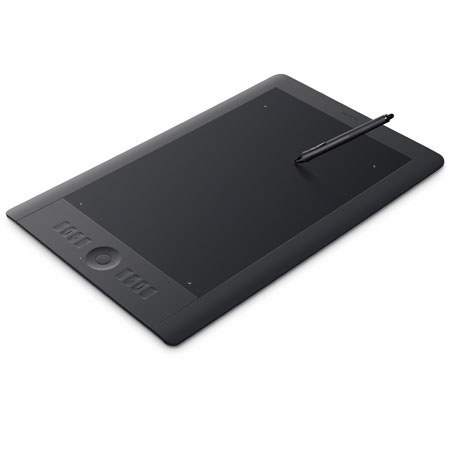
The Wacom PTH-850 Intuos5 Large Pen & Touch Tablet is designed for working professionals and serious creatives. The Intuos5 represents a high-quality touch and pen tablet experience with several advantages over other systems. It speeds production time for photo editing, design and art creation. Plus, the latest pen tip sensor technology and 2048 levels of pressure sensitivity allow you to capture subtle nuances of pressure, so you can dynamically adjust exposure, brush size, opacity and more with astounding accuracy.
The tablet shape and surface are engineered to enable ergonomic, consistent strokes, even over long periods of time. The innovative, ambidextrous design allows you to maximize the productivity of both your hands. Plus, having eight ExpressKeys and Touch Ring on the same side of the tablet ensures that they are perfectly positioned for the hand that is not holding the pen.
The Intuos5 takes into consideration several aspects of a professional's workflow, including software integration points, demand for performance and demand for comfort. Its programmable ExpressKeys allow you to activate time-saving shortcuts and modifiers in each of your applications. Plus, the finger-sensitive Touch Ring provides intuitive control of scrolling, zooming, brush size, canvas rotation and layer selection. There's also a central toggle button allows you to control up to four different functions in each application.