



This item is no longer available.
Create directly on screen with our most natural pen experience
Wacom Cintiq Pro 13 is our most advanced creative pen display, in the smallest form factor. It's built for professional artists and designers who want to feel a direct, pen-on-screen connection to their work. Packed with our latest innovations and featuring the Wacom Pro Pen 2, Wacom Cintiq Pro 13 may be compact, but it's not compromised.
Wacom Pro Pen 2: natural and precise
Our state-of-the-art creative pen technology. 8,192 levels of pressure sensitivity and unparalleled tilt recognition means that every stroke, every move of your hand is followed with unerring accuracy.
Ready to Create
Works with Wacom MobileStudio Pro, Wacom Cintiq Pro or Wacom Intuos Pro (2017 model) and with any Windows or Mac application.
Taking creativity to another dimension
Designed with 3D creativity in mind, the Wacom Pro Pen 3D provides full navigational control in 3D.
Control at your fingertips
Three fully customizable pen buttons let you tumble objects, pan, zoom, model, sculpt or modify creative tools in 3D and 2D applications.
Wacom Pro Pen 2 performance included
4x greater pressure sensitivity, exceptional tilt-response and lag-free tracking provide greater creative control.
Connect to your canvas
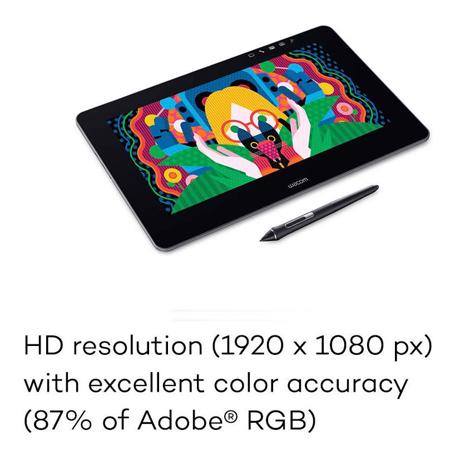
Wacom Cintiq Pro 13 packs HD resolution (1920 x 1080px) into a pin-sharp 13" LCD display. And with a wide color gamut (87% of Adobe RGB), you can be sure what you see is what you're going to get. But the connection to your work isn't just visual. The etched-glass screen provides just the right resistance to the tip of Wacom Pro Pen 2 to give you the familiar feel of working with pen on paper.
Designed for the way you create
As a creative professional, time's rarely on your side. That's why Wacom Cintiq Pro puts productivity solutions right at your fingertips.
Connect your way
Connect to any Mac or PC with a single USB-C cable (included) to a USB-C port for both video and data. Other video connections like DisplayPort or HDMI are also included, which require USB port for data.
Make it match you
The ExpressKey Remote puts 17 programmable buttons within easy reach. The on-screen keypad and the radial menus offer further one-touch shortcuts.
A natural interface
Pan, zoom or rotate your work with multi-touch gestures - as simple as using your smartphone.
Get closer to your creations
If you prefer working on a compact canvas, Wacom Cintiq Pro 13 is the perfect match. It's a lightweight, more portable device that's ideal for sketching and drawing.
Customize your Wacom Cintiq Pro
However you like to work, there's an accessory to make Wacom Cintiq Pro 13 suit you (each sold separately).
Link Plus Adaptor
Tap into the power of your Mac or PC by connecting it to Wacom Cintiq Pro 13 or 16 with Wacom Link Plus. You have three options: For up to 3840 x 2160 resolution (UHD) use either USB-C cable alone or Mini DisplayPort and USB-A together. Alternatively, connect to your HDMI and USB-A ports with a high speed HDMI cable (up to 3 meter, 1 meter recommended) for up to 2650 x 1440 resolution (QHD). Lastly, connect your Cintiq Pro power cable directly to the Wacom Link Plus for a one-cable solution to your Cintiq Pro 13 or 16 display.
• Connect Wacom Cintiq Pro 13 or 16 with your Mac or PC
• Set up Wacom Cintiq Pro 13 or 16 as second screen using Wacom Link Plus
• Supports up to UHD / 4k resolution (USB-C port or Mini DisplayPort and USB-A port) or QHD (HDMI and USB-A port)
• Connect your Cintiq Pro power cable directly to the Wacom Link Plus for a one-cable solution