This item is no longer available.
Review Summary
2015-12-15T15:15:00
I like WD hard drives, this one is much faster because of usb 3.0.
trekkie888
2015-11-12T07:02:38
This is my 5th WD Passport, all of them 1tb, so if I lose or damage one, I won't lose all my saved files. This new ultra version is even better, it has cloud.
Salvador S.
2015-06-04T21:00:00
Use to back up numerous photos. Re-formatted to Mac in a matter of seconds.
THOMAS F.
2014-08-11T21:00:00
3rd Ultra I have purchased. Good gb/$ ratio. Nice compact size,very portable for travel. Carry as a safety backup of both my laptop & desktop during travel. No fear of data loss or "on the other computer" dilemma. fast secure safety.
Travelling m.
2014-05-14T21:00:00
I needed this in the worst way. My computer could not hold all that memory.
Ian L.
2014-04-14T21:00:00
I haven't had this external for very long, but let me tell you so far so good. It's really simple to drag and drop the files into the drive
Will
2014-01-18T19:00:00
Holds more data than my laptop. Good to transfer photos between computers, and to store long term. USB powered, so no transformer to plug in. Small and portable.
JAROLD H.
An excellent product
By Salvador S.
This is my 5th WD Passport, all of them 1tb, so if I lose or damage one, I won't lose all my saved files. This new ultra version is even better, it has cloud.
Great external backup drive
By Travelling m.
3rd Ultra I have purchased. Good gb/$ ratio. Nice compact size,very portable for travel. Carry as a safety backup of both my laptop & desktop during travel. No fear of data loss or "on the other computer" dilemma. fast secure safety.
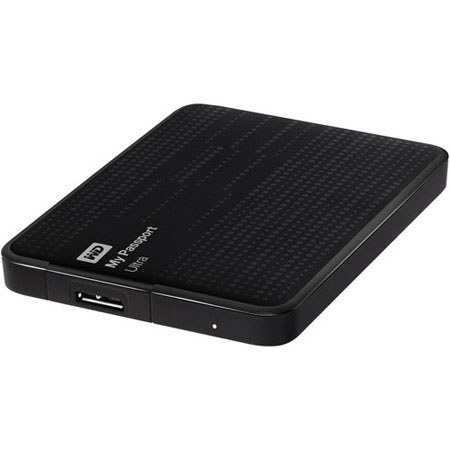
The WD My Passport 1TB Ultra Portable External Hard Drive (Black) is a bus powered, durable, portable hard drive. This USB 3.0 compatible drive connects directly to your USB port allowing you to transfer data at speeds up to 5 GB/s simplifying the once arduous task of transferring large files such as HD video, movies, pictures, photos, music and more. Backing up your data has also been simplified, as you have the option to backup data to both the drive and the cloud via Dropbox.
Once configured, you can manage nearly every aspect of your drive by utilizing the included Drive Utilities. You can also secure your drive by taking advantage of WD Security enabling you to password protect and encrypt your drive.