
This item is no longer available.
Review Summary
2021-12-15T19:00:00
This copier only prints back to back doesn't copy back to back - in other words if you have a double sided original you need to copy one side at a time. When I read that it copied on 2 sides I also assumed it copied 2 sided originals.
AALUKE

2021-12-13T19:00:00
My home office is cluttered with about everything imaginable except for a printer. My Xerox workstation is located in the downstairs hot water cabinet and communicates with my system via a WIFI connection. I have a main computer system and two laptop computers that can wirelessly send or receive, data from the workstation. I love it !!
Pavil
2021-12-06T19:00:00
I had this printer less than 6 months and the document feeder won't scan correctly. I can scan using the flatbed but not the document feeder. It scans and the resulting scan is jagged lines - as if it is out of balance or needs to be calibrated.
eric a.
2021-12-06T19:00:00
I switched from many years of using Brother printers because they didn't last. I have never had a printer that is so difficult, slow, and annoying.
Rileys M.
2021-12-04T19:00:00
This XERIOX 3345 multifunction copier-scanner-fax is an incredible device. The unit has performed well and has not failed to impress me with its ease and utility. enlargements, scanning, copying, faxing are all done with no effort and the intuitive nature of its features appeals to me since I do not like complicated tasks. One button features are appreciated in almost every option. This unit, while not new, has functioned well in my small office environment. Thanks, Xerox
lakeparkpodiatry
2021-11-23T19:00:00
Quick Setup and the print quality is excellent.
Bob H.

2021-11-17T19:00:00
I really enjoy this printer. Easy to use, Super Fast. Very user friendly
JDuBz
2021-11-10T19:00:00
I purchased this a year ago, now the fuser assembly needs to be replaced. The issue is that Xerox sells the printer but we can not find the part for the fuser assembly which cost about $200 to $300 dollars. Other than that it works great, but does no good if you can not find the parts.
Partless
2021-10-20T20:00:00
This is our main print/copy machine for a small office that is largely paperless. So when we do need to print, it should be easy...and this machine is constantly having bug issues. The screen is difficult to navigate and we continue to waste paper because the machine prints some Xerox cover sheet for EVERY print job sent. Troubleshooting hasn't worked and after being on hold for over 45 mins, I gave up the service desk. Simply put- go elswhere. This product is a time waster and had I not spent so much money on it, would've thrown it out a while ago! Worst purchase for my office in 2 years, and it isn't even close.
insoffice
2021-10-19T20:00:00
This printer "Rocks!" The printer provides me with all my needs and in a timely manner. The documents come out clear and crisp. The copier, faxing and emailing features are easy tasks as the instructions were clear, concise and to the point. I never have any issues working with the machine and I am quite pleased with it overall.
LisaLoo1962
2021-10-04T20:00:00
Very good product, but extremely hard to set up. It took hours with on phone help to set it up. Customer service is excellent. Even though it was hard to set it up, I would buy it again. Product is perfect superfast print, word as described, easy once set up.
Bo
2021-09-06T20:00:00
I really like the product and worth buying this product. The ADF is great, the scanning is great and the print quality is perfect. What else we need. However, there are some issues since was bought but the customer support was awesome, they came out quickly and helped us. Undoubtedly, I would recommend this product.
Srinivas P.
2021-07-19T20:00:00
All I wanted was to be able to print a confirmation fax log and apparently that is not an option with this machine. Even though there are directions online to do such, the buttons its telling me to use are not there! Same model....I would not recommend this product as it is beyond frustrating. We also have issues with the drums and printing medical forms with black streaks down the center is beyond unprofessional. This machine is frustrating and not worth your money or time!
Small o.
2021-07-13T20:00:00
I like it a lot. Had trouble connecting to the wifi but as far as that ever thing else It's been great
Rik
2021-07-12T20:00:00
Fast, easy to use and clear print. One of the best I own in my home use.
S.Yazicioglu
2021-07-04T08:14:28
Wonderful machine but needs better information for people that are not technically savy
Rita R.
2021-06-29T20:00:00
It is a very easy and clear product to set up and use. print speed and quality are very high. It is an event that makes it very easy to use with wifi. Definitely a product I would recommend.
Ophthalmologist1
2021-06-29T20:00:00
Is this the company whose R&D was the seed that launched products such as Apple, Adobe, to name a few? can't believe how terrible their user interface, software design is. Virtually any undergrad from a decent school could design a better database and user experience. (you have to load the user permissions separately for each function if you want to monitor usage). You get arbitrary error messages that can't be resolved thru' their support (Xerox has foolishly outsourced without any training or ownership of the problem). We were able to resolve it simply because we had someone in R&D who could do a better search within their knowledgebase. This is in addition to the original copier not working & after closely working with their R&D for over 2 weeks and finally getting a replacement - firmware loaded with incorrect version of the s/w!!! (how does a company like Xerox even do this in this time and age!! Heads must roll at multiple levels not just at the top) These are just a few problems we faced with Xerox...
Bizcenter
2021-06-22T20:00:00
This is a perfect printer for my office. It is indeed a work force.
Emmanuel p.
2021-06-13T20:00:00
This is a well thought out, designed and engineered product with a great price point. It's packed with features most anyone will appreciate and Installation couldn't have been simpler. This is the first printer I have ever owned that is not manufactured by HP. I have been a loyal HP follower for many years and have owned 5 or 6 of their inkjet printers and at least 10 color and monochrome laser printers. We have been using this machine for more than 2 years now and are very pleased with everything about this Xerox Workstation. I doubt that I will ever purchase another HP printer again. I am so pleased with this machine.
Ken911
2021-05-25T20:00:00
Very happy with our purchase. Small but very good return for the investment.
Zelsimm
2021-05-24T20:00:00
Granted I'm not a genius IT engineer, but it is looking like I need to be. Setting up the printer is so confusing and ease of use is horrible. A simple thing like connecting to WiFi is somehow impossible. Looks like I need to pay a little more for another brand to get the simplicity I need, because working on computer related stuff is not how I'm going to spend my workday.
Gary
2021-05-15T20:00:00
After about a years' worth of use we found that the printer started printing blotches on the paper at the same point. It could be user error - we touched some kind of drum head or something inside but it's annoying nonetheless. Then the printer by default always prints a cover sheet, which results in a significant waste of paper. You have to go computer by computer to tweak the print settings to get rid of that wasteful print. The coverletter feels very 1990's business-ish. The scanner works well. The little screen interface isn't super intuitive to get to the point where you can change settings, scan to USB, etc.
Sasch
2021-04-29T20:00:00
I purchased this device for use in a very small business. Operating it requires an IT degree and the amount of time spent on getting the printer to work at various stages of using it in the past 6 months has exceeded the value of the device itself. For example, configuring the scanner in a way which makes use of how fast it is will require you to set up a local FTP server, static IP addresses and a new user account in Windows. That said, I've reached a stage after reinstalling Windows that despite having precise instructions, I can no longer get the scanner to work via network. The documentation is very poor. On the upside, I can't fault it when it's actually working. You might be better off with this device if you have a networking expert in your staff.
Alex
2021-04-21T20:00:00
Honestly, this is one of the worst printers I have ever used, it is a nightmare using it. It always has some error, it's very difficult to understand how to avoid or delete those errors and make no mistake, the printer will beep continuously and loundly until the error is resolved. I truly regret buying it, it does NOT live up to half of the expectations. Very very disappointed!
Alexa
2021-04-16T20:00:00
This unit is designed for a multiuse multi-person office not for home use It is a very complicated unit with poor instructions It is a very good printer does all that it says it will just very hard to use and set up. Unless you are very good at set up do not purchase this unit for home use This product is designed for office use
Doc
2021-04-14T20:00:00
Our printer is amazing and quick. It makes printing huge numbers of copies, efficient and easy.
rosston
2021-04-05T20:00:00
The printer is great. Learning how to set the printer for scanning and forwarding PDF documents was a trial. The printer interface via a web browser was tedious. Instructions were most useful, however, they required the knowledge of a trained person. I am a retired engineer doing accounting for my part in a building project and I am very familiar with computers, however not familiar enough to use the instructions. I was forced to contact support several times for help. Every time my computer system, or the printer loses power then I have to reset the address IP addresses. My printer is cabled to my WIFI and exists one floor below. I still have not been able to set up the printer for a wireless connection. I have given up trying because of the experience of setting up the printer to scan. Overall, the printer is great! It prints my checks and helps me print invoices along with the business letters demanded of me.
Paul
2021-04-04T20:00:00
Great for the price, can be a bit better on software but functionality is overall good
ben
2021-03-24T20:00:00
I bought the WorkCenter 3335 early in the pandemic because of the value proposition vs my full color laser printer for working from home, and the need to scan in documents to coworkers and clients. It's met that need well, and while it's not the best at anything, it's a great all-rounder that has been reliable and simple to use. My feature requirements included a need to be able to AirPrint from my cell phone or iPad, print from my computers, print the first page quickly, scan to email, and be cheaper to operate than color printers.
Ryan

Accidents happen where life happens. Protect your favorite Adorama products and purchase a protection plan to stay covered from accidental damage, mechanical or electrical failure, and more.

If we can’t fix it, we’ll replace it at no additional cost.

Protect your product from drops, spills, and more.

Enjoy your gear without fear. We have you covered!

When regular use of your product over time results in mechanical or electrical failure.

We will never charge you a deductible after the purchase of a plan.

Our claims process is simple & easy and our customer service team is happy to help.
Adorama Protect powered by Extend is available for purchase to customers in the United States. Not available for purchase Internationally or in U.S. Territories.
Browse our FAQ
Print, Copy, Scan, Fax, Email
USB 2.0 (front and rear ports), 10/100/1000Base-T Ethernet, Wi-Fi
Standard
Up to 4,000 pages
Up to 50,000 images/month
Up to 35 page/min black-and-white
As fast as 6.5 seconds
Up to 1200 x 1200 dpi image quality
Watermark, Collation, Auto 2-sided prints, N-up, Poster, Booklet print, Custom page size, Fit to page, Scaling, Draft mode, Earth Smart mode, Print from USB, Job scheduling, Print from local drive, Save, Save and Print
1.5GB
1GHz
Adobe PostScript 3 compatible, PCL 5e, 6, PDF Direct, TIFF, JPEG
Microsoft Windows Vista and later, Mac OS 10.8 and later, various Linux and Unix distributions, Xerox Global Print Driver, Xerox Mobile Express Driver
Standard: Apple AirPrint, Google Cloud Print; Free Download: Xerox Print Service Plug-in for Android, Mopria
As fast as 13 seconds from the platen
Up to 600 x 600 dpi
Automatic background suppression, Darkness control, ID Card Copy, Margin shift, N-up, Job build, Photo mode, Program Ahead, Booklet creation, Book copying with center erase, Job interrupt, Edge erase, Poster copying
Scan to Network Computer (SMB/ FTP), Scan to Email (SMTP/POP3), WSD, Application (TWAIN Network), WIA (WSD Scan), Mac 10.9 or later (Network/Mac ICA), USB
Up to 30 cpm (copies per minute)
Yes
Up to 4800 x 4800 dpi resolution
PDF/JPEG/TIFF (single and multi-page)
33.6 Kbps
Up to 300 x 300 dpi
Address Book, Auto Redial, Auto Reduction, Color Fax Send, Delayed Send, Fax Forward to Email/Fax, Junk fax Protection, Memory Receive, PC Fax (Windows only), Secure Fax
Up to 200 speed dials, 209 group dials
MH/MR/MMR/JBIG/JPEG
Automatic Document Feeder (ADF): 50 sheets
300 / 850 sheets
Bypass Tray: 3 x 5" to 8.5 x 14"; Main Tray: 3.9 x 5.8" to 8.5 x 14"
Archive, Bond, Cardstock, Custom, Envelopes, Heavyweight, Labels, Lightweight, Plain paper, Pre-printed, Recycled, Transparencies
Bypass Tray: 16 lbs bond - 58 lbs cover; Main Tray: 16 - 43 lbs bond
150 sheets
Xerox CentreWare Internet Services, CentreWare Web, Email alerts, Apple Bonjour
802.1x, Secure Print, Secure HTTPS (SSL/TLS), Secure IPP, SSL, IP Filtering, IPv6, SNMP v3, WEP (64-/128-bit), WPA2-PSK (AES) and WPA/WPA2-Personal and WPA/WPA2-Enterprise, Network Address Book Authentication (LDAP, Windows Kerberos)
50 to 90deg. F (10 to 32deg. C)
20% to 80%
Operation: max 700 W; Standby: max 50 W; Sleep: max 3.5 W; Power off: max 0.1 W
As fast as 35 seconds (from sleep mode)
ENERGY STAR qualified
16.3 x 16.6 x 17.7" (414.02 x 421.64 x 449.58mm)
34.19 lbs (15.51kg)


Greater productivity in a smaller footprint
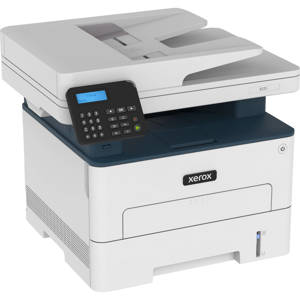
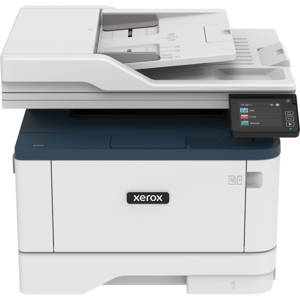
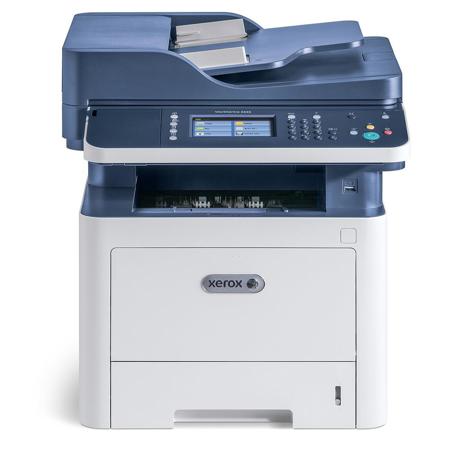
The space-saving WorkCentre 3335/3345 helps you conserve energy and reduce supplies costs by combining the functions of a copier, printer, color scanner and fax into one affordable device.
• Up to 42 pages per minute
• Up to 1200 x 1200 dpi image quality
• Built-in Wi-Fi connectivity
• 4.3-inch color touchscreen
• Eligible for free lifetime service coverage with Xerox eConcierge
Outstanding Performance
With print speeds of up to 42 pages per minute, 1 GHz of processing power and 1.5 GB of standard memory, you'll get your prints faster and spend less time waiting.
Unparalleled Image Quality
Your documents will show exceptional sharpness with up to 1200 x 1200 dpi image quality.
Print from nearly anywhere
Thanks to standard internal Wi-Fi, you can put your WorkCentre 3335/3345 where you need it and print from nearly anywhere. Our Wi-Fi installation wizard and Wi-Fi Print Setup (WPS) make getting connected secure and simple. And, with Wi-Fi Direct, mobile devices can connect directly and securely.
Convenient Color Touchscreen
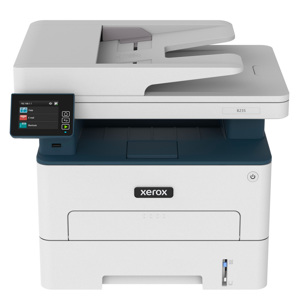
The WorkCentre 3335/3345 takes walkup simplicity to a new level, with a larger 4.3-inch color touchscreen interface.
Mobile printing made simple
With support for Apple AirPrint, Google Cloud Print, Xerox Print Service Plug in for Android and Mopria, you can print emails, photos and important documents from a wide range of mobile devices, instantly and without complicated setup.
Print and scan directly from USB
Scan to email or scan-to and print-from from a USB memory drive right at the device. You can even print directly from the cloud with a few simple steps.
Standard security features give you peace of mind
Keep your sensitive documents away from unintended recipients with the latest security features, including IPsec, SNMPv3, IP Filtering and Secure Print.
Maximize your investment
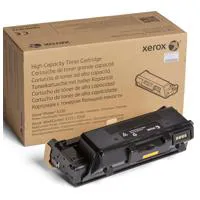
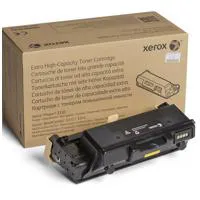
Available high capacity print cartridges reduce your total cost of ownership and downtime with less frequent supplies replacement.