
Overview
Compare
Accessories
Specs
Protection

Reviews about this item

Review Summary

2021-03-11T19:00:00

Rated 5 out of 5

Workhorse Printer

This printer prints extremely fast and great quality. I had a competitor printer and after 10 years it died. I tried to replace my other printer with the same brand but had two printers that arrived and were dead on arrival. I decided to look at other brands and I am so glad I did. This printer is heavy in weight and very reliable. I did have an issue in installing but called Xerox support, and was able to get it up and running in no time. I do wish it had wireless built in but you need to purchase a dongle to do so. I have not yet done so and been using it via USB cable. Overall I am very happy and thinkg this will be a workhorse printer, which is what I need for my business.

CPA

Select a plan in the Add Protection section above and purchase with this product by clicking “Add to Cart”.

image-protection

TRUSTED PROTECTION PLANS, EXCEPTIONAL SERVICE.

Invest In Your Gear and Peace Of Mind!

Accidents happen where life happens. Protect your favorite Adorama products and purchase a protection plan to stay covered from accidental damage, mechanical or electrical failure, and more.

Repair or Replacement

Repair or Replacement

If we can’t fix it, we’ll replace it at no additional cost.

Accidental Damage

Accidental Damage

Protect your product from drops, spills, and more.

Peace of Mind

Peace of Mind

Enjoy your gear without fear. We have you covered!

Malfunction Protection

Malfunction Protection

When regular use of your product over time results in mechanical or electrical failure.

Zero Deductible

Zero Deductible

We will never charge you a deductible after the purchase of a plan.

Customer-Focused Support

Customer-Focused Support

Our claims process is simple & easy and our customer service team is happy to help.

Adorama Protect powered by Extend is available for purchase to customers in the United States. Not available for purchase Internationally or in U.S. Territories.

Xerox VersaLink B600 Specifications

General

General

Jump to...
  • One-sided Speed

    8.5 x 11": Up to 58 ppm black-and-white
    A4 / 210 x 297mm: Up to 55.5 ppm black-and-white
    8.5 x 14" (216 x 356mm): Up to 48.5 ppm black-and-white

  • Two-sided Speed

    8.5 x 11": Up to 52.2 ppm black-and-white
    A4 / 210 x 297mm: Up to 49.3 ppm black-and-white
    8.5 x 14" (216 x 356mm): Up to 27 ppm black-and-white

  • Monthly Duty Cycle

    Up to 250,000 pages / month

  • Recommended Average

    Up to 20,000 pages (Monthly Print Volume)

  • Hard Drive

    Optional 320 GB HDD

  • Processor

    1.05 GHz ARM Dual Core

  • Memory

    2 GB

  • Connectivity

    Ethernet 10/100/1000 Base-T, High-speed USB 3.0, Wi-Fi 802.11n and Wi-Fi Direct with optional Wi-Fi Kit (concurrent wired and wireless connections supported), NFC Tap-to-Pair

  • Controller Features

    Features Configuration Cloning, Xerox Extensible Interface Platform, Xerox App Gallery, Xerox Standard Accounting Tool, Network Accounting Enabled, Role Based Permissions, Convenience Authentication Enabled, Online Support (accessed from the user interface and print driver)

  • User Interface Languages

    English, French, Italian, German, Spanish, Brazilian Portuguese, Russian, Dutch, Swedish, Danish, Finnish, Norwegian, Greek, Turkish, Polish, Czech, Hungarian, Romanian, Catalan, Ukrainian, Croatian

  • Total Paper Capacity

    Total: 2,700 Sheets
    Bypass Tray: 150 Sheets, Paper Handling Tray: 550 Sheets, High Capacity Feeder: 2,000 Sheets
    Maximum Paper Capacity: 3,250 Sheets

  • First-print-out Time

    As fast as 6.3 seconds

  • Print Resolution

    Up to 1200 x 1200 dpi

  • Page Description Languages

    PCL 5e, 6
    PDF
    XPS
    TIFF
    JPEG
    HP-GL
    Adobe PostScript 3

  • Maximum Print Area

    4 mm from lead edge of paper, 2 mm from Side and Trail edges of paper

  • Print Features

    Application Defaults
    Banner Pages Enable / Disable
    Bi-directional Real-time Status
    Booklet Layout
    Draft Mode
    Fit to new paper size
    Job Identification (Print ID or Banner, Print ID in margins on first page only or all pages)
    Job Monitoring (Client or Local User Interface)
    N-up Page Layout (up to 16 pages per sheet)
    Paper Selection by Attribute
    Personal Print
    Print Around Enable / Disable

  • Print Features (Contd.)

    Print from USB
    Sample Set
    Saved Job
    Scaling
    Secure Print
    Skip Blank Pages
    Special Pages (exception page programming: covers, inserts, exceptions pages)
    Store and Recall Driver Settings
    Stored Jobs Deletion
    Two-sided Printing (as default - DN configuration)
    Watermark (predefined and custom)
    Xerox Earth Smart Driver Settings

  • Print from USB

    Allows walk-up printing from Type A USB port
    Supports direct printing from computer via Type B USB port
    Supported file formats: PDF, JPEG, TIFF, XPS, PDF/A

  • Operating Systems

    Windows 7, 8, 8.1, 10
    Windows Server 2008 SP2, Server 2008 R2 SP1, Server 2012, Server 2012 R2, Server 2016
    macOS 10.11, 10.12, 10.13
    Citrix
    Redhat Enterprise Linux
    Fedora Core
    IBM AIX
    HP-UX
    Oracle Solaris
    SUSE
    SAP

  • Fonts

    PostScript fonts: 136
    PCL fonts: 83

  • Xerox Mobile Express Driver

    Makes it easy for mobile users to find, use and manage Xerox and non-Xerox devices in every new location. Plug into a new network, and Mobile Express Driver automatically discovers available printers and provides status and capability information. Save a list of "favorite" printers for each location, store application print settings for use on any printer in any network, and greatly reduce mobile support calls to IT.

  • Xerox Global Print Driver

    A truly universal print driver that lets IT administrators install, upgrade and manage Xerox and nonXerox devices from a single driver. It provides a consistent, easy-to-use interface for end-users, reducing the number of support calls, and simplifying print services management.

  • Xerox Pull Print Driver

    Makes it easy for IT managers to qualify, deploy and manage all print devices using a single driver in a Pull Print environment. Uses a single queue and single driver. The Xerox Pull Print Driver extends convenience across a broad range of printing assets. IT administrators no longer need to manage and configure multiple drivers. Used in conjunction with Equitrac Office, Ysoft SafeQ, Pharos and others.

Software Solutions

Jump to...
  • Xerox ConnectKey Apps

    Increase user productivity by simplifying and shortening everyday tasks. Unlike traditional software, ConnectKey Apps do not require a dedicated server, PC or IT resource. Instead, simply download these lightweight, serverless ConnectKey Apps to the ConnectKey-enabled device. (Found at the Xerox App Gallery)

Security

Jump to...
  • Security Features

    Access Controls
    AES 256-bit Encryption
    Audit Log
    Certificate Path Validation
    Certificate Revocation List (CRL)/Status Protocol (OCSP)
    Detection of external program falsification (XCP Plug-in)
    Cisco Identity Services Engine (ISE) Integration
    Domain Filtering
    FIPS 140-2
    Firmware Verification
    Immediate Disk Overwrite

  • Security Features (Contd.)

    IP Address Filtering
    IPsec
    Network Authentication
    Port Filtering
    Pre-installed Self-Signed Certificates
    Role Based Permissions
    Secure Print
    Security Certificate Management
    Smart Card Enablement (CAC/PIV/.NET)
    SNMPv3
    Status Protocol (OCSP)
    TLS/SSL

Paper Handling: Bypass Tray

Jump to...
  • Capacity

    150 sheets

  • Sizes

    Custom sizes: 3 x 5 to 8.5 x 14" (76 x 127 to 216 x 356mm)

  • Weights

    One-sided: 16 to 80 lb cover (60 to 220 gsm)
    Two-sided: 16 lb to 65 lb cover (60 to 176 gsm)

  • Media Types

    Plain Paper
    Bond
    Punched
    Pre-Printed
    Recycled
    Envelopes
    Labels
    Lightweight Card Stock Card Stock
    Letterhead
    Custom 1 - 5

Paper Handling: Tray 1

Jump to...
  • Capacity

    550 sheets

  • Sizes

    Custom sizes: 3 x 7.5 to 8.5 x 14" (76.2 x 190 to 216 x 356mm)

  • Weights

    One-sided: 16 lb to 80 lb cover (60 to 220 gsm)
    Two-sided: 16 lb to 65 lb cover (60 to 176 gsm)

  • Media Types

    Pre-Printed
    Recycled
    Envelopes (Tray 1 only)
    Labels
    Lightweight Card Stock
    Card Stock
    Letterhead
    Custom 1 - 5

High Capacity Feeder

Jump to...
  • Capacity

    2000 sheets

  • Sizes

    Standard sizes: A4 SEF, Letter SEF

  • Weights

    One-sided: 16 lb to 65 lb cover (60 to 176 gsm)
    Two-sided: 16 lb to 65 lb cover (60 to 176 gsm)

  • Types

    Plain Paper
    Bond
    Punched
    Pre-Printed
    Recycled
    Lightweight Card Stock
    Letterhead
    Custom 1 - 5

Paper Output Tray

Jump to...
  • Capacity

    500 sheets with tray full sensor (without Finisher or Mailbox)

  • Automatic Two-sided Printing

    Standard

Paper Output Mailbox

Jump to...
  • Capacity

    Four 100-sheet bins

Device Management

Jump to...
  • Network Protocols

    TCP/IP: HTTP/HTTPS, Internet Printing Protocol, LPR/LPD, Raw Socket Printing/Port 9100, IPv4/IPv6, WSD LDAP Bonjour / AirPrint Most protocols not in use can be disabled

  • Administrative Protocols

    DHCP, SNMP, WINS, HTTP, HTTPS, TLS, SNTP, MDNS

  • Xerox CentreWare Web

    A Web-based server application for network administrators that permits web browser-based device management from any workstation, whether running Windows or UNIX or any other operating system
    Works with any SNMP-managed printer from any manufacturer
    Provides help with device discovery and installations, health checks and troubleshooting, and device upgrades, as well as basic accounting and asset management

Embedded Web Server

Jump to...
  • Device Status

    Tray status/contents
    Consumables status
    Billing / Usage
    Quick Links
    Online Support

  • Print Queue Viewing

    Job print queue management-view and delete

  • Job Submission

    Print-ready files (PS, PCL, PDF, XPS, JPEG)

  • Device Administration

    Allows simple, remote installation setting of configuration options and management of the device

  • Browsers

    Microsoft Internet Explorer
    Microsoft Edge
    Mozilla Firefox
    Apple Safari
    Google Chrome

Remote Services

Jump to...
  • Xerox Meter Assistant Service

    Automates the process of collecting and submitting meter reads for tracking and billing of Xerox device usage. Eliminates the need for time-consuming end-user involvement and ensures that meter reads are submitted to Xerox on time

  • Xerox Supplies Assistant Service

    Automatically orders supplies for Xerox output devices based on actual usage, eliminating the need to manually manage supplies inventory.

  • MaintenanceAssistant

    Offers a fast (and free) way to resolve potential issues and receive assistance and automate the troubleshooting/repair process. Diagnostic data is sent to Xerox, allowing for problems to be solved faster with increased uptime.

Device Specification

Jump to...
  • Electrical Requirements

    Voltage: 110-127 VAC +/- 10%
    Frequency: 50/60 Hz +/- 3% Hz, 12 A

Device Spec: Power Consumption

Jump to...
  • Continuous Print

    900 watts or less

  • Ready (Standby)

    72 watts or less

  • Energy Saver (Sleep Mode)

    0.9 watts or less

  • Power Off Mode

    220-240 VAC: 0.3 watts or less
    110-127 VAC: 0.2 watts or less

Device Spec: Operating Environment

Jump to...
  • Required Temperature Range

    Storage: 32 Degree to 95 Degree F (0 Degree to 35 Degree C)
    Operating: 50 to 90 Degree F (10 to 32 Degree C)

  • Required Relative Humidity

    15% to 85%

  • Sound Power Levels

    Running: 70 dB(a) or less
    Standby: 42 dB(a) or less

  • Sound Pressure Levels

    Running: 56.8 dB(a) or less
    Standby: 27.1 dB(a) or less

  • Boot Time (from Off to UI Ready)

    Less than 79 seconds

  • Warm-up Time (from Sleep to UI Ready)

    Less than 47 seconds

Physical

Jump to...
  • Dimensions (W x D x H)

    B600/DXP: 16.8 x 18.3 x 45.3" (427.4 x 465.5 x 1150.4mm)
    550-sheet Tray: 16.5 x 10.4 x 4.8" (420 x 464.5 x 123mm)
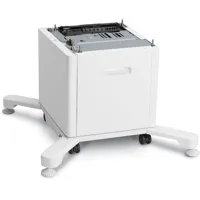
    High Capacity Feeder: 28.5 x 30.4 x 18" (724.2 x 772.1 x 459mm)
    Cabinet: 28.5 x 30.4 x 13.2" (724.2 x 7721 x 336mm)
    Stand / Caster Base: 28.5 x 30.4 x 3.5" (724.2 x 772.1 x 90mm)
    Mailbox: 17.7 x 18.8 x 9.8" (450.8 x 477.6 x 248mm)

  • Weight

    B600/DXP: 104.2 lb (47.3kg)
    550-sheet Tray: 14.6 lb (6.6kg)
    High Capacity Feeder: 43.3 lb (19.7kg)
    Cabinet: 37 lb (16.6kg)
    Stand / Caster Base: 18.7 lb (8.5kg)
    Mailbox: 11.7 lb (5.3kg)

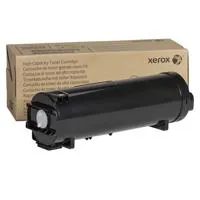
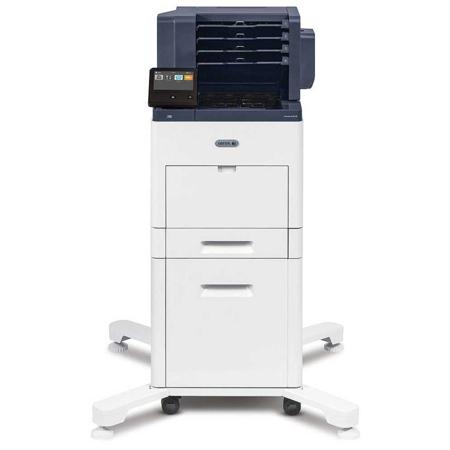
10 Accessories for Xerox VersaLink B600/DXP B&W Laser Printer, 58ppm, 1200x1200 dpi, 2700 Sheets Capacity, HCF, Mailbox

  • All Accessories (10)
  • Toner Cartridge (3)
  • Cables & Adapters (4)
  • Paper Tray (1)
  • Paper Feed Units (1)
  • Copy Paper (1)

About Xerox VersaLink B600

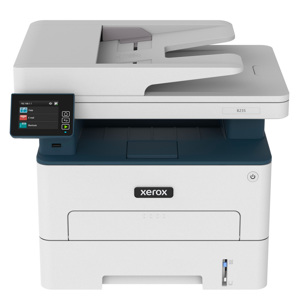
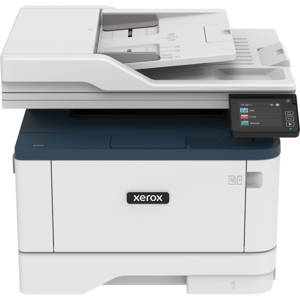
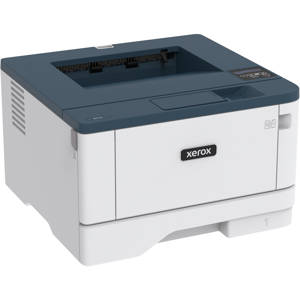
For a black-and-white printer, the VersaLink B600 is anything but basic. In fact, VersaLink sets a new standard for what you can expect in workgroup productivity from Xerox. Home or away, this highly configurable, cloud-connected workplace assistant delivers completely new capabilities that go far beyond the competition-at a competitive price.

Easy, smart and secure.
Right out of the box, you'll count on your VersaLink B600 to consistently and flawlessly perform the tasks that make your business work more efficiently. From IT-free installation wizards, to stepby-step configuration options, you're ready to go-hassle free.

Completely re-engineered for superior reliability, the VersaLink B600 features a new hardware design with fewer moving parts, and a more advanced Hi-Q LED print head.

VersaLink devices are loaded with features and time-saving Xerox technologies designed to speed up information sharing and reduce inefficient workflows.

When it comes to safeguarding critical information, VersaLink devices deliver a spectrum of stringent security features, including Secure Print and card authentication to control access.

Customizable, app-based functionality.
With the customizable, capacitive 5-inch color touchscreen, you can tap, swipe and pinch your way through tasks and functions with mobile-like ease.

Xerox ConnectKey Apps help optimize office efficiency, and on-screen access to the extensive Xerox App Gallery provides expanded functionality.

With Simple ID, individual users and groups enter a user ID and password once, and then enjoy fast, secure access to task-specific presets, individualized Favorite contacts, and commonly used apps on a personalized home screen.

Cloud and mobile connectivity.
The VersaLink B600 Printer gives you the freedom to work where and how you want-with access to Google Drive, Microsoft OneDrive and DropBox, and additional options through the Xerox App Gallery.

The ability to connect and print from multiple devices is key for today's worker, and VersaLink devices meet the challenge with Apple AirPrint, Google Cloud Print, Xerox Print Service Plug-in for Android, Near Field Communication (NFC) Tap-to-Pair and Mopria, plus optional Wi-Fi and Wi-Fi Direct.

Xerox ConnectKey Technology-the nexus of your complete productivity ecosystem.

From Xerox-the company that created the modern workplace-we present the next revolution in workplace productivity. With a consistent user experience across a wide range of devices, mobile and cloud connectivity and a growing library of apps to expand functionality, you'll work faster, better and smarter.

Intuitive User Experience
An entirely new-and yet entirely familiar way to interact that includes a tablet-like experience with gesture-based touchscreen controls and easy customization.

Mobile and Cloud Ready
Instant connectivity to cloud and mobile devices right from the user interface, with access to preloaded, cloud-hosted services that let you work where, when and how you want.

Benchmark Security
Full multi-level protection for both documents and data, ready to guard against and eliminate emerging threats and meet or exceed regulatory Compliance.

Enables Next Generation Services
Work more efficiently and manage resources more effectively. Easy integration of Xerox Managed Print Services enables remote monitoring of service delivery and consumables.

Gateway to New Possibilities
Instantly extend your capabilities with access to the Xerox App Gallery, featuring real-world apps designed to optimize digital workflows. Commission our network of partners to design innovative, businessspecific solutions.

Introducing mobile device-like touchscreen superiority.
Meet our all-new, 5-inch color touchscreen-the user interface that sets a higher standard for customization, ease of use and versatility.

By presenting a familiar "mobile" experience-with support for gestural input and task-focused apps that share a common look and feel-fewer steps are needed to complete even the most complex jobs.

A highly intuitive layout guides you through every task from start to finish, with a natural hierarchy placing critical functions near the top of the screen and commonly used options front and center. Don't like where a function or app is located? Customize the layout to make it yours.

This unmatched balance of hardware technology and software smarts helps everyone who interacts with the VersaLink B600 get more work done, faster.

Mobile Solutions and Mobile Device Apps

Apple AirPrint
Print email, photos and important office documents directly from an Apple iPhone or iPad with no drivers to install and no cables to connect. With AirPrint, an iPhone or iPad automatically locates and connects to the AirPrint-enabled device over the office Wi-Fi network.

Google Cloud Print
Google Cloud Print connects print devices to the web, enabling users to print the applications they use every day from smartphones, tablets, Chromebook notebook computers and any other webconnected device.

PrintByXerox
PrintByXerox is a free service that allows secure printing from any email-enabled device (computer, phone, tablet, iOS, Android, Google Chromebook and more) to a Xerox printer or MFP using a single email address with no IT intervention. No training is needed. End-users simply send attachments to the email address, and release them at the MFP anel.

Xerox Print Service Plug-in for Android (Free at Google Play Store)
The Xerox Print Service Plug-in for Android KitKat (4.4 or greater) devices streamlines mobile printing without third-party apps or additional print drivers. You can easily print photos, Web pages and documents when your mobile device is connected to multifunction printers using a wireless network. A robust print option set includes two-sided printing, stapling and secure code release. A free download is available from the Google Playstore.

Xerox Print Management and Mobility Suite, Xerox Print Management and Mobility Service
Xerox Print Management and Mobility Suite is a modular set of workflows designed to save customers time and money by providing effective control over their print fleet, while enabling worker productivity and mobility through a set of robust workflows. Xerox enables ultimate customer flexibility by offering these capabilities in both an on-premises server version and with a cloud based-version of this solution.
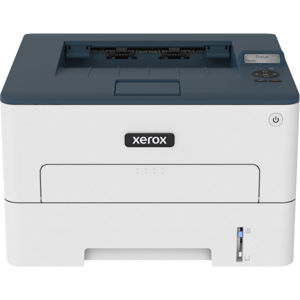
Xerox VersaLink B600 Features

  • Easy, smart and secure
  • Customizable, app-based functionality
  • Cloud and mobile connectivity
  • Intuitive User Experience
  • Mobile and Cloud Ready
  • Benchmark Security
  • Enables Next Generation Services
  • Gateway to New Possibilities

Key Features

  • Easy, smart and secure
  • Customizable, app-based functionality
  • Cloud and mobile connectivity
  • Intuitive User Experience
  • Mobile and Cloud Ready
  • Benchmark Security

What's in the box:

  • VersaLink B600/DXP B&W Laser Printer
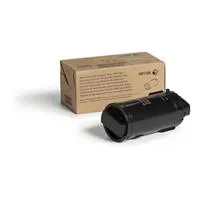
  • Standard Capacity Print Cartridge-Black (10300 Print Capacity)
  • Software and Documentation CD
  • Power Cord
  • Installation Guide
  • Quick Use Guides
  • Xerox 1 Year On-Site Warranty