
This item is no longer available.
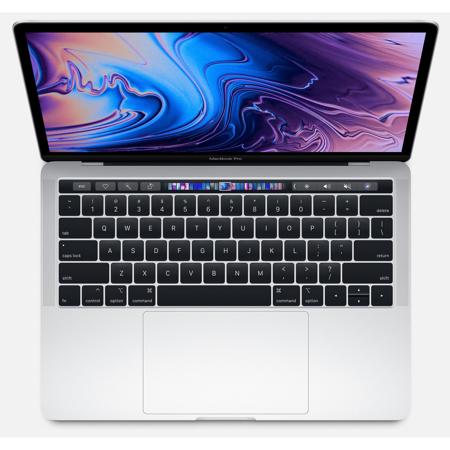
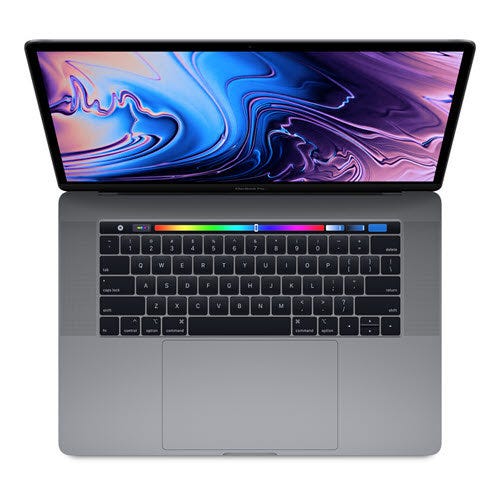
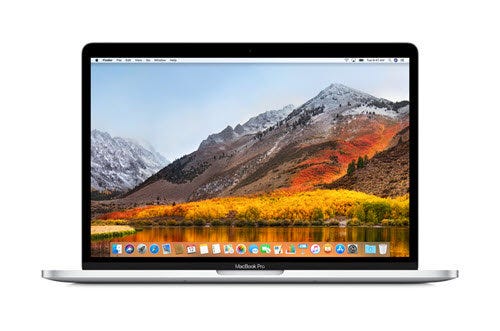
The all-new Macbook Pro with Touch Bar (2018) is Apple’s latest high-performance workhorse for creative professionals with demanding needs. It comes in two sizes: 13-inch and 15-inch. At first glance, this long-awaited Macbook Pro refresh boasts the same sleek Apple aesthetic, as well as recently introduced features such as the workflow-enhancing Touch Bar and Force Touch trackpad. However, what sets it apart from its predecessors are several under-the-hood upgrades designed to boost the MacBook Pro’s overall speed and performance. The 13-inch Pro ditches its dual-core CPU for 8th Generation quad-core i5 and i7 processors and doubled its maximum storage capacity from 1TB to 2TB. The 15-inch Pro has also gone from quad-core to 8th Generation six-core i7 and i9 processors, plus it has extended maximum storage capacity from 2TB to 4TB. Both support P3 color gamut for more vibrant, true-to-life displays and make use of Apple’s True Tone technology to automatically adjust the screen’s white balance based on your environmental lighting for a more comfortable viewing experience. The 2018 Apple Macbook Pro also features a Touch ID sensor right on the power button, a quieter keyboard, and hands-free Siri.
New eighth-generation Intel 6‑core and quad-core processors.
Up to 32GB of memory for running multiple pro apps.
Stunning Retina display with True Tone technology.
Touch Bar for working more productively.
MacBook Pro elevates the notebook to a whole new level of performance and portability. Wherever your ideas take you, you’ll get there faster than ever with high‑performance processors and memory, advanced graphics, blazing‑fast storage, and more.
*Testing conducted by Apple in June 2018 using preproduction 2.3GHz quad-core Intel Core i5-based 13-inch MacBook Pro systems with 8GB of RAM and 512GB SSD; and preproduction 2.6GHz 6-core Intel Core i7-based 15-inch MacBook Pro systems with 16GB of RAM and 512GB SSD. Testing conducted by Apple in May 2017 using preproduction 2.3GHz dual-core Intel Core i5-based 13-inch MacBook Pro systems with 8GB of RAM and 1TB SSD. The wireless web test measures battery life by wirelessly browsing 25 popular websites with display brightness set to 12 clicks from bottom or 75%. The iTunes movie playback test measures battery life by playing back HD 1080p content with display brightness set to 12 clicks from bottom or 75%. The standby test measures battery life by allowing a system, connected to a wireless network and signed in to an iCloud account, to enter standby mode with Safari and Mail applications launched and all system settings left at default. Battery life varies by use and configuration.
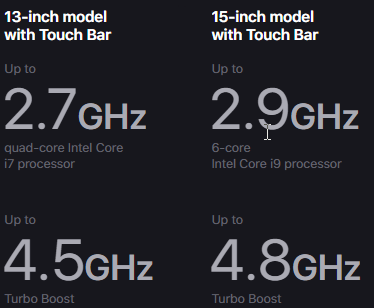
With eighth-generation Intel Core processors, MacBook Pro reaches new heights in compute performance. The 15‑inch model now features a 6‑core Intel Core i9 processor that works up to 70 percent faster than the previous generation, enabling up to 4.8GHz Turbo Boost speeds. And a quad‑core processor on the 13‑inch MacBook Pro with Touch Bar now makes it up to twice as fast as the previous generation. So when you’re powering through pro‑level processing jobs like compiling code, rendering 3D models, adding special effects, layering multiple tracks, or encoding video, you’ll get everything done. Faster.
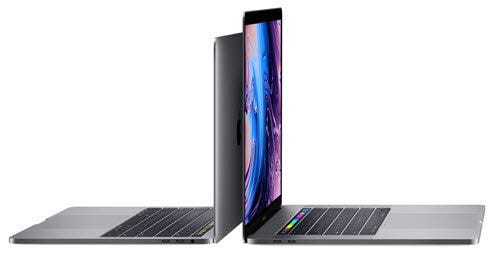
For faster performance when working with large files, or running multiple pro apps or virtual machines, the 15‑inch MacBook Pro can now be configured with up to 32GB of high‑performance 2400MHz DDR4 memory.
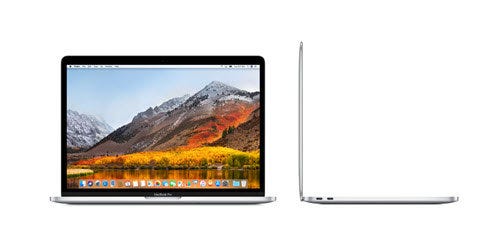
MacBook Pro features a Radeon Pro discrete GPU in every 15‑inch model, combining impressive power with remarkable power efficiency. And now we’ve paired each discrete GPU with 4GB of GDDR5 memory standard, giving you fluid, real‑time performance for pro tasks like rendering 3D titles in Final Cut Pro X. The 13‑inch model with Touch Bar features powerful integrated graphics with 128MB of embedded DRAM — twice as much as the previous generation — which accelerates graphics tasks. That means more time for what matters most — creating amazing work.
Introducing the Apple T2 chip — second‑generation custom Mac silicon designed by Apple to make MacBook Pro even more secure. Featured on the 13- and 15‑inch models with Touch Bar, the Apple T2 chip includes a Secure Enclave coprocessor that provides the foundation for secure boot and encrypted storage capabilities. It also consolidates many discrete controllers, including the system management controller, audio controller, and SSD controller, into one. And the Apple T2 chip brings a familiar voice to MacBook Pro — Hey Siri is always ready to open apps, find documents, play music, or answer your questions.
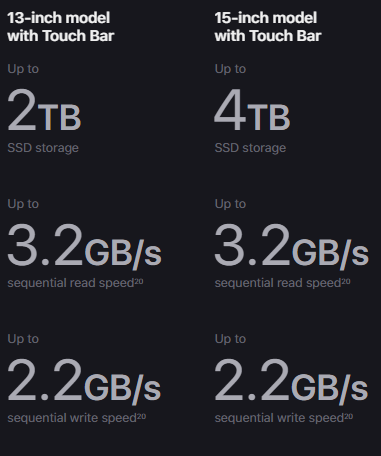
MacBook Pro includes a solid-state drive that’s blazing fast, with sequential read speeds up to 3.2GB/s. The 15‑inch model is available with up to a 4TB SSD, and the 13‑inch MacBook Pro with Touch Bar is available with up to a 2TB SSD — enough space to take even your biggest files with you, like large photo libraries or video projects. So you can boot up, launch multiple apps, or import huge files in a flash. And with the Apple T2 chip, everything is automatically encrypted on the fly.
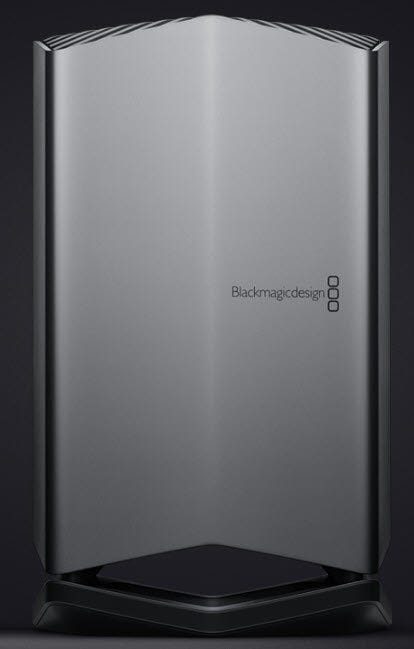
Blackmagic Design has created an external GPU (eGPU) ideal for MacBook Pro.14 So you can have desktop-class graphics performance without giving up the portability of a notebook. Housed in an all‑in‑one aluminum enclosure, the Blackmagic eGPU is powerful yet quiet, charges your MacBook Pro using Thunderbolt 3, and has built-in I/O connections to drive both a Thunderbolt 3 display and VR accessories simultaneously. With the Blackmagic eGPU and MacBook Pro, you can accelerate pro apps, create VR content, and enjoy supersmooth gaming anywhere you roam.
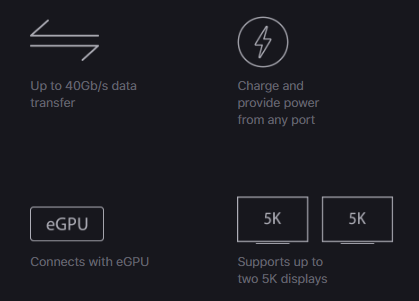
Thunderbolt 3 combines ultra‑high bandwidth with the ultra‑versatility of the USB‑C industry standard to create one revved‑up universal port. It integrates data transfer, charging, and video output in a single connector, delivering up to 40Gb/s of throughput for twice the bandwidth of Thunderbolt 2. Both sizes of MacBook Pro are available with up to four ports, so you can do all of that from either side. Existing devices are easily connected with a cable or adapter. And Thunderbolt 3 is reversible, so no matter how you plug in, it’s always right side up.
The Touch Bar replaces the function keys that have long occupied the top of your keyboard with something much more versatile and capable. It changes automatically based on what you’re doing to show you relevant tools that are intuitive to use — system controls like volume and brightness, interactive ways to adjust or browse through content, and intelligent typing features like emoji and predictive text, just to name a few.
Performance
With great power comes great capability
MacBook Pro elevates the notebook to a whole new level of performance and portability. Wherever your ideas take you, you'll get there faster than ever with high-performance processors and memory, advanced graphics, blazing-fast storage and more.
Photography
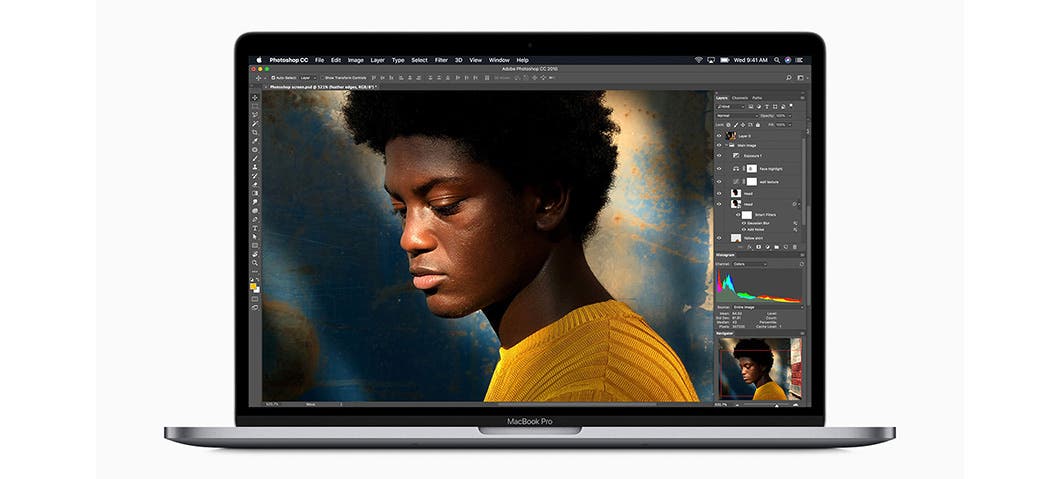
Retouch, edit and work with high-resolution photos in Photoshop at lightning speed.
Coding
Build code, run multiple virtual machines and see your work take shape - faster than ever before.
3D Graphics
Experience smooth real-time performance when rendering 3D models in Cinema 4D.
Gaming
Play a graphics-intensive game like Fortnite and enjoy responsive performance and vivid detail.
Processor
More power at its cores
With eighth-generation Intel Core processors, MacBook Pro reaches new heights in compute performance. And a quad-core processor on the 13" MacBook Pro with Touch Bar now makes it up to twice as fast as the previous generation. So when you're powering through pro-level processing jobs like compiling code, rendering 3D models, adding special effects, layering multiple tracks or encoding video, you'll get everything done. Faster.
• Logic Pro X
• WebKit Compile
• Wolfram Mathematica
• NASA
• Adobe Photoshop CC
• Adobe Light room Classic CC
• Pixelmator Pro
• Autodesk Maya
• Blackmagic Fusion Studio
• Compressor
Memory
Run more Wait less
For faster performance when working with large files or running multiple pro apps or virtual machines, the 13" MacBook Pro can now be configured with 8GB of high-performance 2133MHz memory.
Graphics
Eye-opening graphics performance
The 13" model with Touch Bar features powerful Intel Iris Plus Graphics 655.
Blackmagic eGPU
Desktop-class graphics without the desktop
Blackmagic Design has created an external GPU (eGPU) ideal for MacBook Pro. So you can have desktop-class graphics performance without giving up the portability of a notebook. Housed in an all-in-one aluminum enclosure, the Blackmagic eGPU is powerful yet quiet, charges your MacBook Pro using Thunderbolt 3 and has built-in I/O connections to drive both a Thunderbolt 3 display and VR accessories simultaneously. With the Blackmagic eGPU and MacBook Pro, you can accelerate pro apps, create VR content and enjoy supersmooth gaming anywhere you roam.
• Unity Editor
• Blackmagic DaVinci Resolve Studio
• Rise of the Tomb Raider
• Fortnite
Apple T2 Chip
The next generation of security
Introducing the Apple T2 chip - second-generation custom Mac silicon designed by Apple to make MacBook Pro even more secure. Featured on the 13" model with Touch Bar, the Apple T2 chip includes a Secure Enclave coprocessor that provides the foundation for secure boot and encrypted storage capabilities. It also consolidates many discrete controllers, including the system management controller, audio controller and SSD controller, into one. And the Apple T2 chip brings a familiar voice to MacBook Pro - Hey Siri is always ready to open apps, find documents, play music or answer your questions.
SSD Storage
Make quicker work of everything
MacBook Pro includes a solid-state drive that's blazing fast, with sequential read speeds up to 3.2GB/s. The 13" MacBook Pro with Touch Bar is available with 256GB SSD - enough space to take even your biggest files with you, like large photo libraries or video projects. So you can boot up, launch multiple apps or import huge files in a flash. And with the Apple T2 chip, everything is automatically encrypted on the fly.
Thunderbolt 3
The most powerful and versatile port ever
Thunderbolt 3 combines ultra-high bandwidth with the ultra-versatility of the USB-C industry standard to create one revved-up universal port. It integrates data transfer, charging and video output in a single connector, delivering up to 40Gb/s of throughput for twice the bandwidth of Thunderbolt 2. Both sizes of MacBook Pro are available with up to four ports, so you can do all of that from either side. Existing devices are easily connected with a cable or adapter. And Thunderbolt 3 is reversible, so no matter how you plug in, it's always right side up.
Touch Bar
More ways to be productive. Always within reach
The Touch Bar replaces the function keys that have long occupied the top of your keyboard with something much more versatile and capable. It changes automatically based on what you're doing to show you relevant tools that are intuitive to use - system controls like volume and brightness, interactive ways to adjust or browse through content and intelligent typing features like emoji and predictive text, just to name a few.
Tap it. Hold it. Flick it. Slide it
Familiar gestures make it easy to use the Touch Bar. Tap to expand the Control Strip, flick to adjust volume and brightness or slide to rewind while watching a movie.
Tap
Tap to move between tabs in Safari.
Touch and Hold
Touch and hold to see original versions of your photos while editing.
Flick
Flick your finger to adjust brightness and volume.
Slide
Slide to choose a font color in your Keynote slides.
Just what you need. Right where you need it
Many of the built-in apps on your MacBook Pro have Touch Bar controls that make common actions like sending an email or formatting a document even easier. The Touch Bar changes to match the app you're using, bringing these shortcuts front and center. And third-party apps can take advantage of the Touch Bar as well.
Photos
Select a photo as a favorite, use auto-enhance or quickly add your photo to an album. The Touch Bar brings editing tools out too - like cropping and applying filters.
Logic Pro X
Jump to a location, fine-tune sounds or turn your Touch Bar into a drum, piano or audio recording control panel.
Mail
Type a message faster with predictive text. The Touch Bar can suggest frequent recipients and emoji when composing a message, too.
Customize what you use most
You can create shortcuts right in your Control Strip and in apps like Mail, Pages and Safari to help you work faster and be more productive.
Touch ID
Advanced security. Right at your fingertip
Unlock your Mac in an instant. Use Apple Pay to make secure online purchases. Quickly access system settings and locked notes. And even switch between users - all with the touch of a finger.
• Unlock your Mac
• Buy with Apple Pay
• Use for authentication
Display and Audio
Easy on the eyes. Music to your ears
The Retina display in MacBook Pro is the best ever in a Mac notebook. It features bright LED backlighting and a high contrast ratio, delivering deep blacks and bright whites. It supports P3 wide color for even more vibrant greens and reds than with sRGB. And the 13" model with Touch Bar feature True Tone technology. The white balance automatically adjusts to match the color temperature of the light around you - for a more natural viewing experience.
MacBook Pro has beautifully balanced, high-fidelity sound that takes listening to new levels with wide dynamic range and more bass for maximum boom. And the speakers are connected directly to system power, enabling greater peak amplification. So you can mix a track on the fly, edit video on location or enjoy a movie on the go.
Keyboard and Trackpad
Your workspace just got quieter
The MacBook Pro keyboard features a butterfly mechanism - providing four times more key stability than a traditional scissor mechanism, along with greater comfort. The 13" MacBook Pro models with Touch Bar now feature a keyboard with a quieter typing experience. And the spacious Force Touch trackpad gives your fingers plenty of room to gesture and click.