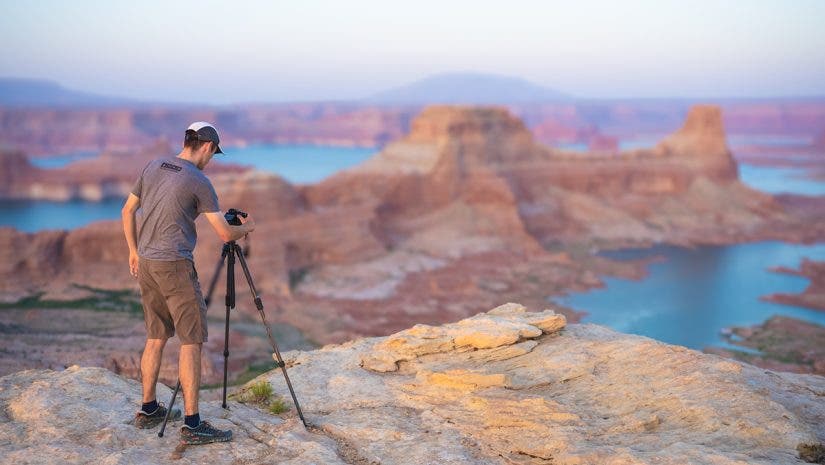
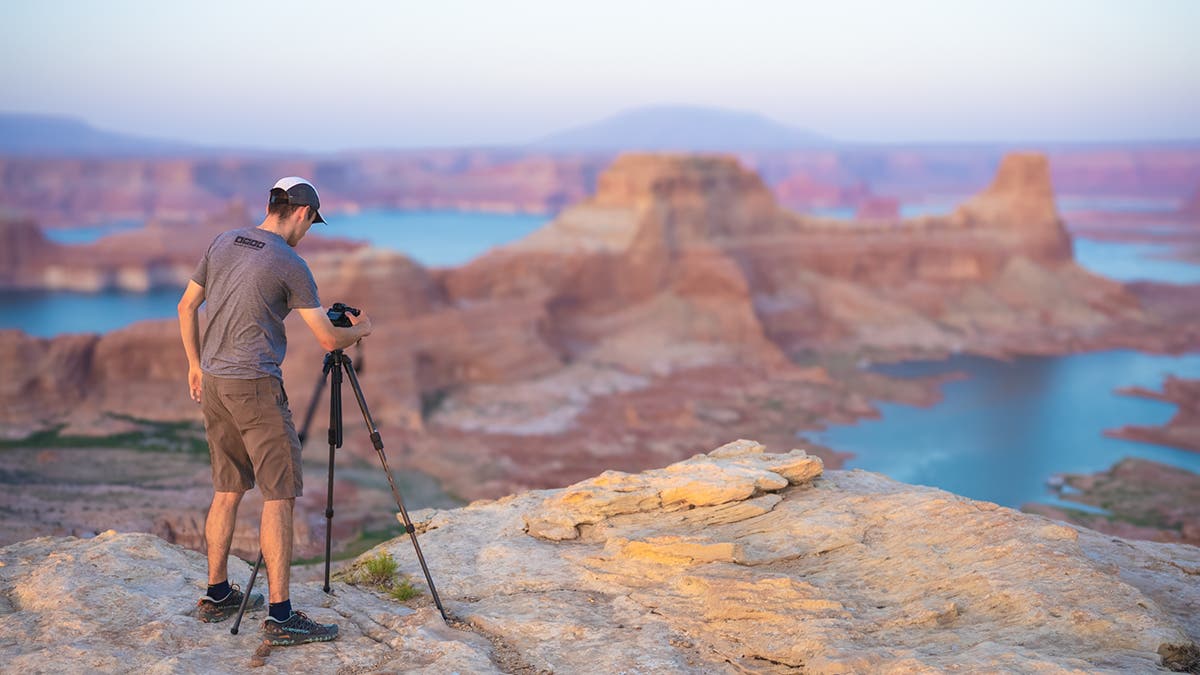
Landscape photography and the wide-angle lens go together like peanut butter and jelly. Some of the most intriguing wide-angle compositions feature a strong foreground element positioned close to the camera. These elements are accompanied by a subject that stands further away. This was apparent on my most recent trip to Lake Powell. There, I found a foreground rock that caught the light in front of a beautiful landscape. I knew that limitations in-camera wouldn’t allow for the scene to have front-to-back sharpness. This was because I was so close to the rock in my foreground, conversely, so far from the landscape. This situation called for one of the most commonly used photography techniques, the focus stack. The focus stack helps achieve perfectly sharp focus across the whole image.
What is a Focus Stack?
A focus stack is when you take multiple images of the same composition. You keep the same camera settings, but you switch the focus point (or use manual focus) for each exposure. This allows you to capture complete sharpness in the image. These photos are then blended in post-processing to create a perfect front-to-back sharpness across the image. A sharpness that is otherwise not achievable in a single shot.
Some cameras can even do in-camera focus stacking. Simply pick the number of images and the difference between the focus in each shot. While this feature can expedite the process, it certainly isn’t a necessity, and you can do your focus stacking manually if you don’t have this feature.
How Do I Shoot a Focus Stack in the Field?
Picking the right camera settings is critical to make blending the images in post-processing easier. To start, you’ll want to use a tripod to ensure no movement between images. For most focus stacking, f/8 is a great aperture to use as this generally strikes a good balance between depth of field and image sharpness. While f/22 may deliver more of the image area in focus, most lenses experience diffraction when stopping down this far. This means it’s best to avoid these apertures if you want to achieve the sharpest image.
Once you set your aperture, adjust your shutter speed and ISO accordingly to properly expose the scene. Then, you can either manually focus the lens or you can use a point autofocus to switch between different spots in the scene. Most focus stacks can be done with two or three focus points, though each scene is unique, and you should always aim to capture more images than you think you need. The closer you are to the foreground element, the more images you’ll need to capture.
How Do I Blend a Focus Stack in Photoshop?
To start, open your images as layers on the same Photoshop document. Zoom in on the image and determine the order in which the images should be blended. I prefer to rename my layers by double-clicking on the layer and then naming the layers in order using numbers (1 for closest focus, 2 for next closest, etc).
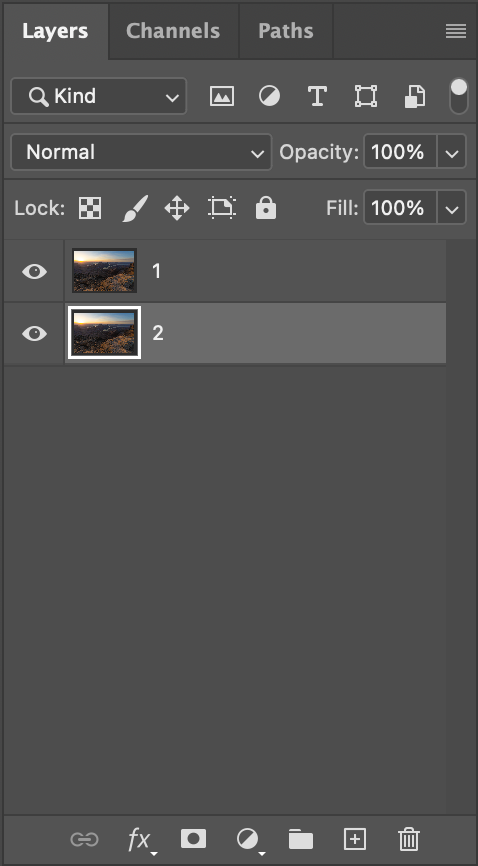
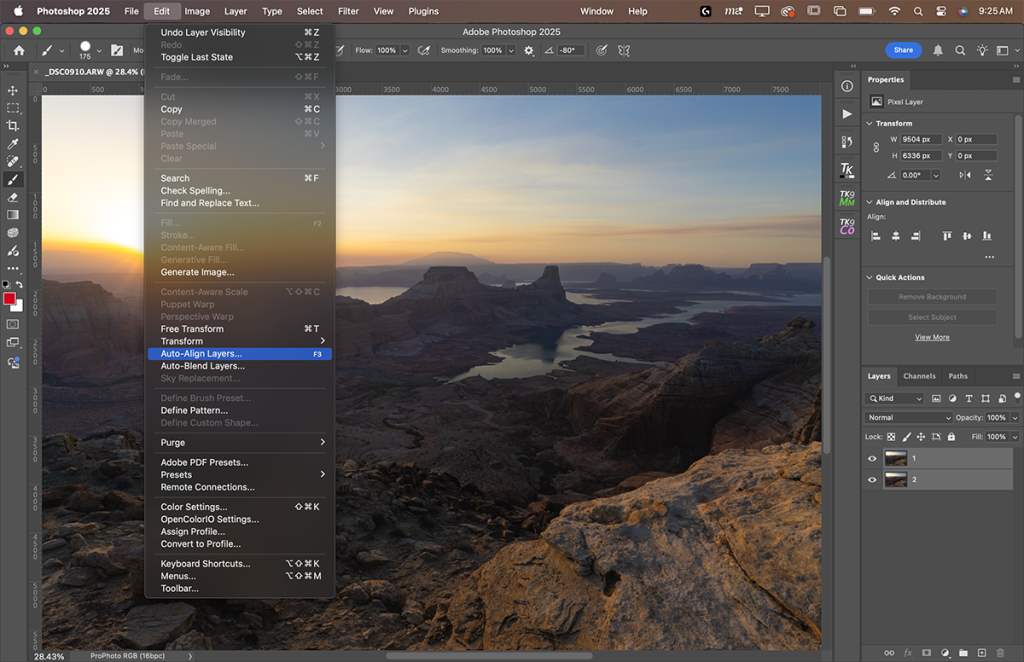
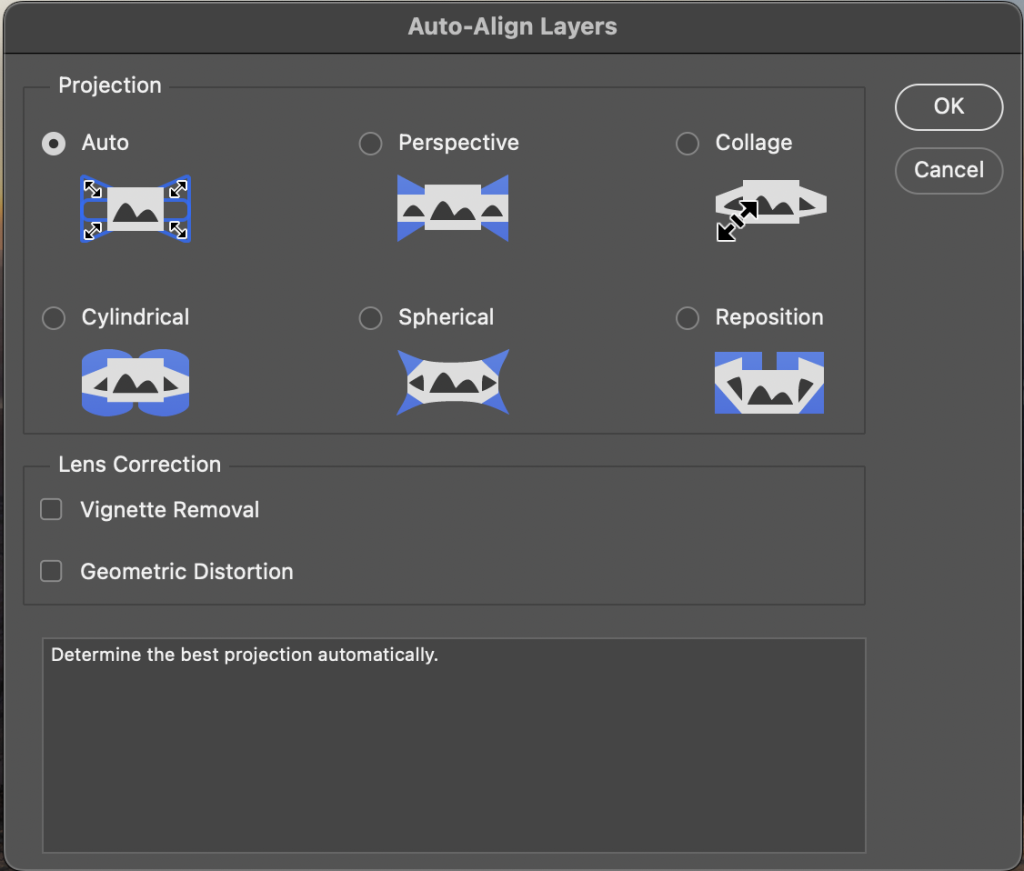
Next, select both layers (Shift + Click) and go to Edit > Auto Align Layers. Select Auto as the projection and ensure the other two boxes are unchecked. This will automatically align the layers to compensate for focus breathing or to fix any slight movement of the camera. It’s crucial not to skip this step, as even a slight movement can result in a poor blend.
Layer Masking
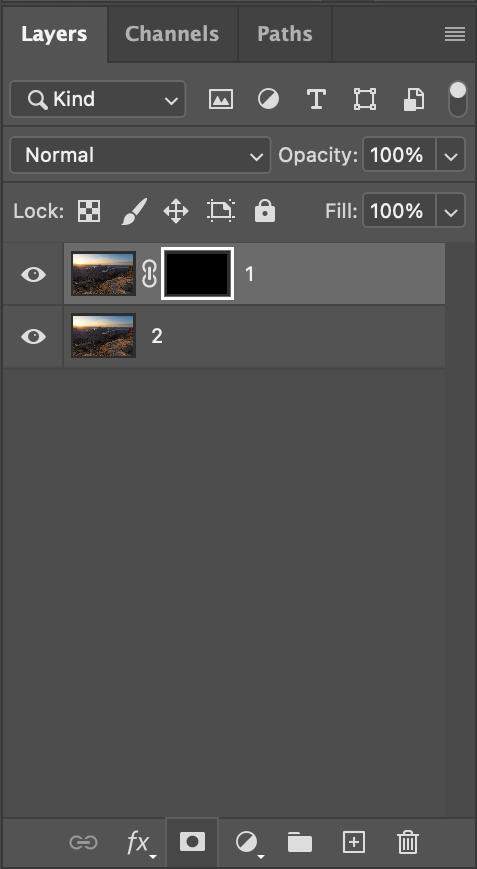
We’ll be utilizing Photoshop’s layer masking capabilities to blend the two images. There are many ways to do this, but my preference is to select the top layer, hold the Alt/Option button, and click on the layer mask button (the rectangle with a cut-out circle on the bottom of the layers panel). This will open up a black layer mask, completely hiding the top layer. Then, you’ll be able to use the brush tool to paint back the areas that are in focus.
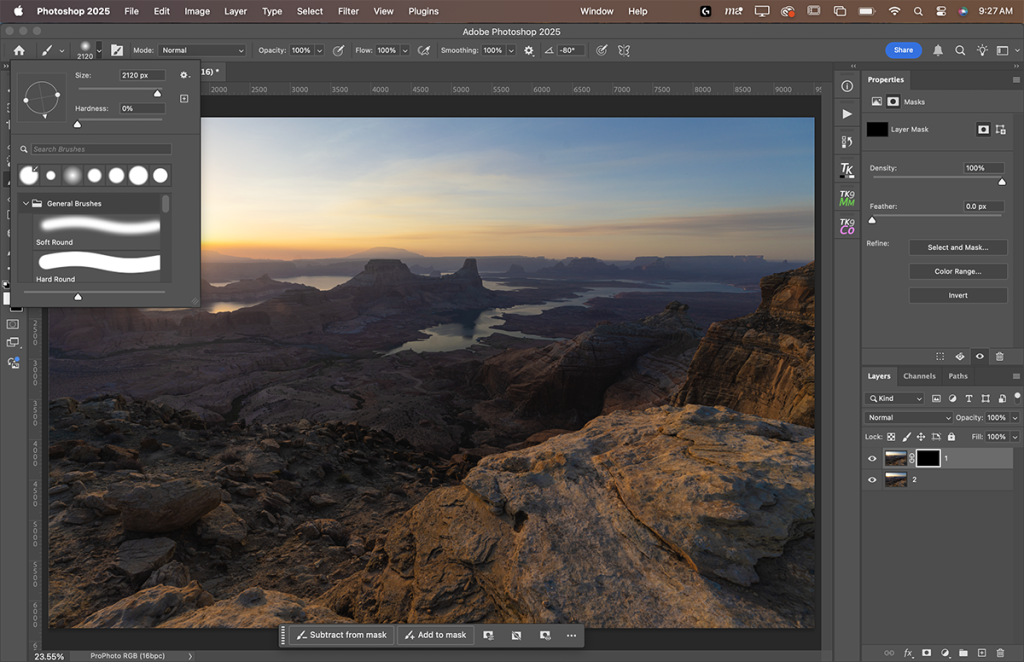
Press “B” on the keyboard to access the brush tool. Navigate to the menu bar at the top of the screen, which gives you access to the tool you have selected. Open the dropdown menu and adjust the hardness of the brush to 0% and switch the opacity to 100%. This creates a soft, feathered brush, making it easier to paint in the in-focus areas of your scene seamlessly. The size of the brush will greatly depend on the image you’re working with and the camera it was shot on, so adjust the size to be larger or smaller to best suit your needs.
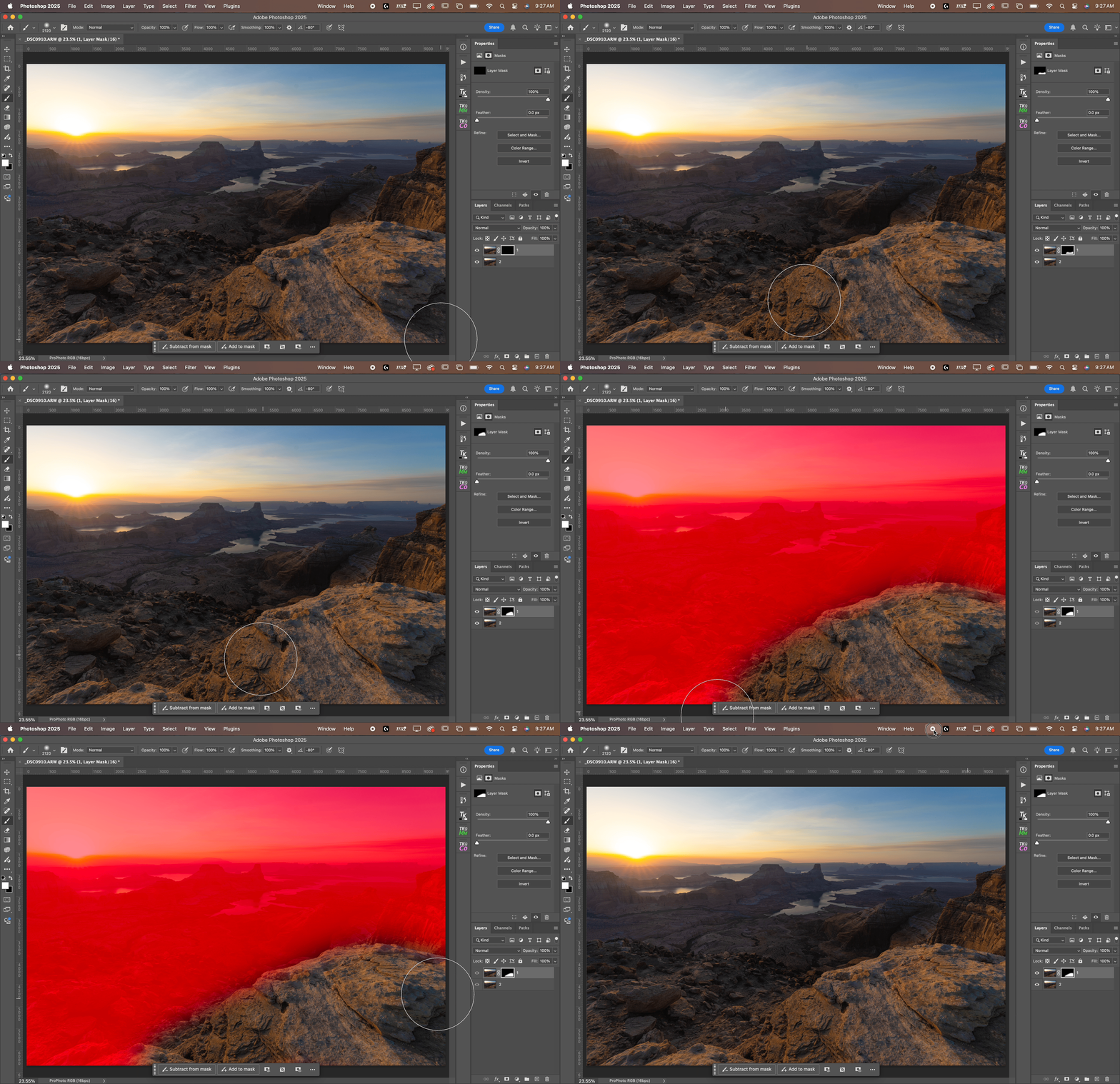
Ensure you are painting with white by pressing “D” on the keyboard. Then simply click and drag on the screen to paint the image. You’ll want to apply paint anywhere that the layer you have selected is in focus. If needed, zoom in on the image to see the results happen live as you apply paint, and don’t be afraid to undo any time you make a mistake. If you’d like to see a live preview of what you’ve painted, press the backslash key to toggle the layer mask. Anything red has not been painted back in, while anything that shows your image implies that you’ve painted this area back.
Rinse and Repeat
If you have more than two images, rinse and repeat this process on each layer. The bottom layer does not need to have a layer mask on it, as it is serving as the background layer, and any spot that is not painted back in from the layers above will show through on the bottom layer. Always zoom in and review the image to ensure accuracy, as the only way to fix mistakes is to come all the way back to the beginning again. Once satisfied, continue editing in Photoshop or save the image as a .tiff file and proceed to use the editor of your choice.
To conclude, a focus stack is an outstanding technique that gives photographers control over having complete sharpness and detail throughout their images. Utilizing multiple images to achieve front-to-back focus in the image is a technique you absolutely must master to conquer the limitations of the camera. Whether you’re shooting macro images of bugs, grand landscapes, or anything in between, focus stacking is a technique you should have in your arsenal.
All images: Austin James Jackson