2025-04-26T20:00:00
Rated 3 out of 5
Still waiting for a callback.
Functionality is good. Support is not. I still can't print from my cell phone.
Joseph
Originally posted at

2025-01-14T19:00:00
Rated 3 out of 5
Ink Issues
Burns thru ink even without using much. Have constant problems with printer saying low on ink when I do not use the printer much
TIL7
Originally posted at
2024-09-22T20:00:00
Rated 2 out of 5
Works great... when it works!
I rarely use my printer, and usually just black ink with minimal color use. But I need to replace the cartridges much more often than I feel I should. I also have recently had to remove it from my pc, then upload it again with the installation disc each time I used it, with maybe two weeks of non-use in between. This has happened multiple times over the last several months.
Mari M.
Originally posted at
2024-05-05T20:00:00
Rated 1 out of 5
Bad product and Sevice. Please reach out to me.
Worst printer I've ever bought. Within a year it started not working. issue that could go wrong did. I would say it worked 10% of the time. When
I calls to get help they would not replace it or assist me.
Horrible product and customer service. If a manager reads this please, reach out to right this wrong.
Charlie
Originally posted at
2023-10-11T20:00:00
Rated 1 out of 5
Ink cartridges?
Great little printer; getting good print quality is another thing.
ElsieJ
Originally posted at
2023-09-12T20:00:00
Rated 5 out of 5
Best printer I have ever had
I have been through a couple of other brand of multifunction printers and the Brother has been the most convenient, reliable and user friendly that I have ever had. My previous printer had a lot of great functions but kept getting mysterious and ultimately unresolvable hardware errors and also frequently had trouble connecting over the wireless when I needed to print. No such problems with the Brother. It's always available and always works.
GHalb
Originally posted at
2023-04-29T20:00:00
Rated 4 out of 5
A Good Printer/Scanner - With Caveats
Overall this is a good quality printer/scanner for the price. The biggest wrinkle during the Initial Setup was that the TCP/IP address for the printer was required. It works and plays well in our mixed Linux/Windows 10 home environment. Unfortunately, it requires Brother Brand ink. This is a major disadvantage. If any one of the color cartridges is empty it will not print, even in black and white. This is another major disadvantage. Overall, this is a good printer/scanner that would be a lot better if it were more open.
David B.
Originally posted at
2023-02-18T19:00:00
Rated 5 out of 5
Oh Brother
I use a few Brother printers. Doing alot of scanning to .pdf I really dig usb/media port in front of printer. Awesome unit.
TonyT
Originally posted at
2023-01-27T19:00:00
Rated 4 out of 5
Fast and easy to use
Easy to clear paper jams - printer opens up all the way. Easier to change ink cartridges then HP printers. Prints clear and fast.
Lack of customer support.
A big complaint: colors aren't true, especially blue - different tone then on monitor.
Big G.
Originally posted at
2023-01-16T19:00:00
Rated 4 out of 5
Great printer for the money
The printer prints quality pages in either color or black and white, however, you must only use OEM ink or it will malfunction. I was able to get back up and running once I got Brother in cartridges.
Joe P.
Originally posted at
2022-12-16T19:00:00
Rated 1 out of 5
ink doesn't last
uses ink too fast, if you do not print every day - it dries, and you use 1/2 a cartridge to get it to print correctly and then tells you it needs new cartridges. would not reccomend unless you print often - then it will cost you $$$ to keep enough ink. the cartridges are very small and don't last very long - do not buy this printer
cfos
Originally posted at
2022-12-09T19:00:00
Rated 4 out of 5
a great printer
we really like our brother 'do it all' printer. reliable, with great quality print/copy/scan.
The reason I gave it 4, instead of 5 stars, is that the ink cartridges do not last long at all -- and aren't cheap. If printing was less expensive, this would be a 5 star product for sure.
djharris
Originally posted at
2022-11-29T19:00:00
Rated 2 out of 5
Thirsty for ink,,,, give me more!
Printer works as advertised. Drinks ink like a drunken sailor.
dsops00
Originally posted at
2022-11-18T19:00:00
Rated 5 out of 5
Love this printer
Never have any issues, does everything I need it to do. Great buy!
Robindea
Originally posted at
2022-11-13T19:00:00
Rated 5 out of 5
Very good value. You will enjoy using.
Printer is very good. Very good value. Relatively fast and easy to use.
ted100
Originally posted at
2022-10-13T20:00:00
Rated 5 out of 5
If you're not tech savvy, this is for you!
Love it! It provides a tutorial is something needs to be done, like change an ink cartridge.
Vera
Originally posted at
2022-09-26T20:00:00
Rated 5 out of 5
Great printer
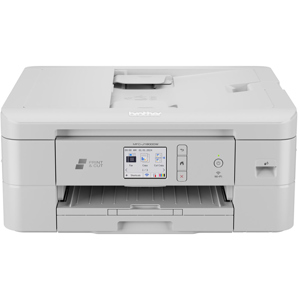
My MFC-J895DW printer is one of the best we've had. It has all the features we need in a printer. The test printing is excellent and photo pictures are vivid and accurate. We use it almost daily for printing puzzles that we work on together. We use it frequently to print documents for tax returns and other documents. In short, if and when it fails, we would buy another Brother printer.
Chuck80
Originally posted at
2022-09-12T20:00:00
Rated 5 out of 5
The Brother MFC-J895DW ink-jet is a Great Printer
I needed a color printer. I red several reviews on different sites to help me narrow my selection. The Brother MFC-J895DW ink jet printer was highly rated on all the sites I visited. It was moderately priced. After the printer arrived, I immediately installed the software. The printer works perfectly. It produces photo quality output. It is very fast and quiet. I can access many useful ideas online at the Brother website. I print high quality business envelopes. I feel I made a good choice to purchase this printer, Highly recommended.
Eric
Originally posted at
2022-09-12T20:00:00
Rated 5 out of 5
Good features
Good options for copying, printing and scanning.
Ink cartridges easy to change.
No maintenance issues.
CAL1
Originally posted at
2022-06-19T20:00:00
I've had several Brother printers at work and at home. They've never failed to perform perfectly.
TMS7
Originally posted at
2022-06-18T20:00:00
Rated 1 out of 5
Ink and soul sucking printer.
The printer runs out of ink quickly and when one of 4 color ink cartridges runs low, the printer repeatedly sends nonsensical messages to my phone that the printer is low on ink and asks you to either cancel or continue, but repeatedly selecting continue does not result in black and white printing - just more annoying messages on my phone to cancel or continue. Very very irritating.
Steve M.
Originally posted at
2022-06-16T20:00:00
Rated 5 out of 5
Air print from iPhone!
So far so good! I love having the individual colors for ink; it makes so much more sense. The air print from Apple devices works well, as well as double sided printing. The set up directions were fairly confusing; finally figured it out after further searching for details.
TeacherGrandma
Originally posted at
2022-06-06T20:00:00
Rated 5 out of 5
great Brother printer
quick printing, very quiet compared to my previous printers, print nice and crisp - no blurry letters or numbers; love it
tenntomcat
Originally posted at
2022-05-19T20:00:00
Rated 1 out of 5
Don't buy it.
This is a replacement for my original . It was fine until it wouldn't permit a replacement ink cartridge (magenta). It would not operate until the cartridge was replaced! Tried repeatedly to reinsert, changed cartridges, etc. Even emailed the Company for help (got none). Finally replaced entire unit, primarily due to the stockpile of very expensive ink cartridges that I had acquired; otherwise, I would have bought a different machine. Hardly an endorsement for your product.
Peter M.
Originally posted at
2022-05-16T20:00:00
Rated 4 out of 5
Broken paper feed gear, 1 yr old printer,
Love the printer, however a gear has broken in the paper feed and i cant find the part.
Robert
Originally posted at
2022-05-07T20:00:00
Rated 4 out of 5
Great home printer
Great printer with a lot of features for its price. Light duty for home use, but a lot of business printer features. Only issue is Brother replacement ink is expensive.
JohnT
Originally posted at
2022-04-29T20:00:00
Rated 5 out of 5
Brothers all-in-one are the best and they last.
I was looking for a all-in-one to replace my 8 year old all-in-one.
Alex
Originally posted at
2022-04-25T20:00:00
Rated 4 out of 5
Working well as expected.
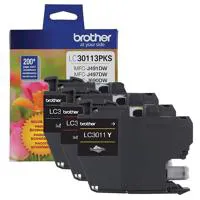
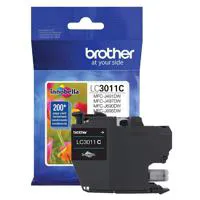
Only complaint is the size of the ink cartridges. I think all of the cartridges should be the size of the black one. The product is performing well for both color and black printed materials.
LTK1
Originally posted at
2022-04-22T20:00:00
Rated 5 out of 5
Great Multi-function Printer
This is a great multipurpose printer in all respects. Print quality is great, and the connection time and print time for wireless printing is quick. The setup also is very easy. Best printer I have owned and I would highly recommend.
KenB
Originally posted at
2022-04-15T20:00:00
Rated 5 out of 5
All is well after the first month
The 'starter' ink cartridges are still installed and printing. They've lasted longer than I thought they would. The printer prints well, I use it for both plain paper printing as well as photo paper printing. One feature I do miss from my Epson is the ability to have two trays loaded at the same time, one for plain paper and the other for 6x4 photo paper.
Dan G.
Originally posted at