Overview
Compare
Accessories
Specs
Protection
Q&A

Questions & Answers

FAQ

What is the printing speed of the Brother MFC-L2750DW XL Extended Print Monochrome Laser Printer?

The Brother MFC-L2750DW XL Extended Print Monochrome Laser Printer has a class-leading print speed of up to 36 pages per minute.

Can I print from my mobile device using the Brother MFC-L2750DW XL Extended Print Monochrome Laser Printer?

Yes, the Brother MFC-L2750DW XL Extended Print Monochrome Laser Printer supports wireless mobile device printing. You can print directly from your desktop, laptop, smartphone, or tablet.

Does the Brother MFC-L2750DW XL Extended Print Monochrome Laser Printer support duplex printing?

Yes, the Brother MFC-L2750DW XL Extended Print Monochrome Laser Printer supports single-pass duplex (2-sided) printing, which saves you time and paper.

Can I scan documents directly to cloud services with the Brother MFC-L2750DW XL Extended Print Monochrome Laser Printer?

Yes, with the Brother MFC-L2750DW XL Extended Print Monochrome Laser Printer, you can scan documents directly to popular cloud services like Dropbox, Google Drive, Evernote, and OneNote.

What is the toner yield of the Brother MFC-L2750DW XL Extended Print Monochrome Laser Printer?

The Brother MFC-L2750DW XL Extended Print Monochrome Laser Printer comes with up to 2 years of toner included, capable of delivering approximately 7,500 pages.

Shopper : Why Did You Choose This?ARNOLD V : I owned a predecessor of this product for many years. Hope this will serve me as well or even betterJOHN D : I've previously owned a Brother printer and It performed very well. This all-in-one printer does all that I need, printing costs are low and it has great reviews. It should work well for my small office.Adam T : My friend recommendedChequeta H : Needed some reliable and that I could print a lot more than using a ink printerPete G : autofeed scanning and duplex scanning and priceRichard C : Had Great ratings and Best Price!David W : Good reviews, does all I need.ARTHUR F : Great capability. Excellent reviews.Jerzy M Z : Because of the reviews that is supposed to be one of the best laser printers (all-in-one). I have owned several Brother printers and all of them were exceptional quality.ADMIN D : employee requiredMAGGIE L : good price on the bundles of two extra toners.Sharon W : Reviews. Connectivity. Value w/toner and printing options.

Reviews about this item

Review Summary

2026-04-10T20:00:00

Rated 3 out of 5

Brother provided NO HELP

Called Brother for help connecting to my Mac Book Pro. NO HELP - FAIL.

Disappointed B.

2026-02-25T19:00:00

Rated 5 out of 5

EXCELLANT

EXCELLANT MACHINE FOR SMALL BUSINESS OR PERSONAL USE

TOP I.

2024-08-20T20:00:00

Rated 5 out of 5

MFC-L2750W XL this printer was recommended

It prints quickly.I use it with a USB cord not wifi

Minnie

2024-07-10T20:00:00

Rated 1 out of 5

Piece of Junk

Worked great for 1 week, then the network card died. Brother tech support told me "There is nothing we can do for you on this end." Thanks for nothing. I have been a Brother customer for 20 years, but their era must be over. This is the LAST Brother printer I will ever buy and I will warn others away from the brand.

Regaug

2024-06-02T20:00:00

Rated 4 out of 5

Nice Printer, BEWARE of the Instructions!

We needed a new printer for the club newsletter, and wanted one a bit better than the old one. This model (MFC-L2750DW XL) was especially attractive with the added toner. Unboxing and setup were as expected, no snags. We now had the printer loaded and setup, ready for printing. Printing from the computer to letter paper was as expected, and quite fast. A big surprise came when printing envelopes. Like most devices, the manual is online. The instructions shown there would only print one envelope at a time- NOT GOOD! Meanwhile my co-worker was looking over the printer itself, and found an outline of an envelope stamped into the bottom of the paper drawer. Orienting the envelopes to match the stamping, we could load 20-25 envelope at a time! They all printed without error as well. Seems like a good deal for the cost, especially with the extra toner.

MI1800es

2024-03-20T20:00:00

Rated 5 out of 5

mfcl2750dw xl

this printer is so much better than hp office jet pro 8035e I recommend it

Metal

2023-10-03T20:00:00

Rated 5 out of 5

Great Machine

We purchased this Brother all-in-one to replace and older Brother model. We were happy with the older model, but after 5-6 years of use, it just wore out. The newer model works well making crisp copies. We use it mainly as a copy machine, but we do occasionally print to it. It was easy to hook up to our wireless network and computer.

Stagecoach J.

2023-08-09T20:00:00

Rated 5 out of 5

Brother Printers FTW!

Brother printers excel where all others fail. Build quality, toner longevity, reliability.

J T.

2023-08-02T20:00:00

Rated 5 out of 5

Great Printer

This is a great, easy to use printer. It is the second one of these that I've purchased. It does everything well and easily.

Susan

2023-06-14T20:00:00

Rated 4 out of 5

Works with Apple Products

Works with Apple IMac desktop and iPhone and iPad as described. Mobile printing is easy.

Charlie

2023-03-08T19:00:00

Rated 4 out of 5

copier and fax

the copier and fax has been great my only disappointment has been how long the toner lasts it said i would get 3000 copies but i've only had for about 4 or 5 months and I have to change my toner out

Dean H.

2023-02-13T19:00:00

Rated 5 out of 5

Love Brother machines!

We replaced an older version of the same machine. Works great!

Lisa H.

2023-01-30T19:00:00

Rated 4 out of 5

Best printer around!

This is my second Brother printer. I bought it because I had such good luck with the first one. I have one problem though. I have not been able to get it to feed one sheet, and to get it to feed envelopes.

The H.

2022-12-28T19:00:00

Rated 4 out of 5

Great printer, except...

Does everything well, except: It interfaced with my home landline and, despite repeat house calls from CenturyLink field technicians, this printer kept shutting down all of the phone lines in my home except one. Brother support was no help, and blamed the phone company.

West D.

2022-11-16T19:00:00

Rated 5 out of 5

brother 2750

It's a good machine for a small to medium size office. I use it mostly for scanning.

tina

2022-10-15T20:00:00

Rated 5 out of 5

I'd buy it again

This is s great printer! It warms up quickly, prints fast, and is reasonably quiet. It sure beats my old ink-jet.

Bob H.

2022-10-14T20:00:00

Rated 5 out of 5

home use

wish i had this printer sooner, was tired of cannon mg7520 problems. the printer is very fast, no problems.

DRW 5.

2022-09-26T20:00:00

Rated 5 out of 5

outstanding product

I have been using brother product quite a while..I love them..

koray

2022-06-16T20:00:00

Rated 4 out of 5

MFC scanner/printer/fax all in one

Overall a good product. Replaced an older model. Using Windows 11 so installation was a little tricky as I am not the most tech savy person.

Stacy

2022-05-31T20:00:00

Rated 1 out of 5

Very slow

Very slow for the first page to come out. If i have the chance to return it i would. I lost my receipt

Nexar a.

2022-04-26T20:00:00

Rated 5 out of 5

Even Better than our old one.

I bought this one to replace our older one that had lasted for 10 years. This one is even better and with the 2 Toner Cartridges that came with it was a great buy.

mandrgames

2022-04-19T20:00:00

Rated 4 out of 5

Great but???.

I?ve been very happy with this printer. It scans, prints, copies like a champ, crisp and clear. But??..it is exceptionally LOUD, like a bearing needs some serious grease! I hope this is not a peak into the future.

Aaron

2022-04-03T20:00:00

Rated 5 out of 5

Surprise for me: it handled 2-sided printing. Thx!

Replaces a 10-yr old Brother multi-function; new one does more, faster. Didn't miss a beat.

Jon W.

2022-03-29T20:00:00

Rated 4 out of 5

Workhorse of a printer

It?s a work horse of a printer. I?ll not go back to ink. But mine seems to always revert to double sided when i have it on single. It gets hot, needs more vents & id suggest a longer tray for catching more documents. 30 page legal brief etc

Susie

2022-03-21T20:00:00

Rated 5 out of 5

Satisfied

So far so good, it met my expectations. Definitely recommend this printer.

Ibrhm

2022-03-05T19:00:00

Rated 5 out of 5

Easy to use

I've been using it for a couple of months and am very happy with it. It was easy to set up and works beautifully. I'm waiting to see how long the ink cartridge lasts.

catmomma

2022-02-09T19:00:00

Rated 5 out of 5

Great B/W MF Laser printer.

You cannot go wrong with a Brother!! A great performance at a great value

Mani S.

2021-08-04T20:00:00

Rated 1 out of 5

Lousy tech support

Impossible to quickly find answers to the simplest of answers, no human support to speak of. Contact my IT department? Thanks for the advice, Brother

tmiller12r

2021-08-02T20:00:00

Rated 4 out of 5

nice features

I really liked the features on this printer - when it worked it did what I needed to do. The problem was every time I needed to use it - I had to RE-INSTALL it!! It kept going off line and forgetting it was supposed to be a printer on my network!! The brother help desk just kept telling me the problem was my network! No it was not! Plus I have another printer here HP that is on line and has been for a year (never catch it off line (never have to re-install it).That was VERY madding!! Amazon sent me another Brother printer and - so far - it has not gone off line.

Mike

2021-07-31T20:00:00

Rated 5 out of 5

Great Printer for Home or Small Office

As far as modern printers go, this is an excellent multifunction printer that checks all the boxes the average home or small business needs. It's fast, has fax, connects to multiple cloud sources, has NFC, and everything is relatively easy to set up quickly. The printouts are crisp with ultra dark blacks and the scanner scans in color and converts to grayscale when printed. I bought this as my old (10 years) Samsung color laser printer is on its last leg and I wanted to move away from having to buy four toner cartridges. I recommend the Brother for any home or small business.

Larry

Select a plan in the Add Protection section above and purchase with this product by clicking “Add to Cart”.

image-protection

TRUSTED PROTECTION PLANS, EXCEPTIONAL SERVICE.

Invest In Your Gear and Peace Of Mind!

Accidents happen where life happens. Protect your favorite Adorama products and purchase a protection plan to stay covered from accidental damage, mechanical or electrical failure, and more.

Repair or Replacement

Repair or Replacement

If we can’t fix it, we’ll replace it at no additional cost.

Accidental Damage

Accidental Damage

Protect your product from drops, spills, and more.

Peace of Mind

Peace of Mind

Enjoy your gear without fear. We have you covered!

Malfunction Protection

Malfunction Protection

When regular use of your product over time results in mechanical or electrical failure.

Zero Deductible

Zero Deductible

We will never charge you a deductible after the purchase of a plan.

Customer-Focused Support

Customer-Focused Support

Our claims process is simple & easy and our customer service team is happy to help.

Adorama Protect powered by Extend is available for purchase to customers in the United States. Not available for purchase Internationally or in U.S. Territories.

Brother MFCL2750DW Specifications

Connectivity & Compatibility

Connectivity & Compatibility

Jump to...
  • Brother Cloud Apps

    Office Print, Scan to Mobile, Fax Forward to Cloud / Email, Easy Scan to E-mail

  • Cloud Services (Web Connect)

    GOOGLE DRIVE/GOOGLE DRIVE for Business, ONENOTE, BOX/BOX for Business, EVERNOTE/EVERNOTE Business, ONEDRIVE/ONEDRIVE for Business, DROPBOX/DROPBOX for Business

  • Mobile Device Compatibility

    AirPrint, Google Cloud Print, Brother iPrint&Scan, Wi-Fi Direct

  • Near Field Communications

    Yes

  • One-Push Wireless Setup

    Wi-Fi Protected Setup

  • Optional Interfaces

    No

  • Standard Interfaces

    Wireless 802.11 b/g/n, 10/100 Base-TX Ethernet, Hi-Speed USB 2.0

  • Standard Network Features

    Printing, Scanning, PC Fax Send/Receive

  • Supported Network Protocols (IPv4)

    APIPA (Auto IP), ARP, BOOTP, Custom Raw Port/Port 9100, DHCP, DNS Resolver, FTP Client and Server, HTTP/HTTPS Server, ICMP, IPP/IPPS, LLMNR Responder, LPR/LPD, mDNS, RARP, SMTP Client, SNMPv1/v2c/v3, TFTP Client and Server, Web Services (Print/Scan), WINS/NetBIOS Name Resolution

  • Supported Network Protocols (IPv6)

    NDP, RA, DNS Resolver, mDNS, LLMNR Responder, LPR/LPD, Custom Raw Port/Port 9100, IPP/IPPS, SMTP Client, FTP Client and Server, SNMPv1/v2c/v3, HTTP/HTTPS Server, TFTP Client and Server, ICMPv6, Web Services (Print/Scan)

  • Black Copy Speed

    Max: 36 ppm

  • Copy Capability

    Black and White

  • Copy Resolution

    600 x 600 Max. dpi

  • Duplex Copying

    Yes

  • ID Copy

    Yes

  • N in 1 Functions

    2in1 / 4in1

  • Poster Functions

    No

  • Reduction/Enlargement

    25%-400%

  • Sorting Function

    Yes

  • Stand-Alone Copying

    Yes

  • Activity Report/Journal Report

    Yes

  • Auto Fax Receive Date/Time Header

    Yes

  • Broadcasting

    Number of Locations: 250

  • Call Waiting/Caller ID

    No/Yes (Distinctive Ring Read: Yes)

  • Document Memory Backup

    Yes

  • Duplex Faxing

    Yes

  • External TAD Interface

    Yes

  • Fax Modem Speed

    33.6K bps

  • Fax Page Memory

    Max: 500 pages

  • Faxing Capability

    Black and White

  • Fax/Telephone Switch

    Yes

  • Out-of-Paper Reception

    Yes

  • PC Fax Capability

    Send/Recive: Yes

  • Quick Scan/Memory Transmission

    Approx: 2.5 sec./page

  • Total Auto Dial Locations

    200

General

Jump to...
  • LCD Back-lit

    Yes

  • LCD Display

    2.7" Color Touchscreen

  • Maximum Monthly Duty Cycle

    15,000 printed pages

  • Optional Memory

    No

  • Recommended Monthly Print Volume

    Up to 2,000 pages

  • Standard Memory

    256 MB

  • Toner Save Mode

    Yes

Paper Handling

Jump to...
  • Automatic Document Feeder Capacity

    Max: 50 Pages

  • Duplex Printing Capability

    Yes

  • Manual Feed Capacity

    1 Sheets

  • Automatic Docu Feeder Capacity

    Maximum: 50

  • Input for ADF (W x H)

    Maximum: 8.5" (21.5cm)/14" (35.5cm)
    Minimum: 4.1" (10.4cm)/5.8" (14.7cm)

  • Media Type

    Plain, Envelopes (#10), Bond, Envelopes, Labels

  • Output Paper Capacity

    100 Sheets

  • Paper Handling Size - Manual Feed

    Letter, Legal, Executive, A4, A5, A6, B5, B6, Envelope, Custom Sizes (3.0-8.5" (w), 5.0-14" (l))

  • Paper Handling Size - Multi-Purpose Tray

    Letter, Envelope, Custom Sizes (3.0-8.5" (w), 5.0-14" (l)), Legal, Executive, A4, A5, A6, B5, B6

  • Paper Handling Size - Paper Tray

    Letter, Legal, Executive, A4, A5, B5

  • Recommended Paper Brands

    Xerox 4200DP 20 lb., Hammermill Laser Paper 24 lb., Avery Laser Label #5160

  • Sheet Weight - Manual Feed

    Min/Max: 16-61 lb (7.2-27.6kg) (bond)

  • Sheet Weight - Paper Tray

    Min/Max: 16-43 lb (7.2-19.5kg) (bond)

  • Standard Paper Input Capacity

    250 Sheets

  • ENERGY STAR Certified

    Yes

  • EPEAT Registered

    Silver

  • Machine Noise

    Ready/Copying: 30 dB / 49 dB

  • Operating Environment

    Humidity: 20-80% (without condensation)
    Temperature: 50-95 Degree F (10 -35 Degree C)

  • Power Consumption

    Power Off/Deep Sleep/Ready/Copying: 0.02W/0.8W/43.5W/440W
    Power Off/Deep Sleep/Sleep/Ready/Printing: 0.02W/0.8W/43.5W/420W

  • Power Source

    AC 120V 50/60Hz

  • Black Print Speed

    Max: 36ppm

  • Borderless Printing

    No

  • Consumable Type

    Toner Cartridge and Drum

  • Duplex Printing Standard

    Yes

  • Emulations

    BR-Script3, GDI, PCL6, PDF Version 1.7

  • First Page Out Time

    8.5 (max. sec.)

  • Print Resolution

    Max: 2400 x 600 dpi class

  • Print Technology

    B/W Laser

  • Printer Driver Compatibility

    Windows, macOS, Linux

  • Advanced Scanning Features

    ADF Auto Deskew, Blank Page Skip, ID Scan

  • Duplex Scanning

    Yes

  • Included Software

    Nuance PaperPort SE with OCR for Windows

  • Interpolated Scan Resolution

    Max: 19200 x 19200 dpi

  • Mobile Device Scanning App

    Brother iPrint&Scan

  • Optical Scan Resolution

    Max: 1200 x 1200 dpi (flatbed), 600 x 600 dpi (ADF)

  • Scan Drivers Included

    TWAIN, WIA, ICA, SANE

  • Scan File Formats

    JPEG (JPG), PDF Single-page/Multi-page (PDF/A, High Compression PDF, TIFF Single-page/Multi-page (TIF), Windows Bitmap (BMP), MAX, Portable Network Graphics (PNG), XML Paper Specification (XPS)

  • "Scan To" Feature

    E-mail, Image, OCR, File, SharePoint

  • Scanning Capability

    B/W and Color

Scanning

Jump to...
  • Mobile Device Scanning App

    Brother iPrint&Scan

Brother iPrint&Scan

Jump to...
  • Security Functions

    Setting Lock, Secure Function Lock

  • Wireless Network Security

    WEP 64/128 bit, WPA/PSK (TKIP/AES), WPA2-PSK (AES)

Physical

Jump to...
  • Dimensions (W x D x H)

    16.1 x 15.7 x 12.5" (40.8 x 39.8 x 31.7cm)

  • Weight

    26.5 lb (12kg)

  • UPC Code

    012502650379

5 Accessories for Brother MFC-L2750DW XL All-In-One Monochrome Laser Printer

  • All Accessories (5)
  • Drum Unit (1)
  • Toner Cartridge (3)
  • Copy Paper (1)

About Brother MFCL2750DW

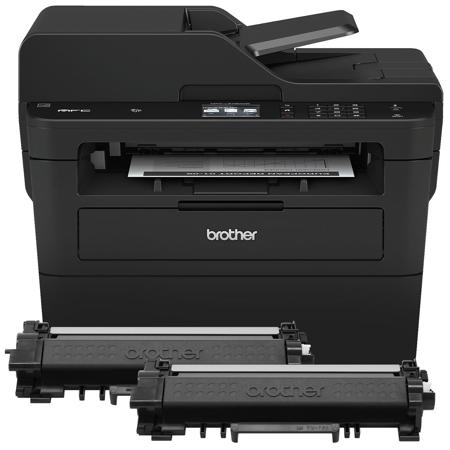
Brother MFC-L2750DW XL Extended Monochrome Compact Laser All-In-One Printer with Duplex Printing and Wireless Networking

The Brother MFC-L2750DW XL printer is the perfect printer for your home or office. It is engineered for heightened efficiency with impressive printing speeds of up to 36 pages per minute. With a capacity of up to 250 sheets at a time, you can get the job done in less time. Its single-pass duplex printing feature allows you to scan or print both sides of the paper in one go. This printer also sports a responsive 2.7" touch screen that can streamline your workflow with the help of Brother Cloud Apps like Dropbox, Google Drive, Evernote, and more. Sturdy construction ensures that this piece of equipment will last you a long time. Its wireless capabilities allow you to access your printer from various devices. Increase your productivity with this top-class compact laser printer today!

Because productivity and efficiency are paramount in any business or home office, the Brother MFC-L2750DW XL Extended Print Monochrome Laser Printer is designed to meet these needs. This all-in-one printer comes pre-loaded with up to 2 years of toner, capable of delivering approximately 7,500 pages, thus eliminating the stress of running out of toner during crucial print jobs.

This multifunctional printer is not just a printer, but also a copier, scanner, and fax machine. It features a 50-sheet automatic document feeder that simplifies the process of copying, scanning, and faxing multiple pages. With its single-pass duplex feature, you can effortlessly copy and scan two-sided documents, saving you time and paper.

Boasting class-leading print speeds of up to 36 pages per minute, this printer ensures your tasks are completed quickly and efficiently. It also has a 250-sheet paper capacity, reducing the frequency of paper refills and accommodating both letter and legal-sized paper.

Wireless mobile device printing is another standout feature of the Brother MFC-L2750DW XL. You can print directly from your desktop, laptop, smartphone, or tablet, adding a layer of convenience to your printing tasks. The "touch to connect" feature, enabled by NFC, further simplifies the printing and scanning process.

The 2.7" color touchscreen not only allows you to print from and scan to popular cloud services like Dropbox, Google Drive, Evernote, and OneNote, but also lets you create custom shortcuts for your most frequently used features. This feature is designed to save you time and streamline your document workflow.

The Brother MFC-L2750DW XL also comes with Brother Cloud Apps, a suite of innovative, cloud-based applications designed to meet your evolving needs. One such app is Scan to Office, which converts a hard copy document into an editable text file in Word, Excel, or PowerPoint.

Designed with cost-saving features, this printer supports automatic duplex printing to help save on paper costs, and a toner save mode to help save on toner costs. Its sturdy and robust construction ensures durability and dependability, making it a reliable choice for your busy schedule.

Brother MFCL2750DW Features

  • Fast! Print up to 36 pages per minute
  • Automatic duplex (2-sided) printing
  • 250-sheet capacity paper tray
  • Up to 2 Years of toner in-box
  • Approx. 7,500 pages included
  • Print more, wait less
  • Dynamic features accommodate your evolving needs
  • Engineered for productivity
  • Printing as mobile as you are
  • Intuitive connection to the Cloud
  • Created to streamline your document workflow
  • Loaded with cost saving features
  • Durable and dependable design

Warranty Information

This product has a limited warranty of 12 months.

Product Documents

User Manual

Key Features

  • High-efficiency printing with up to 36 ppm speed and 7,500 page yield with included toner
  • Multifunctional capabilities: print, copy, scan, and fax with a 50-sheet automatic document feeder
  • Single-pass duplex technology for quick, two-sided copying and scanning
  • Wireless connectivity for easy printing from desktops, laptops, smartphones, and tablets
  • Intuitive 2.7" color touchscreen with direct cloud access and customizable shortcuts
  • Durable design with cost-saving features like automatic duplex printing and toner save mode

What's in the box:

  • MFC-L2750DW XL Extended Monochrome Compact Laser All-In-One Printer with Duplex Printing and Wireles
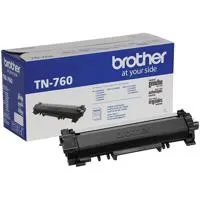
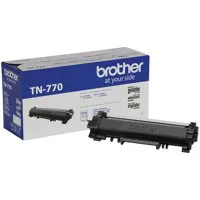
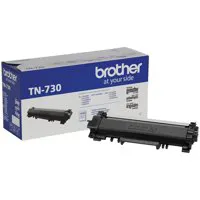
  • TN-760 and TN-770 (2 Cartridges Yield Approx. 7500 Pages)
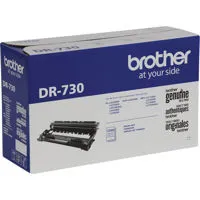
  • DR730 Drum Unit (Yields Approx. 12000 Pages)
  • Installation CD-ROM (User's Manual and Printer Drivers)
  • AC Power Cord
  • Quick Setup Guide
  • Brother 1 Year Limited Warranty