+2
more
more

See Options
Need help? Ask our experts.
Have Professional Tools for Framing, Focusing and Exposing
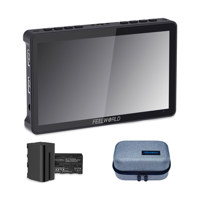
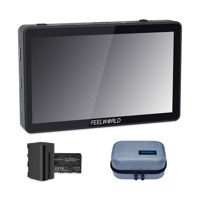
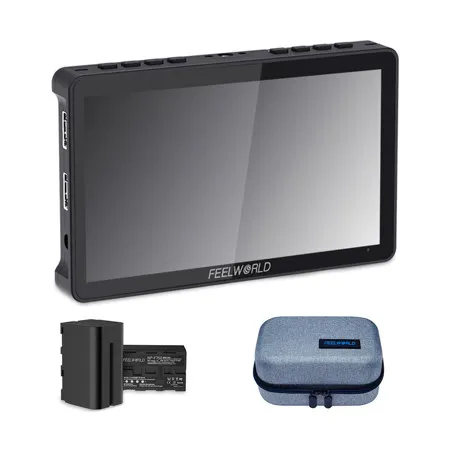
The F5 Pro is sure to add instant production value for mirrorless and DSLR shooters. Its bright touch screen, professional software tools, and convenient mounting is invaluable for shooters looking to do more with less gear. The monitor includes a plethora of useful features such as histogram, false color, focus assist, embedded audio, pixel to pixel, frame guides, nine grid etc.
Designed for Every Situation
We shaved F5 Pro down to just 245g and added 1/4-20 screw mounts top, bottom and right for ease of cage, adapter rigging, and tilt arm. There are an F970 battery plate and an install/ power kit on the back of the monitor, the install/ power kit can power and install the external equipment, like wireless transmitter, LED light and others which equipped with Sony F970 battery plate. F5 Pro is compatible with most cameras and HDMI-ready devices and is the perfect companion for the shooters that are always on the go. HDMI camera monitor
Easy Touchscreen Controls, Freely Zoom In and Out
Adopt full touch screen control, you can easily and intuitively zoom in and Out of your shot with the pinch-to-zoom gesture.
Intuitive Controls and Menus
You can touch the screen or physical buttons to browse the menu and set functions. F5 Pro's key distribution design is simple and easy to operate. At the top of the monitor, there are 2 custom function buttons, you can set them as commonly used functions. It does not need to be reset, which is convenient and simple.
Connect to Director Monitor
Display live picture on multiple displays simultaneously.
Convenient Mounting - Tilt Arm
Every F5 Pro monitor will ship with a cold shoe mounted Tilt Arm. Shooters will have a secure way to position their monitor while maintaining a low profile.
• Allows the F5 Pro monitor to rotate 360 degrees for viewing convenience
• Secure and lightweight mounting via shoe mount or 1/4"-20 thread
• Includes a shoe mount of its own for accessories like a microphone, LED light, or wireless receiver, etc
Flexible Install Both on Camera and Gimbal
To convenient the various angles monitoring F5 Pro features standard 1/4" mount points (top, bottom, right, middle back) for attaching it to cameras and rigs. Not only you can install it on a monitor through tilt arm, but also you can mount it on a handheld stabilizer or securely attach it to the top of your camera as the ultimate HD viewfinder! If you install it on the bottom of the device, you can also combine the image flip function to maintain the correct orientation of the screen!
Portable Sunshade, Easy Install
The F5 Pro monitor is equipped with a sunshade, which allows the photographer to focus more on the video and avoid the interference of strong light, providing a better visual experience. The installation process is simple and fast, which is very suitable for outdoor shooting.
Video Assist Functions?
• High Resolution: Full HD 1920x1080,High Contrast: 1000:1, High Brightness: 500cd/sq. m, 160 Degree wide viewing angles IPS Panel
• This innovative external power supply design reduces the need for photographers to connect to external wireless transmission, LED light and other equipment
• Support 3D LUT Log to Rec.709, user 3D LUT Upload
• Provides auxiliary power out; allowing shooters to power their cameras
• Histogram
• Peaking Focus Assist (Red, Green, Blue three colors optional highlight over parts of the image in focus)
• False Colors
• Zebra Exposure
• Nine Grid
• Scan Mode (Under Scan, Over Scan)
• Zoom (4x,9x,16x)
• Anamorphic Mode (1.3x, 2.0x, 2.0x mag, User-defined adjustment: 1.20X-2.00X)
• Pixel to Pixel
• Center Marker
• Safe Area (80%,85%,90%,93%,96%,2.35:1)
• Ratio marker (4:3,13:9,14:9,15:9,16:9,1.85:1,2.35:1)
• Marker Color (Red, Green, Blue, White, Black
• Check Field (Red/Green/Blue/Mono)
• Image Flip (H, V, H/V)
• Image Freeze
• Zoom All (0-100 adjustable)
• U/D & L/R Zoom (0-100 adjustable)
• Color Temperature Adjustment
Brightness Histogram
The Brightness Histogram is a quantitative tool to check the picture brightness. The feature shows the distribution of brightness in an image as graph of brightness along the horizontal axis (Left:Dark, Right:Bright)and a stack of the number of pixels at each level of brightness along the vertical axis.
Peaking Focus Assist
The Peaking Filter is used to aid the camera operator in obtaining the sharpest possible picture. When activated, the internal processor will display a colored highlight on the screen where sharp edges appear. You can switch the putline color between red, green, blue according to different tone of the subject.
False Color
The False Color filter is used to aid in the setting of camera exposure. As the camera Iris is adjusted, elements of the image will change color based on the luminance or brightness values. This enables proper exposure to be achieved without the use of costly, complicated external test equipment.
Exposure (zebras)
The Exposure is used to assist in exposure adjustment in the mode of Zebra Pattern. It is considered overexposed and displays the moving warning lines onto the over exposed areas. 1-100IRE adjustable.
Check Field
Check Field is an assistant function to adjust camera color settings. Under the check field mode, you can use red, green, blue or gray pixels to generate the image, because hue and saturation can be adjusted more quickly and accurately in this environment.
Zoom In (4X, 9X, 16X)
Image magnification is HD signal in any part, an amplification for high quality close-up.
Anamorphic Mode? (1.3x, 2.0x, 2.0x mag, User-defined adjustment: 1.20X-2.00X)
Built-in selection of no squeeze, 1.3x or 2.0x allows you to use anamorphic lenses or adapters and see the image unsqueezed, even if your camera does not de-squeeze in camera. A 2.0x mag mode, magnifies the center of your image so you can check the focus of your scaled image.
Image Flip
The Horizontal, Vertical and Hor&Ver of the image around flip.
Pixel to Pixel
Enable the filmmaker to check the image from the 1:1 signal source without scaling. This feature is essential for capturing optimum detail.
Ratio Marker
(4:3, 13:9, 14:9, 15:9, 16:9, 1.85:1, 2.35:1). Frame blanking zone includes 6 Levels, from 0-6 (Transparent to Black). You can switch the Mark color between red, green, blue, white and black according to different tone of the subject.