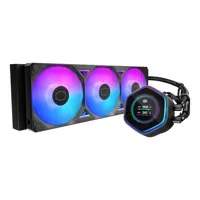
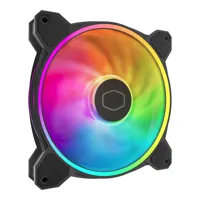
A crucial part of any PC’s performance is the ability to keep its internal components cool. Heat is the enemy of your computer and its components, and yet, nearly everything in a computer can generate it. The two biggest culprits are the CPU on the motherboard and the GPU on the graphics card, especially if you run resource-heavy software like data science programs or graphically intensive games. Other components can generate heat as well.
Getting adequate PC cooling with PC fans, water cooling, or a combination of both, is vital to a computer’s performance and long-term reliability.
Air cooling with PC fans
All PCs rely on the flow of air to cool their components. The most common and simplest way to cool a device like the CPU is by mounting a fan directly on top, often with some sort of heatsink (radiator) in between. The amount of air moving past this radiator affects how well the device’s PC cooling works.
There are two main ways to increase the airflow, and thereby increase the amount of cooling. The first is by making the fan run faster. The other is increasing the size of the PC fan. Small, fast-running fans are almost always noisier than large, slow-running ones. Some people are fine with a little extra fan noise, but most prefer a quieter machine. Large fans are great, but it’s often difficult to fit them where they’re required. This is why water cooling is becoming a more common option.
Water cooling for PCs
Water cooling is a bit of a misnomer, since it’s still air that actually works to remove the heat. A water cooling system typically involves one or more large PC fans mounted to a relatively large radiator. Within this radiator is a liquid that’s transported via pipes to a “water block” attached directly to the head-generating device, usually the CPU.
As the CPU heats up, it heats the liquid, which gets pumped to the radiator, where the fans cool it. This cooled liquid then gets pumped back to the waterblock to keep the CPU cool. This is very similar to how your car’s engine cooling system works. These PC cooling systems are typically sealed, which means you don’t actually need to fill them with water.
What brands make PC fans and cooling gear?
Popular brands for PC fans and PC cooling accessories include Active Thermal Management and MSI.