
New Arrival

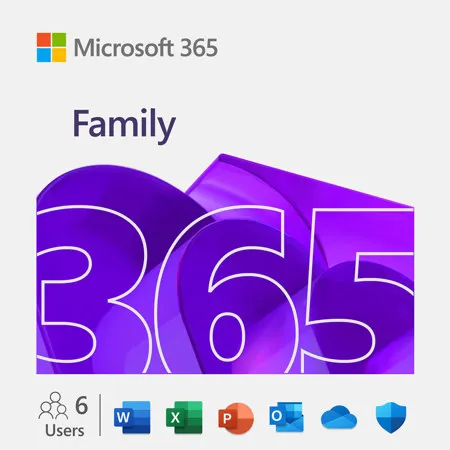
Microsoft 365 Family 1-Year Subscription for PC, Mac, iOS and Android, 6-User, Key Code

SKU: MIEP232327 MFR: EP2-32327
$129.99
Earn VIP Reward Points

Key Features

  • Seamlessly install Microsoft Office 365 Home on up to 6 PCs or Macs for versatile use.
  • Enjoy high performance with a 12-month subscription, keeping your software always updated.
  • Experience great value with this digital download, offering instant access to essential apps.
  • Benefit from easy setup, getting your Microsoft Office 365 Home ready in minutes.
  • Trust in Microsoft, a reliable brand for all your productivity and creative needs.
  • Access a compact design of powerful tools, perfect for any home or small office.
See More Product Details
Ships from Manufacturer?
Free Shipping

See Options

1
Add to ListGet Sale Alert

Need help? Ask our experts.

Overview
Compare
Specs
Protection

Reviews about this item

Review Summary

2026-03-30T09:46:53

Rated 5 out of 5

Microsoft 365 family pack

Office 365, you know the product. Family pack for a group of 4-6 is the way to go. Per person, this is inexpensive

TOM G.

2025-11-16T21:23:38

Rated 4 out of 5

Office 365 code delivered as expected

Delivered as expected...a code to allow use of Office 365 for the stated 15 month duration. Activation and installation was straightforward.

DANIEL B.

2025-09-24T08:27:45

Rated 5 out of 5

Least could get the keycard still

Glad I was able to get a keycard. It sucks that Microsoft is getting rid of the keycards it made it so nice to buy a card and save some money

JON H.

2025-09-23T09:27:51

Rated 4 out of 5

Delivery issues

We were renewing an existing subscription for family 365, we ordered this time and had never ordered from them before. Initially we did not receive our digital licensing number and thought that it would come in the mail? After not receiving this for a while, I contacted customer support to follow up on my order. After some checking and realizing that I had not received the order, they promptly issued me a new serial number activation code. The person I worked with on customer service was very knowledgeable and very thorough, once they realized I had not received it, they were very quick at issuing me a new code.

ROB W.

2022-01-26T18:28:55

Rated 5 out of 5

ntatt

not at this time

BART S.

2021-03-14T00:34:49

Rated 5 out of 5

Office365 Family worth the $99yr. subscription when you have multiple family members!

When re-upping a subscription I prefer to use a Key Card vs online subscription as my son is the one who generally takes care of renewals of Office. Since Amazon and other sites make it difficult to find the Key Card version of Office365 Family my son recommended we try Adorama and sure enough they had it! Office365 is extremely useful and the nice part is that it automatically provides updates to the software that may not be readily available on the "one-time purchase" version of Office. Also you can add family up to I think its 6 members to this version (provided you purchase Office365 Family and not Personal), and each family member can install it on up to something like 5 devices each. For $99 a year that's pretty reasonable, especially since the one-time purchase versions only let you install on one machine.

LILLIAN Z.

Microsoft 365 Family Specifications

General

General

Jump to...
  • Compatibility

    Windows, macOS, Android, iOS

  • Delivery Method

    Key Code

  • User

    6

  • Duration

    1-Year

PC System Requirements

Jump to...
  • Computer and Processor

    1.6 Gigahertz (GHz) or faster, 2-core

  • Operating System

    Windows 11, Windows 10, Windows 8.1
    For the best experience, use the latest versions of any operating system specified above.

  • Memory

    4GB RAM
    2GB RAM (32 bit)

  • Hard Disk

    4GB of available disk space

  • Display

    1280x768 screen resolution

  • Graphics

    Graphics hardware acceleration requires DirectX 9 or later, with WDDM 2.0 or higher for Windows 10 (or WDDM 1.3 or higher for Windows 10 Fall Creators Update)

  • .NET Version

    Some features may require .NET 3.5 or 4.6 and higher to also be installed

Mac System Requirements

Jump to...
  • Computer and Processor

    Intel processor

  • Operating System

    The 3 most recent versions of macOS
    For the best experience, use the latest versions of any operating system specified above.

  • Memory

    4GB RAM

  • Hard Disk

    10GB of available disk space. HFS + hard disk format (also known as Mac OS Extended or APFS)

  • Display

    1280x800 screen resolution

  • Graphics

    No graphics requirement

Android System Requirements

Jump to...
  • Computer and Processor

    ARM-based or Intel x86 processor

  • Operating System

    The last 4 major versions of Android
    For the best experience, use the latest versions of any operating system specified above.

  • Memory

    1GB RAM

iOS System Requirements

Jump to...
  • Operating System

    The 2 most recent versions of iOS
    For the best experience, use the latest versions of any operating system specified above.

  • UPC Code

    196388538485

Models
<b>New Arrival</b> - Microsoft 365 Family 1-Year Subscription for PC/Mac/iOS/Android, 6-User,Key Code
$129.99

Ships from Manufacturer

Usually ships within 1-2 Days

Microsoft 365 Personal with NordVPN Basic VPN Service 1-Yr Subscription,Download
$79.99

$109.99

Save:$30.00 (27%)

<b>New Arrival</b> - Microsoft 365 Personal 1-Yr Subscription for PC/Mac/iOS/Android, 1-User,Key Code
$99.99

Ships from Manufacturer

Usually ships within 1-2 Days

Operating SystemAndroid, Mac iOS, Macintosh, PC/WindowsAndroid, Mac iOS, Macintosh, PC/WindowsAndroid, Mac iOS, Macintosh, PC/Windows
Delivery MethodProduct Key Code BoxedDownloadProduct Key Code Boxed
Version TypeSubscriptionSubscriptionSubscription

About Microsoft 365 Family

Microsoft Corporation
• For PC, Mac, iPhone, iPad, and Android phones and tablets
• Up to 6 TB of cloud storage (1 TB per person)
• For one to six people

Microsoft 365 Family is a subscription for one to six people that includes advanced security, cloud storage, and innovative apps with Microsoft Copilot.

Key benefits
Get online protection, secure cloud storage, innovative features, and trusted apps designed to fit your needs, all in one plan.

Apps included
• Copilot
• Word
• Excel
• PowerPoint
• Outlook
• OneNote
• OneDrive
• Microsoft Defender
• Microsoft Teams
• Microsoft Designer
• Clipchamp

Research with ease
Transform your professional and personal ideas into epic starting points. From brainstorming the basics to deeply researching the details, get AI-powered tips, suggestions, and insights to help take your thoughts to the next level.

Plan with precision
Turn your brainstorms and research results into functional plans. With Copilot, effortlessly analyze data and organize your ideas to tackle everything from important work to personal budgets, home projects, and school assignments with greater clarity and ease.

Create with confidence
Go from to-do to done easier than ever. Turn organized plans into actionable outputs with Microsoft 365 and Copilot. Generate, edit, enhance, and polish everything from professional emails, documents, and spreadsheets to images, presentations, and shareable videos.

Protect what s important
Take on the day with greater peace of mind. Use your favorite apps with Copilot while at work in a secure way that respects your employer s security settings. And rest easier knowing your personal cloud storage, email, devices, and data are protected.

Powerful productivity apps with Microsoft Copilot
Redefine what s possible with Microsoft Copilot alongside you in Word, Excel, PowerPoint, and OneNote. Collaborate in real time, work offline, and get design, writing, and speaking suggestions in each app.

Higher usage limits for AI features
The subscription owner gets greater usage amounts for AI features available across Copilot in Microsoft 365 apps, the Microsoft Copilot app, and Designer.

Up to 6 TB of cloud storage (1 TB per person)
Each person you share the subscription with gets 1 TB (1000 GB) of secure storage for their photos, files, videos, emails, and more. And everyone can easily manage their storage anytime, on any device.

All-in-one online security or the whole family
Easily keep your family s phones, computers, and privacy safer online with Microsoft Defender. Stay one step ahead of hackers and scammers with identity theft and credit monitoring, and continuous device scanning for viruses, malicious apps, and ransomware.

Secure photo and file storage
Each person can securely save their photos and files in their own personal OneDrive with built-in ransomware detection and file recovery. Access files across devices and protect what s most important in individual Personal Vault folders secured with two-step identity verification.

Design and edit with AI
Create, design, and edit where and when you need it with Microsoft Designer and the power of generative AI. Make eye-catching images using only your words, craft next-level designs that pop, and even edit photos like an expert.

Video editor with exclusive filters and effects
Create and edit beautiful videos with ease using Clipchamp s robust tools, intuitive controls, templates, and an extensive stock library.

Ad-free secure email with Copilot
Everyone can easily manage their own email accounts and calendars in Outlook with built-in security tools that keep their information protected. Subscription owners can use Copilot to draft emails and summarize longer threads.

Unlock AI-powered experiences in select Windows apps
Boost your creativity with the help of AI. Easily enhance your photos with advanced editing capabilities from Designer in the Photos app and create high quality images using only your words in Paint. You can also use Copilot in Notepad to seamlessly rewrite or summarize text for you.

All-day video calling
Join group calls and talk for up to 30 hours with up to 300 people with Microsoft Teams.

Quickly create forms and polls
Use Copilot in Forms to generate and rewrite polls and surveys. Easily create and refine your questions, improve response options, and get a detailed analysis of results.

Access (PC only)
Easily create and manage databases for projects large or small.

Applications are always up to date
With a Microsoft 365 Family subscription, every person gets innovative new features and updates as soon as they are released, so everyone is always working with the latest and the greatest.

Microsoft support
We ve got your back with Microsoft 365 and Windows 11 technical support readily available to assist whenever you and your family need help.

Microsoft 365 Family Features

  • Access smart assistance features, plus hundreds of premium templates, photos, icons, and fonts in Word, Excel, and PowerPoint
  • Save and share files and photos across devices with OneDrive
  • Experience advanced security protection in OneDrive and Outlook
  • Set location alerts in the Microsoft Family Safety mobile app
  • Each person can use the subscription on up to 5 devices at the same time
  • Contact support via chat or phone at no extra cost throughout your subscription

Key Features

  • Seamlessly install Microsoft Office 365 Home on up to 6 PCs or Macs for versatile use.
  • Enjoy high performance with a 12-month subscription, keeping your software always updated.
  • Experience great value with this digital download, offering instant access to essential apps.
  • Benefit from easy setup, getting your Microsoft Office 365 Home ready in minutes.
  • Trust in Microsoft, a reliable brand for all your productivity and creative needs.
  • Access a compact design of powerful tools, perfect for any home or small office.

What's in the box:

  • Microsoft 365 Family 1-Year Subscription (6-User/Key Code)