


+3
more
more
See Options
Need help? Ask our experts.
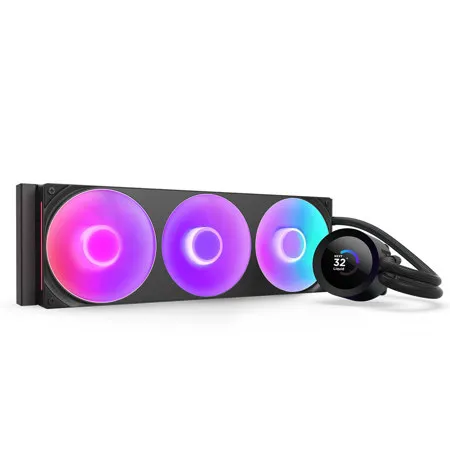
The Kraken Plus RGB AIO liquid cooler features the custom-designed NZXT Turbine pump, LCD display, and RGB fans for customizable cooling.
High-Performance Cooling
The NZXT Turbine pump is engineered for high flow and head pressure, delivering efficient, low-noise cooling to keep your CPU performing at its best under heavy workloads.
Custom LCD Screen
Display real-time system temps, animated GIFs, custom images, or web integrations like Spotify and YouTube on a bright 1.54" square LCD - fully customizable through NZXT CAM software.
Seamless RGB
The RGB Core single-frame fan delivers strong airflow and vibrant, customizable lighting-plus an easy install with just four screws and a single cable.
Easy Installation
Pre-applied thermal paste and a single breakout cable from the pump cap speed up installation and reduce cable clutter.
Wide Compatibility
Includes tool-free mounting brackets that support the latest AMD and Intel CPU sockets, including AM5 and LGA 1851.
Durable and Reliable
Reinforced rubber tubing with nylon-braided sleeving ensures long-term durability and easy routing during installation.
Optimized Cold Plate
The split-flow copper cold plate channels coolant to the CPU's hottest areas for better heat transfer, lower temps, and more consistent thermal performance.
NZXT CAM Software
Use NZXT CAM to monitor temps, customize the LCD display, and control fan and pump speeds - all through an intuitive, easy-to-use interface.
https://nzxt.com/legal/nzxt-warranty
800-228-9395
