
This item is no longer available.
Great package for Win10 Camera users
Every since Adobe decided to make Photoshop a subscription based cloud program only, I've been looking for alternatives to Adobe products, because the really ticked me off. I had a perpetual license to Adobe Design and Web Premier Suite CS6, and they refused to update it after spending thousand on it. Adobe policies, suck. Yes, Photoshop is still the best photo=editing software for professionals but Corel has come a long way. I tell you this Corel package is my second choice once I learn...
View full Review
Makes your pics look professional
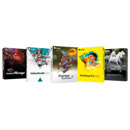
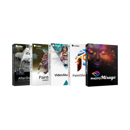
This photo editing software is great includes multiple programs to edit pictures as well as video editing software
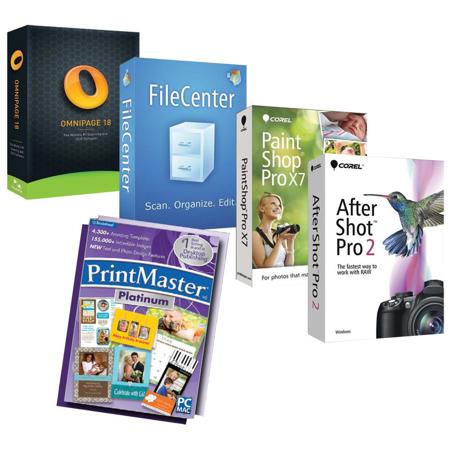
Corel PaintShop Pro X7 Software:
Comprehensive photo-editing software
Create your best photos ever with new Corel PaintShop Pro X7. With smarter editing features, 30% faster brushes, new creative tools and easier color selection, this complete photo-editing software helps you turn your snapshots into beautiful, gallery-worthy images. A great fit for all skill levels, PaintShop Pro X7 brings out the best in your photos that matter.
Amazing photos made easy
Turn your favorite snapshots into stunning images you'll be proud to share with easy-to-use photo-editing software that let you manage, adjust and edit your photos. Dramatically transform photos using versatile creative design tools, including brushes, textures, layers, vector tools and more.
Unforgettable images-fast
Get the perfect photo in less time with popular brushes that are 30% faster. Achieve amazing results with a complete redesign of their most popular tools and seamlessly remove people or objects from photos with new Magic Fill.
A complete toolset for all skill levels
Take your photo editing to the next level with pro-quality tools, including RAW editing, HDR, layers and more. Whether you're a photography newbie looking to pick up the basics or an experienced photographer who wants to learn new techniques, the library of video tutorials offers the help you need to develop your skills.
AfterShot Pro Software:
AfterShot Pro: Up to 4x Faster than the competition!
Say hello to the world's fastest RAW photo-editing software. Corel AfterShot Pro 2 is changing the way the world works with RAW, with 64-bit performance that's 30% faster than AfterShot Pro 1 and up to 4x faster than the competition. AfterShot Pro 2 is the best way to unlock the freedom and flexibility of shooting RAW. With unparalleled speed and power and a sleek new interface, AfterShot Pro 2 is a RAW converter, non-destructive photo editor and complete high-speed photo manager in one. Whether you're batch processing thousands of RAW images or making detailed adjustments to your latest prize-winning shot, AfterShot Pro 2 gives you the tools to quickly take complete control over every aspect of your photo workflow.
30% Faster RAW Processing
Save time and get results sooner with the world's fastest RAW conversion software! Quickly load, edit and process large RAW files. Adjust one or thousands of photos with powerful batch processing controls.
Non-destructive photo adjustment
Refine an unlimited number of photos while preserving your originals. Control exposure, temp, highlight recovery, white balance and more with extensive color accurate photo adjustments. Easily edit selected areas of a photo.
Powerful photo workflow
Easily manage your photos and design the workflow that meets your needs. Organize and search photos by name, date, rating, tag, label, ISO, shutter speed or aperture. Compare one or several images in one view, set presets and track image history.
OmniPage Standard Software:
Never retype another document
Don't spend hours retyping documents. With OmniPage 18, the world's best-selling OCR software, convert different types of documents, such as paper, PDF files or images into editable and searchable files with ease.
Store, search, edit and share-do it all
From eliminating typing, quick search, editing text to saving space, it's time to use OmniPage 18 and turn your paper and PDF files into electronic files.
Superior word accuracy
Transform words on paper to accurate text for the best conversion and archiving of any document. Over 3 million people worldwide use Nuance's OCR software on their PCs every day.
Get things done faster with built-in workflows
Use the built-in workflows or create your own, to automate OCR tasks that need to get done frequently.
Supports all your favorite applications
Power PDF, Microsoft Word, Excel, PowerPoint, Corel WordPerfect, HTML and many more formats.
FileCenter Software:
FileCenter is the award-winning paperless office software you've been hearing about. Are you trying to integrate scanning into your business? Do you need to organize your office files on the network? Or are you simply a home user who wants to tame those piles of paper? You won't find an easier solution than FileCenter! And while FileCenter is simple to implement, it still delivers powerful features that will streamline and simplify the way you work.
FileCenter Features
Scan
The biggest speed bump to the paperless office has always been scanning ... until now. Use FileCenter to move paper to fully searchable PDF in just a mouse click. Move documents, letters, receipts and business cards to your PC as fast as your scanner can pull them through. FileCenter excels at trimming extra effort out of scanning. A couple of mouse clicks is all it takes to scan, name and file away your important documents.
Organize
Home user? Business user? Enterprise user? It makes no difference. Everyone deals with computer files - lots of them. Use FileCenter to manage scans and PC files in a way that makes sense - electronic file cabinets. Bring all of your existing files into FileCenter instantly - no messy imports, no conversions. Then enjoy thoughtful features to speed up the way you work, like suggested file names, reusable folder layouts and a quick preview feature for most kinds of files. Prefer doing things the Windows way? Not a problem. FileCenter includes an Explorer view and ways to see just "slices" of your file system for quicker access.
Edit
PDF has become the standard for sharing and archiving files. That's why FileCenter fully embraces PDF and bends over backwards to make PDF easy for any user. FileCenter includes a powerful PDF editor, which means you can open and view your PDFs right in the program. Do you add notes, stamps, highlights or annotations to your PDFs? Fill out PDF forms? Digitally sign or encrypt PDFs? You'll do it without leaving the program. That's convenience.
Features
Scan: Go from paper to searchable PDF in a single mouse click. Scanning important documents has never been easier ... or faster.
Organize: Manage your files in a way that makes sense: electronic file cabinets. Organize all of your scans and computer files.
PDF: PDF is the standard. Make them, manipulate them and use them in FileCenter. Their built-in editor and wizards make it a snap.
OCR: Make scans, faxes and other documents fully searchable. Or pull the text from a paper document into Word.
Preview: When all you need is a quick glimpse, preview the file without opening it. As fast and easy as thumbing through documents.
Share: Share cabinets on the office network or float them onto the cloud. And enjoy the robust Windows file security you're already used to.
PrintMaster v6 Platinum
Let your creativity soar with PrintMaster Platinum, the ultimate design software for making personalized print projects. Get started with one of 4,300+ inspiring templates or start from scratch to design a truly unique creation. Add flourish to any project with more than 155,000+ irresistible clip art elements.
Intuitive page layout tools, simple drag-and-drop for photos and clip art, and easy-to-use effects slider tools create impressive greeting cards, banners, signs and crafts like scrapbooks, doorknob hangers, party bags and more! Impress friends and family with projects printed at home, or use the integrated professional printer for premium results.