
New Arrival

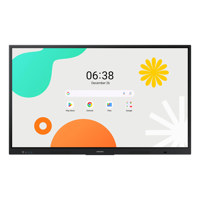
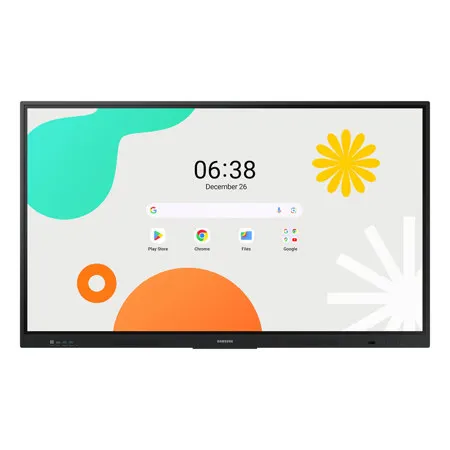
Samsung WAF Series WA75F 75" 16:9 4K Ultra HD IPS LCD Touchscreen Interactive Display

SKU: SSLH75WAFWLG MFR: WA75F
Earn VIP Reward Points

Key Features

  • Experience stunning visuals with the 75" 4K Ultra HD display, perfect for engaging presentations.
  • Enjoy seamless interaction thanks to the responsive IPS LCD Touchscreen, ideal for collaborative work.
  • Benefit from the latest technology with Android 14 and Google Play support for versatile applications.
  • Connect effortlessly with multiple HDMI and USB ports, ensuring broad compatibility for all your devices.
  • Rely on Samsung's trusted brand reputation for durability and consistent, high-quality performance.
  • Optimize your workspace with this interactive display, designed for both educational and business environments.
See More Product Details

Need help? Ask our experts.

Overview
Compare
Specs
Protection

Reviews about this item

Review Summary

2025-12-09T19:00:00

Rated 5 out of 5

Happy Teacher

Love this panel! Perfect for teachers/education. Great price and great value. Highly recommend.

HappyTeacher

2025-11-05T19:00:00

Rated 5 out of 5

Perfect panel for education/teachers

Fantastic panel that is perfect the classroom. Very user friendly. Love the AI capabilities built into the panel. Great price point too!

Teacher

2025-10-27T20:00:00

Rated 3 out of 5

Good try, but wish I bought the Vibe Board

I wanted an interactive display for financial and potentially legal topics. The Vibe Board is in my mind the leader in this space, with a price to match. I have the entire Samsung ecosystem, and though I'm not a "fanboy" I have my Galaxy Ultra Watch, Galaxy Ultra 25 Phone, have a Galaxy Tablet, etc. The unit is slow to start up, but that is not a huge factor for me. What IS a factor is I have several jpgs I want to come up to demonstrate, and they crash in OneDrive on the display - EVERY TIME. They do not crash on any other device with OneDrive, including my phone, iPad, PC, etc. I have spoken with Samsung support about this and gotten no where. The screen itself is bright and reasonably responsive. Lots of fingerprints. Comes with 2 "markers" but they sound really hard against the glass, so I'd rather use my fingers. Android can't handle visual basic, so while my Microsoft suite works really well on the screen (other than the OneDrive crashing issue) I can't run a demo on Excel with visual basic fields - basically hitting buttons to get random market returns. PDFs work perfectly, PowerPoint is a dream. I tried to connect an older Samsung wireless keyboard for TVs, and it wouldn't. Typing on the screen is silly, and is an aerobic exercise. Also not a fan of the random pricing - it has fluctuated between $1,600 and $2,100 and when you call Samsung, you get no help, guidance, price matching (with themselves!), etc. I probably wouldn't buy this display again knowing what I know now.

GaryGarland

2025-09-21T20:00:00

Rated 1 out of 5

Bad UI experience

Very bad user experience. Not a good UI. So many strange behaviors and pop-ups. Not much adaption from a tablet OS to a wall mounted touch display. Very prone to fingerprint as the front glass ha a rough mate surface, and it is hard to clean. The startup-time is brutaly long, and we cant find a way to start directly on external source, and let the Android OS boot in the background. Seems solid and rugged and has a bright picture. Some external conections produce bad pictures making the text hard to read. We bought this, but regret it. All other rooms will get other brands.

Elevenroom

2025-06-09T20:00:00

Rated 5 out of 5

fabulous

good product for students as well as teachers .....

aks k.

Select a plan in the Add Protection section above and purchase with this product by clicking “Add to Cart”.

image-protection

TRUSTED PROTECTION PLANS, EXCEPTIONAL SERVICE.

Invest In Your Gear and Peace Of Mind!

Accidents happen where life happens. Protect your favorite Adorama products and purchase a protection plan to stay covered from accidental damage, mechanical or electrical failure, and more.

Repair or Replacement

Repair or Replacement

If we can’t fix it, we’ll replace it at no additional cost.

Accidental Damage

Accidental Damage

Protect your product from drops, spills, and more.

Peace of Mind

Peace of Mind

Enjoy your gear without fear. We have you covered!

Malfunction Protection

Malfunction Protection

When regular use of your product over time results in mechanical or electrical failure.

Zero Deductible

Zero Deductible

We will never charge you a deductible after the purchase of a plan.

Customer-Focused Support

Customer-Focused Support

Our claims process is simple & easy and our customer service team is happy to help.

Adorama Protect powered by Extend is available for purchase to customers in the United States. Not available for purchase Internationally or in U.S. Territories.

Samsung WAF Series Specifications

Display

Display

Jump to...
  • Brightness (Typ)

    400 nit

  • Contrast Ratio

    1,200:1

  • Screen Size

    75" (190.5cm)

  • Resolution

    4K Ultra HD (3840 x 2160)

  • Viewing Angle (H/V)

    178/178

  • Panel Type

    IPS

  • Pixel Pitch (H x V)

    493.5 x 493.5mm

  • Response Time

    8ms

  • Color Gamut

    72%

  • Glass Haze

    25%

  • H-Scanning Frequency

    135 kHz

  • Maximum Pixel Frequency

    78MHz

  • V-Scanning Frequency

    60Hz

  • Operation Time Support

    12/7

Connectivity

Jump to...
  • Bluetooth

    Yes

  • Wi-Fi

    Wi-Fi 5: 802.11ac

  • External Control

    Touch Input: RS232C In,RJ45 In

  • HDMI In

    2x

  • USB

    4x (2x 2.0 , 2x 3.0)

  • Audio In/Out

    Stereo Mini Jack

  • Video Out

    Yes

  • RS232 In

    Yes

  • RJ45 In

    Yes

  • Version of HDMI and HDCP

    2.1

  • Internal Sensor

    Eco Sensor

  • Ethernet speed

    1 Gbps

  • WIFI Protocol

    Wi-Fi 5 (802.11ac)

  • Power Supply

    AC100-240V 50/60Hz

  • Power Consumption (Standby)

    0.5

  • Power Consumption (On Mode)

    450 W

  • Power Consumption (Sleep Mode)

    0.5 W

  • Max[W/h]

    333

  • Rating[W/h]

    416

  • Typical[W/h]

    215

  • Type

    Internal

Features

Jump to...
  • Key

    EDLA Certified Android Model (Google Play supported)

  • Speaker Type

    Bulit in Speaker (15W X 2CH)

  • H/W

    Touch Overlay(IR), Front Connectivity, OPS I/F Support, Eco Sensor, Wi-Fi/BT embedded

  • Orientation

    Landscape

  • Touch Pen Type

    Passive Pen

  • Object Recognition Range

    Front Pen: 3mm
    Back Pen: 8mm
    Eraser: >=9 sq. cm

  • Touch Response Time

    <=5ms

  • Touch Technology

    IR

  • Drawing Speed (Touch latency)

    <=45ms

  • Thickness

    3.2T

  • Hardness

    Mohs 5

  • # of Touch

    40 points

  • Object Recognition Range (Minimum)

    2mm

Internal Player

Jump to...
  • Processor

    A73 X 4 + A53 X 4

  • Storage

    64GB

  • Operating System

    Android 14

  • RAM

    8GB

Mechanical

Jump to...
  • VESA Mount

    800 x 400mm

  • Protection Glass

    Yes

  • Stand Type

    Wall Mount

  • Media Player Option Type

    OPS Slot support

  • Rotation

    Landscape only

  • Power Cable Length

    9.8' (3m)

  • Bezel Width

    17.2mm

  • Frame Material

    Aluminum

Operation Conditions

Jump to...
  • Operating Temperature

    32 to 104 Degree F (0 to 40 Degree C)

  • Humidity

    10 - 80%, non-condensing

  • OS Version

    Android-14

  • Brightness (Typ.)

    400cd/sq. m

  • Viewing Angle(H/V)

    178:178

Connectivity / Sounds

Jump to...
  • Wi-Fi / BT

    Yes (Keyboard/Mouse)

Input/Output

Jump to...
  • Audio

    1x (Stereo Mini Jack)

  • Video

    HDMI 2 (Rear 1, Front 1) USB C (Front), OPS
    HDMI Out (Rear)

  • Touch Out

    Touch Out 2 (Front 1, Rear 1)

  • First screen

    Home UI

  • Apps

    Playstore, Chrome, YouTube, Google Drive, Note app, Screenshare, Finder, etc

  • WebRTC

    Yes

  • Screen Share

    Yes

Certification and Compliance

Jump to...
  • Environment

    ENERGY STAR

  • Security

    WFA/WPA/WPA2/WPA3 personal/ WPS2.0

  • EMC

    FCC CFR Title 47, Part 15, Subpart B/EN55032:2015+A11:2020

  • Safety

    IEC62368-1/UL62368-1/IEC60950-1 / IS13252

General

Jump to...
  • Color

    Black

  • Country of Origin

    China

  • Dimensions (W x H x D)

    67.58 x 40.63 x 3.45" (171.65 x 103.19 x 8.77cm)

  • Weight

    108.4 lbs (49.2kg)

  • UPC Code

    887276927329

Models
<b>New Arrival</b> - Samsung WAF Series WA75F 75" 16:9 4K Ultra HD IPS LCD Touch Interactive Display
$2,750.00

Ships from Manufacturer

Usually ships within 1-2 Days

Samsung QMB-T Series 43" 16:9 Class 4K UHD Commercial VA LCD Display
$2,274.00

$2,799.00

Save:$525.00 (19%)

Ships from Manufacturer

Usually ships within 1-2 Days

Samsung QBC Series 65" 16:9 4K Ultra HD Smart Commercial VA LED Display
$1,650.00

Ships from Manufacturer

Usually ships within 1-2 Days

Display Screen Size75"43"65"
DVLED Module TypeIndoor PanelIndoor PanelIndoor Panel
Resolution4K UHD (3840x2160)4K UHD (3840x2160)4K UHD (3840x2160)

About Samsung WAF Series

FEATURED REVIEWS

Perfect panel for education/teachers

By Teacher

Fantastic panel that is perfect the classroom. Very user friendly. Love the AI capabilities built into the panel. Great price point too!

fabulous

By aks k.

good product for students as well as teachers .....

Unlimited learning possibilities
The interactive display WAF series, powered by Android OS 14 and Octa-Core CPU, enhances education with Google services and a seamless annotation function. Enables instantaneous note-taking, empowering students to collaborate independently in separate zones, ushering in a new era of interactive education.

An intuitive UX that fits your needs: Powered by Android
The WAF series offers familiarity to its users. Compatible with other Android devices, its variety of widgets and easily-customizable home screen provide more flexibility to build an environment suited for various learning needs.

Effortless access to Google services: EDLA Certification
With an EDLA certification, the WAF series supports a variety of Google services like Google Play and YouTube. This access to major educational apps like Google Classroom leads to increased efficiency and enhanced communication with students.

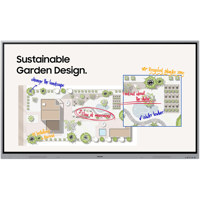
Take notes instantly, anywhere on the screen: Annotation On
The WAF series lets users take notes any time with a simple press of the always-visible Annotation button. Whether watching a video or viewing any content, users can seamlessly annotate without interruptions, enhancing productivity by avoiding the need to capture images first.

Write independently, learn together: Split Note Mode
The upgraded Note app allows up to four independent note zones on a single page, enabling multiple students to use the whiteboard simultaneously. Students can work in their own zones without affecting others, fostering both collaboration and individual learning.

Display multiple screens simultaneously: Easy Multi-tasking
The split screen and multi-window enable teachers to easily display information and multi-task. This flexibility provides convenient access to all the screens required to create engaging learning environments.

Smart, wireless sharing on multiple devices: Powerful Screen Sharing
The WAF series supports screen mirroring for up to nine devices, increasing student engagement. This feature ensures every student is included and engaged as content can be shared on both the large display and individual devices. It can be used on iOS, Mac, Windows, Android, or Chrome OS.

Better interaction with best-in-class multi-touch: Multi-point Touch Drawing
Multiple users can write and draw on the whiteboard at the same time with the display's advanced multi-touch capabilities. Up to 40 simultaneous touchpoints are possible, allowing large groups of students and teachers to collaborate and learn together in an efficient, streamlined way.

Switch pens without changing settings: Dual Pen
The dual pen function enables the use of two different writing tools with no downtime. With the double-sided nib applied, users can effortlessly switch between two different colors on the front and back side of the pen - without needing to change the settings or interrupt the flow of the lesson.

Front panel controls for intuitive navigation: Quick Access Controls
The WAF includes front-facing physical controls for quick access to frequently used functions. These intuitive controls allow users to operate the interactive display more efficiently, enhancing the overall user experience.

Connectivity

Convenient connectivity with USB-C: 3-in-1 USB-C port
Connectivity is enhanced with the 3-in-1 USB-C port, enabling screen mirroring, touch control and external device charging (max. 65W). Teachers can simply connect to the USB Type-C port, allowing them to deliver interactive and engaging lessons without any hassle.

Accessible content for any class size: HDMI out
With the HDMI Out function, whiteboard screen content can be shared on a different and larger screen in the classroom. This feature ensures teachers can provide a real-time, interactive experience for students who can easily view the screen content regardless of where they sit in the classroom.

Use your favorite OPS in the classroom: OPS (Open Pluggable Specification)
The OPS slot in the WAF series can transform the interactive display into a Windows device, eliminating the need for an extra PC or devices. Users will have access to all the features and functionalities of a standard computer, with which they are familiar, directly on the display.

Seamless management, efficient operations: Device Management Solution
The WAF series provides a device management solution essential for advanced educational environments. This solution optimizes the remote management of whiteboard settings and applications, guaranteeing operational efficiency and stability.

Notify across multiple devices, immediately: Advanced Messaging
Send important messages across campuses, classrooms and public spaces immediately. Urgent communications are displayed on interactive whiteboards so students and other personnel are alerted in real time.

Seamless learning in every environment: Superior Durability
The WAF series protects against electrical surges by using a glass fuse and 500V(DC) capacitor that absorbs instant spikes in voltage. The anti-humidity glue applied to the critical area of the chipset is a valuable tool for schools in highly humid or rainy climates.

Samsung WAF Series Features

  • Samsung's 75" Interactive Display WAF series powered by Android OS 14 enhances education with its easily-customizable home screen
  • Compatible with other Android devices, display offers familiarity with standard functions
  • EDLA-certified WAF series supports Google Play, YouTube, and other Google services
  • OPS slot transforms the display into a Windows device when needed

Warranty Information

This product has a limited warranty of 36 months.

Key Features

  • Experience stunning visuals with the 75" 4K Ultra HD display, perfect for engaging presentations.
  • Enjoy seamless interaction thanks to the responsive IPS LCD Touchscreen, ideal for collaborative work.
  • Benefit from the latest technology with Android 14 and Google Play support for versatile applications.
  • Connect effortlessly with multiple HDMI and USB ports, ensuring broad compatibility for all your devices.
  • Rely on Samsung's trusted brand reputation for durability and consistent, high-quality performance.
  • Optimize your workspace with this interactive display, designed for both educational and business environments.

What's in the box:

  • Samsung WAF Series WA75F 75" 16:9 4K Ultra HD IPS LCD Touchscreen Interactive Display
  • Power Cord
  • Remote Control
  • HDMI Cable
  • 2x Touch Pen
  • USB Cable
  • User Manual
  • Samsung 3 Year Limited Warranty