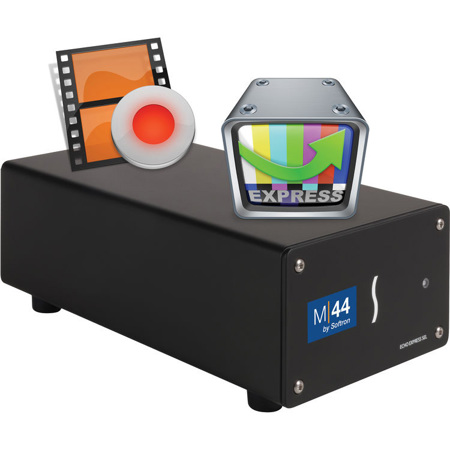
Softron M|44 Hardware and Software Bundle with MovieRecorder 4 and OnTheAir Video Express, Electronic Download
SKU: SO3AM44
This item is no longer available.
Recommended Alternatives
Share:
Overview
Compare
Specs
Protection
About Softron M|44
The M|44 is a hardware & software bundle. Simply connect the M|44 box to one of the Thunderbolt 2 ports of the new Mac Pro and immediately start ingesting 4 HD channels and playout 4 at a cost significantly less than other multichannel ingest solutions using the MovieRecorder software (4 MovieRecorder and 4 OnTheAir Video Express licenses included). MovieRecorder captures video using a video device. Video clips captured using MovieRecorder can be edited during the actual ingest, making it very handy for live sports editing. Additionally you can schedule your recordings. Eight inputs can be recorded for later editing or thanks to MovieRecorder's edit-while-ingest capability, edited on the fly.
About Additional Options
There are 2 options with MovieRecorder: Pro codecs and Closed Captioning.
Serial Number Or Dongle?
Serial numbers are not available with the M|44. The price includes the dongle with the 8 licenses.
Adding More Licenses To The Dongle?
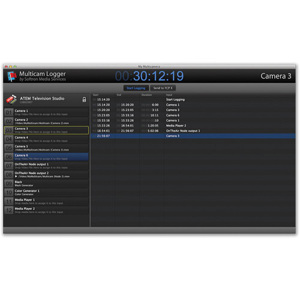
With the M|44, the 4 MovieRecorder and 4 OnTheAirVideo Express licenses are provided on a dongle (included) and can thus not be split on different computers. But if you want to run on the same computer for example a license of Multicam Logger, you can ask us to add it to the dongle. Softron can add up to 2 additional licenses on the dongle.
MovieRecorder Software
Multichannel edit-while-ingest on one Mac
With MovieRecorder, Softron Media Services offers its customers a cost effective way to capture video for collaborative editing. No media transcoding, re-linking or re-rendering is required. The post sessions are much more manageable with pre-editing starting at ingest and content fully online and easily searchable. With Edit while Ingest it is possible to start editing in Final Cut Pro, Adobe Premiere Pro or most other editing solution seconds after the ingest has started. MovieRecorder provides Apple Macintosh users with powerful and cost effective ingest capabilities as well as multi-station ingest control.
Open and flexible live ingest solution
• Edit-while-ingest (growing files)
• Gang and Schedule recordings
• QuickTime and MXF support
• Closed captioning
• CEA-708 recording
• Automatically detect incoming video format
• Integrated Remote Control
• Automatic file naming and folder creation
Record multiple streams on one Mac
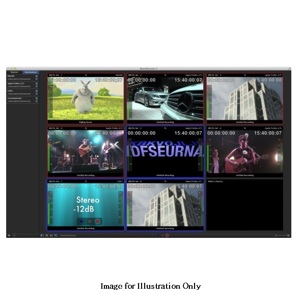
With MovieRecorder you can record up to 8 streams of HD video on one single Mac. And the limit is only the CPU (and the storage of course). When new Macs are released, it will add more possibilities. If you need more than 8 then you can have multiple computers but control all ingest from one workstation. Doing a multi cam ingest is very easy with the gang record.
The M\80 Bundle - All you need to start recording 8 streams on one Mac
The M\80 is the first hardware and software bundle that we provide. It includes eight licenses of MovieRecorder, one SDI Video card from Deltacast with 8 inputs, one Thunderbolt 2 Expansion Chassis and one Black Thunderbolt cable. You will just need to connect it in Thunderbolt and the dongle to your new Mac Pro and you are good to go. If you have an "old" Mac Pro with no thunderbolt ports, but plenty of PCI slots, well, you can just take the PCI card out of the box and use it in your Mac Pro. If you record in SD and not HD, then an iMac or MacBook Pro might fit your needs!
Schedule recordings or crash record
The simplest way of recording to disc is called crash recording. No need to be a specialist to get it to work. Simply push the record button in the user interface and your recording will start right away. To automate recordings so making unattended scheduled recordings is also possible. The ability to schedule recordings is a must for any recording device and will greatly improve your productivity. With MovieRecorder scheduled recording is as easy as programming your DVR, because it is integrated into the program. You can schedule recordings to automatically start at a specified date and time.
Edit while ingesting
Users very often need their media to be "edit-ready" even while the event that is being recorded continues. MovieRecorder enables Edit while Ingest on multiple destinations (for redundancy) and even using multiple codecs that is created at the same time of recording. MovieRecorder allows users to either schedule recordings for later use or edits, to record them interactively and to edit clips while they are being captured, for example using Apple's Final Cut Pro or Adobe's Premiere Pro. When used in conjunction with a video I/O device such as those from AJA, Blackmagic Design or Deltacast, MovieRecorder can capture in advanced codecs.
Built-in streaming
You can send create an HTTP Live Streaming (HLS) destination and send your HLS streams to multiple destinations. You can record onto local storage, i.e. any mounted volume on your Mac, which can be either an SMB or an AFP volume. You can also automatically upload to an FTP server or to your Amazon S3 account. And can use multiple destinations so that you have a backup solution for your Live streams.
Record to multiple destinations, using multiple codecs
With MovieRecorder, you can create as many preset destination as you want to and use them simultaneously or not. You can create QuickTime, MXF or HLS types of destinations. Once created, you just need to enable or disable them for each source. It has never been that easy to configure multiple recorders and use different settings.
Customize your presets
MovieRecorder comes with Audio/Video presets, so you can get going very quick. Most users will be satisfied with the Recommended Presets but in case you want to fine tune your settings, you can just build your own in the Custom Presets.
OnTheAir Video Express Software
An affordable playout solution for live productions
OnTheAir Video Express now uses Softron's Smart Playout Engine to offer even more features and codecs then before. Previous versions of OnTheAir Video Express were using QuickTime as the playout engine. QuickTime served us well during many years, but some features were not available and we wanted to move forward in order to offer more functionalities, codecs and reliability. As we were rewriting their playout engine for OnTheAir Video and OnTheAir Node, we figured that we would use a "simpler" one in OnTheAir Video Express to keep on offering the most affordable playout solution.
OnTheAir Video Express 3 is a major upgrade (we even never released a version 2 and jumped immediately to version 3 in order to use the same version number across our playout applications). There are a lot of improvements that were brought in the video playout like seamless playback, the support for mix-and-match video resize (clips are automatically scaled to fit the video output format, support for MXF without an additional software), for DNxHD, multiple output on the same Mac, disable playback control, etc? Some "exotic" codecs are not supported anymore because of the fact that they don't use QuickTime anymore.
OnTheAir Video Express now uses the same playout engine as OnTheAir Video and OnTheAir Node, but it does not have any graphic overlay feature, nor the smart resize (it has a "standard" resize though).
Open playout solution for the Mac
• Supports most file wrappers (QuickTime, MXF, ts)
• Supports most video codecs (Apple ProRes, Avid DNxHD, DVCPRO HD, H.264, MPEG-2, XDCAM Ex, XDCAM HD)
• Still image playback
• Supports clips with alpha channel
• Control playback from production switcher using GPI
Mix-and-match multiple codecs
Play multiple codecs in the same playlist. Support for Apple ProRes, AVC-Intra, Avid DNxHD, H.264, XDCAM Ex, XDCAM HD and many more codecs. (check the list in the Tech Specs section). You do not need to install any additional software or codec. You can even mix different resolution in the same playlist.
QuickTime, MXF and Transport Stream
You can play the standard QuickTime files (.mov), but also transport stream (.ts) or MXF (.MXF). The beauty is that you don't even need to install an additional software to read MXF files. We support for MXF files is built in the Smart Playout Engine.
Playout multiple channels on one Mac (one license per output required)
With the Smart Playout Engine's unequaled efficiency, you can playout 4 channels of HD simultaneously on one Mac as the Smart Playout Engine (SPE) is optimized to take advantages of multiple cores. For that you will need the Quad version of OnTheAir Video Express and to purchase one license of the software per channel you want to output.
Mix and Match different resolutions
You can drag and drop clips of different resolutions in the playlist and they will be scaled automatically to fit in the output resolution by choosing a resizing method (letterbox, pand&scan or fill). Note that the Smart Resize mode is not available in OnTheAir Video Express, only in OnTheAir Video and OnTheAir Node.