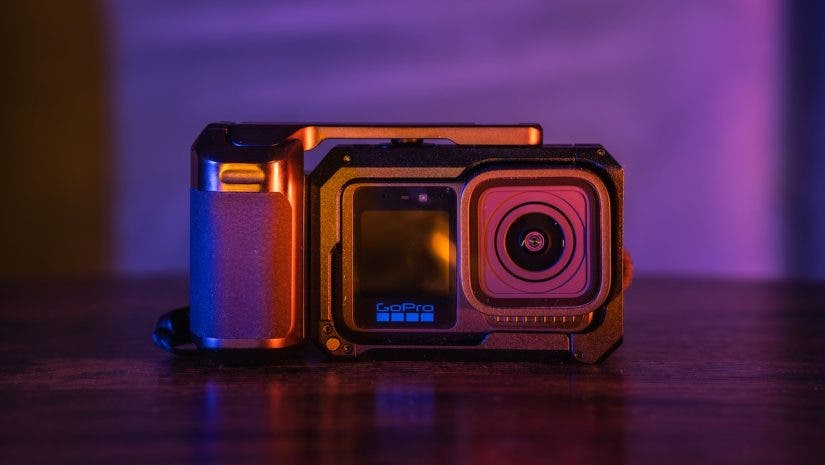
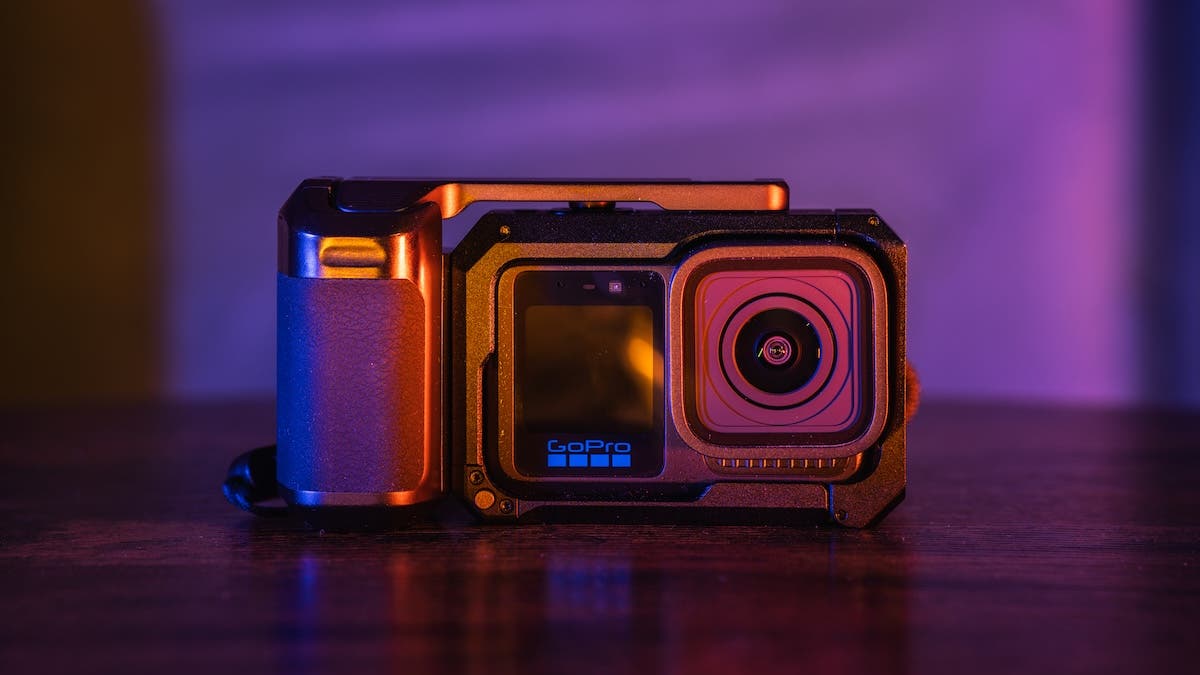
Having used the GoPro MISSION 1 PRO, this is what I have concluded after 2 weeks: the GoPro MISSION 1 PRO is what you want it to be. An action camera? Absolutely! A tool for cinematic footage? Go for it. A pocket-sized travel camera for high-res holiday photos? Yes. There are a few caveats, so if you want to know whether MISSION 1 PRO is for you, even if you are not into action adventures, keep reading. I will break down everything I have learned with practical examples.
Where It All Started: The Rubber Band Era
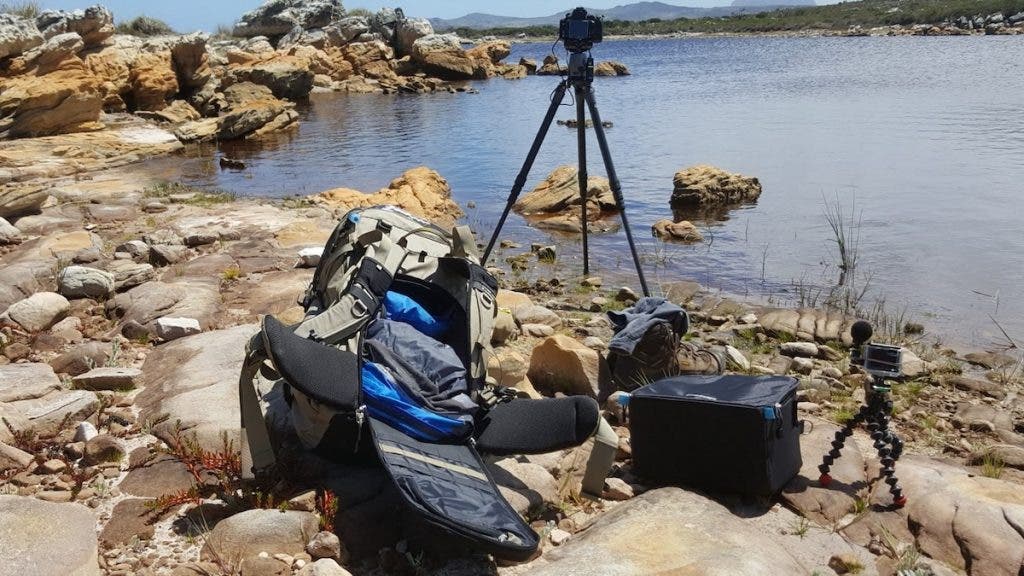
To explain why I have made GoPro’s MISSION 1 PRO part of my filmmaking kit, I will share my story that began a decade ago with the GoPro Hero 4. My setup was a mini tripod to mount the camera and a cheap microphone physically tied to the camera with rubber bands just to keep it from falling off. My primary goal was to share the behind-the-scenes of my photography for teaching.
The Heavy Toll of “Cinematic” Gear
Over the years, my casual storytelling evolved into more serious filmmaking as I began creating documentaries, cinematic travel, and narrative films. I transitioned from an action camera to high-end mirrorless cameras. All of this ran parallel to my passion for photographing landscapes, streets, and portraits, for which I had a separate camera body. Passion has no price, but it does have weight. My backpack ballooned to 15kg, causing endless headaches at airport check-ins and customs.
Mission 1 Pro: The Return to Simplicity
My anecdote is that of a creator who has never been into action-adventure. There are plenty of us out there. The chase of the cinematic experience was with complex gear, but now we crave simplicity of process. And we have found our needs answered in today’s palm-sized technology that delivers outstanding results, stripping away the technical hurdles so you can focus on what matters most: your story.
This is where MISSION 1 PRO comes in: a serious step toward filmmaking, giving cinematic shooters much control while keeping the technology surprisingly simple for those who are not pros.

First Impressions: GoPro Mission 1 Pro
The Technical Edge: Specs That Actually Matter for Storytellers
The 1-Inch Sensor
When I first got introduced to the GoPro MISSION 1 PRO, what caught my attention was the 1-inch sensor. Action cameras are compact and have small sensors to capture light. This relatively larger sensor, by contrast, means better performance in low-light conditions, not just bright daylight, i.e. less noisy/grainy footage.
What does this mean: A bigger sensor means a compact, cinematic tool that captures more light and resolution, enabling you to shoot footage with more detail. This is the biggest sign that GoPro is here to deliver something more than just another action camera.
8K
MISSION 1 PRO gives you 8K resolution.
What does this mean: You save high-res footage that allows you to project onto a large screen and scale your footage up or down on a lower-resolution timeline, such as 4K. It also allows you to apply warp stabilization to shaky footage without quality or pixel loss.
How effective are these 1-inch and 8K features? Let’s have a look with some examples.

What does a 1-inch sensor and True 8K mean?
10-Bit GP-Log2 Video
For video, pairing the 1-inch sensor with 10-bit GP-Log2 ensures your footage holds up to rigorous color grading. It supports bitrates up to 240 Mbps, which can be pushed to 300 Mbps with GoPro Labs firmware.
What this means: Editors get the massive amount of data required to manipulate and color-grade footage professionally.
Baked-in Color Profiles
I am typically not a fan of built-in color profiles in compact cameras, including GoPro.
However, this camera delivers perfect color for those who prefer not to edit.
I was impressed with the MISSION 1 PRO’s built-in colors in 8K during an overcast day at a Cape Town market; you will see the footage in sections below.
Extreme Slow-Motion: Cinematic Frame Rates
The MISSION 1 PRO delivers incredible frame rates that allow you to bend time cinematically. In a standard 16:9 widescreen aspect ratio, the camera can shoot 8K resolution at up to 50 frames per second (60fps for NTSC regions). The slow-motion performance is staggering, offering 4K at 200fps (240fpts for NTSC regions) and 1080p at an unbelievable 400fps. It can also shoot up to 960fps in Burst Slo-Mo mode
What does this mean: You get the ultimate flexibility to slow down fast action smoothly without losing sharpness or detail, turning everyday movements into buttery, highly cinematic sequences.

Unlocking cinematic footage with super slow motion
8K Open Gate: The “Shoot Once” Canvas
My workflow demands flexibility; I have to deliver long-form cinematic tutorials for YouTube (16:9) and punchy vertical cuts for Reels (9:16). My clients require the same. When you switch to Open Gate, the camera ignores the standard 16:9 crop and records on the entire sensor.
What does this mean: You get about 33% more vertical resolution than standard 16:9 video. This allows you to shoot a single 8K Open Gate clip and comfortably punch out a flawless 16:9 horizontal video and a crisp 9:16 vertical video. It is also worth noting that with Open Gate, an 8K 30fps resolution is captured on 7680px x 5760px on the 1-inch sensor, which makes the footage captured True 8K.

Does Mission 1 Pro Open Gate really help?
50 Megapixel Photos
The Mission 1 Pro captures 50MP RAW photos, giving me the dynamic range to push and pull shadows.
What this means: You get highly detailed photos that perfectly balance the brightest areas and the darkest shadows in the same shot. There are some limitations to taking photos with an action camera, and the MISSION 1 PRO is no exception; find out in the video below.

Photography with Mission 1 Pro
Where the Mission 1 Pro Fits in My Kit

Verdict: How will I use Mission 1 Pro?
Where the Mission 1 Pro Shines (My Go-To Scenarios):
- High-End Cinematic B-Roll & Slow Motion: I will integrate the MISSION 1 PRO directly into my films for buttery, high-resolution slow-motion sequences. My main camera bodies cannot shoot at 400 fps or higher, but here the MISSION 1 PRO is a winner!
- Impossible Angles: I can see this camera being my go-to for capturing perspectives that are difficult to manage with large-body cameras, allowing me to mount the camera in tight spaces or on moving vehicles, adding dynamic production value.
- Purpose-Driven Depth of Field: For wide-angle cinematography or sweeping landscapes where extreme background blur is not required, this camera is useful.
- Narrative Workflow: When the core of the story relies on action, movement, or candid moments, the MISSION 1 PRO’s 10-bit GP-Log2 and high bitrates can be relied upon to match the color grade and visual fidelity of the main cinema rigs.
- Essential Behind-the-Scenes & Travel POV: It has already become a trusted part of my professional kit for capturing POV shots that take the audience inside the creative process.
Where It Has Its Limits (When I’ll Reach for My Mirrorless):
- Close-Ups: Due to its fixed aperture and minimum focus distance, this camera’s sweet spot is strictly medium-range to wide shots.
- Precise Depth of Field: Without an adjustable aperture, you will not get the creamy bokeh needed to isolate subjects for tightly focused cinematic portraits or traditional interviews.
- Telephoto Reach: The fixed wide-angle lens cannot replicate optical zoom. To capture distant wildlife or compress a massive mountain behind a subject, I still need my 70-200mm mirrorless lens.
- Pitch-Black Environments: The 1-inch sensor is fantastic for moody lighting, but for near-total darkness, I will use a full-frame camera body.
Mission 1 Pro: Tailored Creator Kits
These modular bundles allow you to customize your Mission 1 Pro setup with the precise mounting, audio, and power accessories needed for your specific filming style.
- Grip Edition: A handheld setup featuring the camera and Metallic Cage with a built-in grip and shutter button for tactile control.
- Creator Edition: A versatile vlogging bundle with the camera, Media Mod (expanded IO cage + external microphone), and Volta 2 (battery grip + tripod + camera control) for essential audio and mounting.
- Ultimate Creator Edition: The complete filmmaking rig, including the camera, Fluid Pro AI gimbal, Media Mod, Light Mod 2, and Magnetic Latch Mount for an all-in-one system.
Final Remarks
In summary, GoPro has made a statement by offering a bigger sensor with better performance and True 8K resolution: Mission 1 can be whatever you want it to be: an action camera, a lightweight cinematic tool, or both. This camera provides extensive control for either those who like to dial in the settings or others who just want to be in the moment and let the camera do the heavy lifting. It is a compact action camera at its core, with the added cinematic simplicity that fits in your pocket, proving that you no longer need to carry the weight of heavy gear to capture a heavy-hitting story.
Ready to streamline your own cinematic workflow? You can find the GoPro MISSION 1 Pro and the rest of the GoPro ecosystem available right now at Adorama.