+4
more
more

See Options
Need help? Ask our experts.
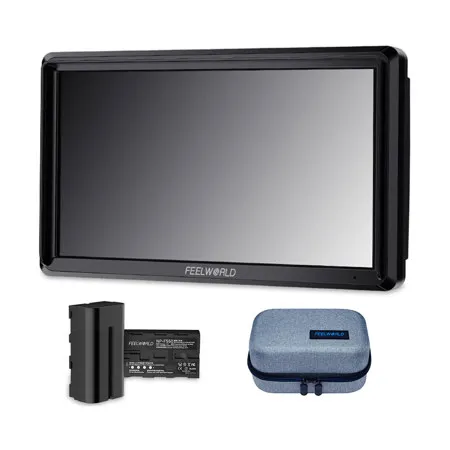
Feelworld FW568 Update to FW568 V2 Version with Waveform and 3D LUT
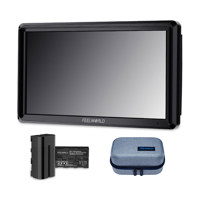
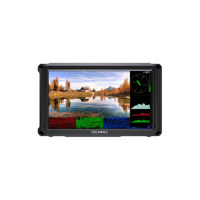
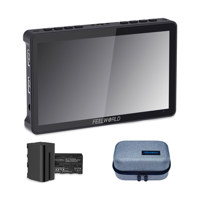
Dear friends, thank you very much love and support the FEELEWORLD monitor, in order to improve user experience, we update the FW568 monitor to FW568 V2 with waveform and 3D LUT function, support load 32 custom LUTs. Preview film look in field. The FW568 screen resolution is1920x1080 update to FW568 V2 resolutions 1920x1152.
6" LCD, 1920x1152 Resolution - High resolution, brighter full of colors
The FW568 V3 provides a sharp image, ideal for focus pulling and image analysis on set and in the field. With native 1920x1152 high resolution and 16:9 display, 500cd/sq. m brightness, 1000:1 contrast ratio, delivers excellent detail, so you can enjoy sharper and richer colors image, full-screen display uniform, no difference, no trailing. Its size, weight and resolution make it an attractive option for DSLR shooters looking to attach it straight to the camera.
Large Viewing Angles for All-round Visibility
IPS monitor, gives you a large visual view to enjoy, offers consistent image clarity and colors from 160-degree viewing angle vertically and horizontally. And the wide viewing angle makes it easy for multiple crew members to watch at the same time.
True Color. Professional Color Calibration
Use Rec.709 color standard Accurate color reproduction
Intuitive Controls and Menus
The menu controls are intuitive and easy to use. Two different feature buttons which are programmable to the various features that you use the most.
4K HDMI Input & Loop Output
The FW568 has 4K HDMI in and loop-out, allowing it to not only display live signals, but also send them out to other monitors simultaneously. The HDMI output can transmission to broadcast monitor, convenience director and photographer monitoring at the same time.
Multiple Installation Methods Convenient for various angle monitoring
The FEELWORLD FW568 has a standard 1/4" mounting point (bottom, right) for attaching it to the camera and rig. The 1/4 screw can remove mounted to the bottom or right side.
Flexible Install Both on Camera and Gimbal
If you install it on the bottom of the device, you can also combine the image flip function to maintain the correct orientation of the screen! FW568 equipped with one 1/4 screw, if you also want to fast install at gimbal, you can buy one more 1/4 screw.
Newest Sunshade Design, Easy Install
The FW568 monitor is equipped with a sunshade, which allows the photographer to focus more on the video and avoid the interference of strong light, providing a better visual experience.
Embedded Audio Monitoring
The Audio Level Meters provide numerical indicators and headroom levels. It can generate accurate audio level displays to prevent errors during monitoring. The audio meter is green, and will turn yellow when exceeds -20dB, and turn red when exceeds -9dB.
Peaking Focus Assist
The Peaking Filter is used to aid the camera operator in obtaining the sharpest possible picture. When activated, the internal processor will display a colored highlight on the screen where sharp edges appear. You can switch the putline color between red, green, blue according to different tone of the subject.
False Colors
The False Colors filter is used to aid in the setting of camera exposure. As the camera Iris is adjusted, elements of the image will change color based on the luminance or brightness values. This enables proper exposure to be achieved without the use of costly, complicated external test equipment.
Exposure (zebras)
The Exposure is used to assist in exposure adjustment in the mode of Zebra Pattern. It is considered overexposed and displays the moving warning lines onto the over exposed areas. 1-100IRE adjustable.
Check Field
Check Field is an assistant function to adjust camera color settings. Under the check field mode, you can use red, green, blue or mono pixels to generate the image, because hue and saturation can be adjusted more quickly and accurately in this environment.
Zoom In (4X, 9X, 16X)
Image magnification is HD signal in any part, an amplification for high quality close-up.
Anamorphic Mode (1.3x, 2.0x, 2.0x mag, User-defined adjustment: 1.20X-2.00X)
Built-in selection of no squeeze, 1.3 x or 2.0 x allows you to use anamorphic lenses or adapters and see the image unsqueezed, even if your camera does not de-squeeze in camera. A 2.0 x mag mode, magnifies the center of your image so you can check the focus of your scaled image.
Image Flip
The Horizontal, Vertical and Hor&Ver of the image around flip.
Nine Grid
Zoom one of the images to realize the full screen. You can switch the Mark color between Red, Green, Blue, White, Black according to different tone of the subject.
Pixel to Pixel
Enable the filmmaker to check the image from the 1:1 signal source without scaling. This feature is essential for capturing optimum detail.
Center Marker & Safe Marker
Safe Mark for View Finding and Composition (80%, 85%, 90%, 93%, 96%, 2.35:1). You can switch the Mark color between Red, Green, Blue, White and Black according to different tone of the subject.
Ratio Marker
(4:3, 13:9, 14:9, 15:9, 16:9, 1.85:1, 2.35:1). Frame blanking zone includes 6 Levels, from 0-6 (Transparent to Black). You can switch the Mark color between red, green, blue, white and black according to different tone of the subject.
Video Assist Functions
• High Resolution: Full HD 1920x1152
• High Contrast: 1000:1
• High Brightness: 500cd/sq. m
• 160 Degree wide viewing angles IPS Panel
• Provides auxiliary power out; allowing shooters to power their cameras
• Custom 3D LUT import (up to 32)
• All waves
• Waveform (RGB, Y, YUV)
• Histogram (RGB1, Y, RGB2)
• Peaking Focus Assist (Red, Green, Blue three colors optional highlight over parts of the image in focus)
• False Colors
• Zebra Exposure
• Nine Grid
• Scan Mode (Under Scan, Over Scan)
• Zoom (4x,9x,16x)
• Anamorphic Mode (1.3x, 2.0x, 2.0x mag, User-defined adjustment: 1.20X-2.00X)
• Pixel to Pixel
• Center Marker
• Safe Area (80%,85%,90%,93%,96%,2.35:1)
• Ratio marker (4:3,13:9,14:9,15:9,16:9,1.85:1,2.35:1)
• Marker Color (Red, Green, Blue, White, Black)
• Check Field (Red/Green/Blue/Mono)
• Image Flip (H, V, H/V)
• Image Freeze
• Zoom All (0-500 adjustable)
• U/D & L/R Zoom (0-500 adjustable)
• Color Temperature Adjustment