The number of cameras offering Open Gate functionality has increased significantly over the past few years, and many creators are asking the same questions. What is, after all, the point of this magic, new feature? Should I buy a new camera for its sake? As one who manages the entire video creation process by himself, I am aware of the importance of having the right gear, using it to its full extent, implementing a workflow that works for me, and avoiding spending my life editing. So, like everyone else, I was intrigued. Here is what I found about Open Gate and how to leverage its benefits.
What Is the Open Gate Functionality in a Camera?
Open Gate is a feature that allows a camera to record videos using the entire area of the digital sensor. Hence, instead of getting videos at only,the aspect ratio you requested (e.g., the standard 16:9), you get video footage at a 3:2 aspect ratio from a full-frame or APS-C sensor and at a 4:3 aspect ratio from a Micro Four Thirds sensor.
Regardless of the sensor’s aspect ratio, you get more pixels, which comes in very handy in post-processing, as you’ll see later on. For example, the image below has a 3:2 aspect ratio. If you shoot 16:9, you’ll miss some of the data near the top and/or bottom edge. If you shoot vertically, 9:16, you’ll miss even more data from near the left and right edges.
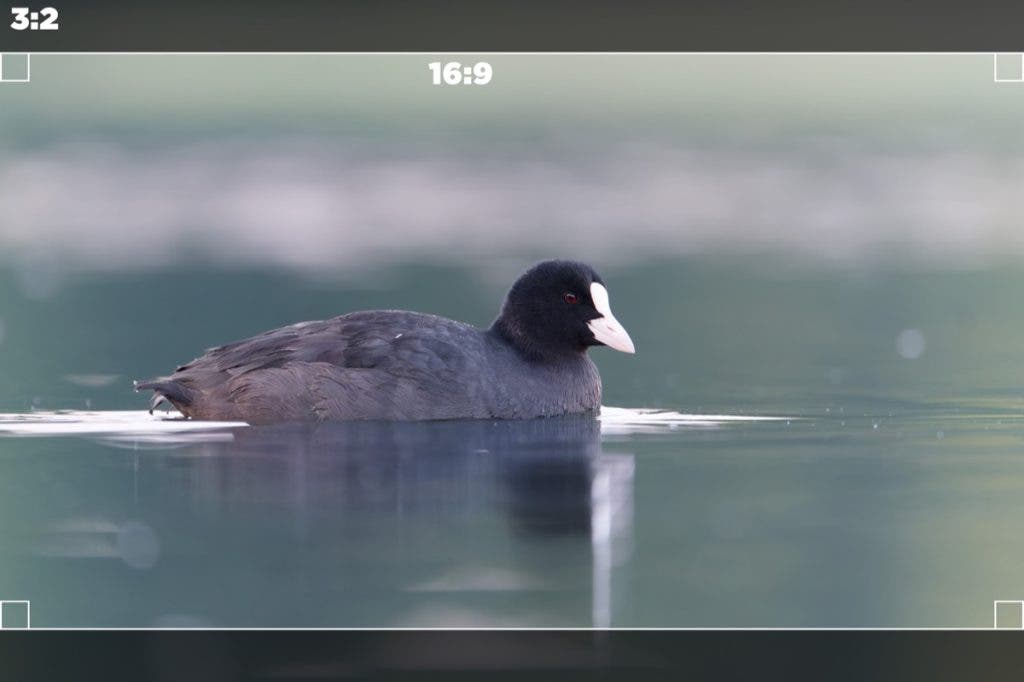
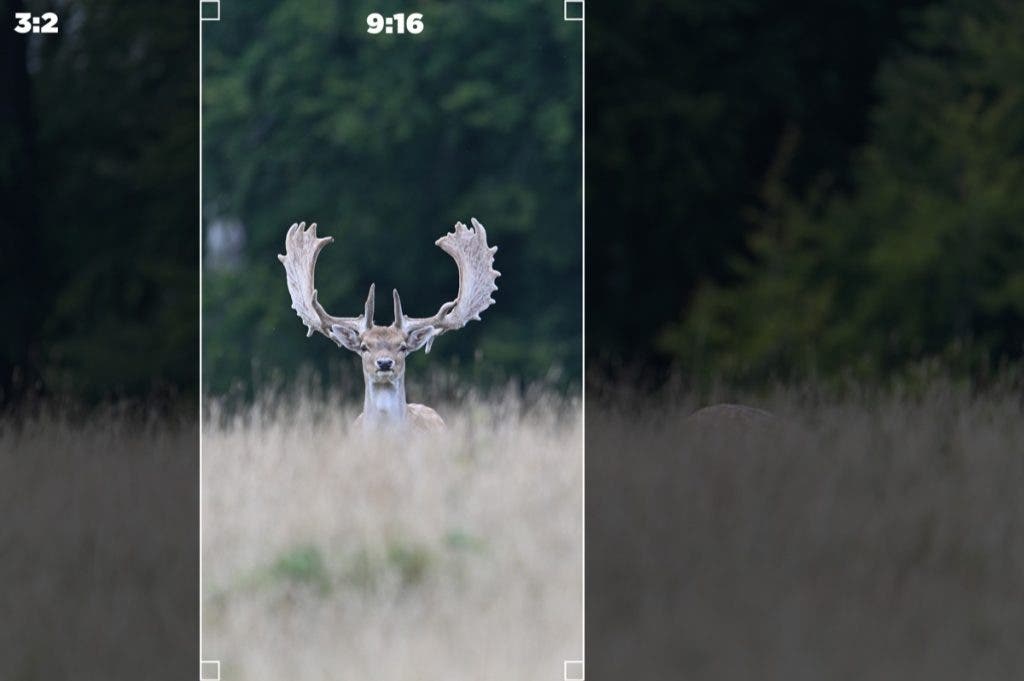
The difference in aspect ratio translates into an increased resolution, such as 6K and even more, which means ultra-detailed images and endless cropping options while still getting the final videos to have high image resolutions. Why? Let’s take a camera able to record 3:2 6K in Open Gate. You get 6000 x 4000 pixels, which means a vertical 9:16 image can have a maximum height of 4000 pixels and a maximum width of 2250 pixels. A standard 9:16 4K video has 2160 x 3840 pixels, which means you can crop a 4K vertical video from the 6K Open Gate recorded footage.
What Cameras Can Record Open Gate?
Open Gate is available in mirrorless and cinema cameras. The Panasonic LUMIX GH5, released back in 2017, was the true pioneer of the format. Blackmagic added Open Gate to its lineup with the Cinema Camera 6K in 2023, around the same time as the LUMIX G9 II and Fujifilm’s X-S20. Nowadays, the feature is also present in camera models by Leica (e.g., SL3-S), Fujifilm (e.g., X-H2S), and Canon (e.g., C50). Nikon has not yet released an open gate camera, though the company has confirmed the feature is planned for its video-focused Nikon ZR in 2027.
Full-frame cinema cameras, such as the Blackmagic Design Cinema Camera 6K and the new Canon C50, offer impressive 6K/36P (6048 x 4032 pixels) and 7K/30P (6960 x 4640 pixels) Open Gate recording, respectively. But even an ultra-portable mirrorless camera, such as the Panasonic LUMIX S9, with its 24.2MP full-frame sensor, records almost three times more data in Open Gate than in a regular 4K video recording mode.
Actually, the entire Lumix family offers impressive resolutions in Open Gate mode: 6.4K S1R II, 6K S5 II X, 5.8K GH7, and 5.8K G9 II, which is not a surprise, being that Panasonic is one of the first to trust in the functionality’s potential. It is worth noting that the resolutions quoted above refer to the taller, full-sensor Open Gate frame, and are separate from these same cameras’ standard 16:9 or 17:9 video modes, which top out lower.
More Cameras Worth Knowing About
Panasonic’s commitment to Open Gate runs deeper than the flagship models above. The GH5, GH5S, GH5 II, GH6, S1H, S1 II, S1 IIE and S5 II all shoot Open Gate as well, making Lumix by far the widest Open Gate lineup on the market.
Fujifilm has also expanded the feature well beyond the X-H2S, bringing it to the more affordable X-M5, X-S20 and X-T30 III, as well as to its medium-format GFX Eterna 55 cinema camera. Canon, meanwhile, has added Open Gate to its EOS R6 Mark III and R6 V, both capable of 7K Open Gate capture.
Leica’s Open Gate lineup now includes the 60-megapixel SL3-P alongside the SL3-S, and the standard SL3 gained the feature through a late-2025 firmware update. Sigma’s BF also shoots Open Gate, and on the cinema side, Blackmagic offers it across the PYXIS 6K, PYXIS 12K, URSA Cine 12K LF, and the Pocket Cinema Camera 6K, 6K Pro, and 6K G2.
Perhaps the biggest shift came in 2026, when Sony added Open Gate to the FX5, marking the company’s first camera with the feature after years of sitting out the trend while Panasonic, Fujifilm, and others built out their Open Gate lineups.
Sensor Size and Image Circle
Of course, cameras with smaller sensors will transfer the disadvantage in the Open Gate’s performance, but still, setting aside the crop factor, Open Gate provides much more detail, higher resolutions, and plenty of room for editing.
Camera model aside, you need to consider the range of compatible lenses, too. If the lens’s image circle is too small for the full size of the sensor, the camera won’t record correctly in Open Gate mode (e.g., optic issues, vignetting, etc.). It happens with some spherical and anamorphic lenses, so make sure you choose compatible ones, such as the CN-R series for C50, Leica L-mount lenses for Lumix S9, Sigma Art lenses for Blackmagic Design Cinema Camera 6K, and so on.
How to Use Open Gate Shooting
Open Gate shooting (you’ll find it in camera menus under full sensor readout or Open Gate mode, depending on the camera’s brand) dictates the way you record videos. Instead of recording the same footage at different aspect ratios for, say, YouTube and social media, you will record it just once at the full height and width of the camera’s sensor. In addition, you won’t need a special rig for vertical filming. The camera can stand on a standard one and shoot horizontally, as most of them are designed to, and you still get vertical footage regardless.
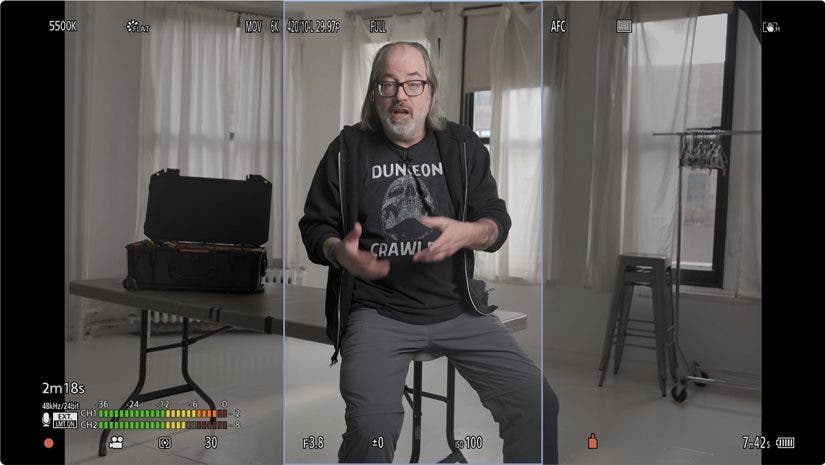
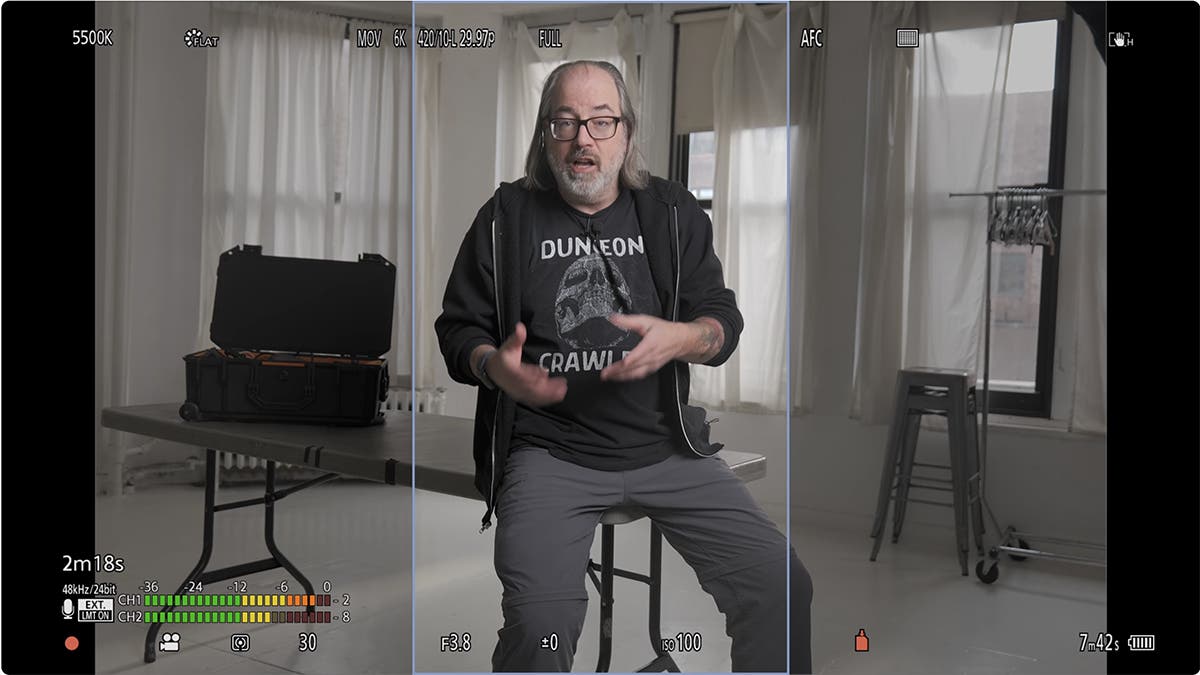
The challenge comes with framing because you need something to let you know when the subject is or is not in the potential future cut area. However, all it takes is a read of the camera manual because manufacturers thought about this. LUMIX S9, for instance, comes with a wide range of Frame Markers that appear over the scene while recording, so you can keep the subject in the area where it will be in the final video. C50 also has built-in frame markers, such as 16:9 and 9:16, and grids, which may be helpful as well.
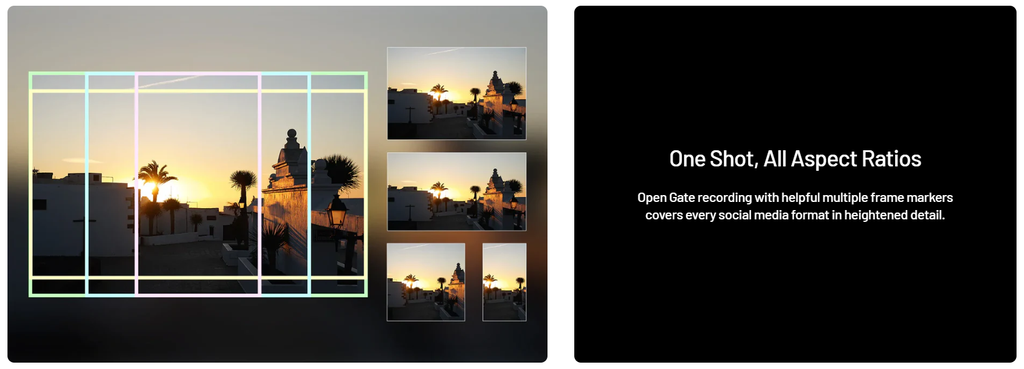
Editor’s Note: I reached out to LUMIX, who sent the above image and the following quote:
“Then, with our Real Time LUTs which allow you to preview and apply signature color presets directly in-camera instantly, you can essentially capture color-graded content in all aspect ratios with Open Gate, transfer that content instantly from the camera to the smartphone via the LUMIX Lab App and post to social within seconds.”
Give Yourself Space
If you don’t want to rely on markers, remember that if you have the subject in the center of the frame, Open Gate shooting will give you more data above and below it than a standard 16:9 recording and more data on its right and left sides than a 9:16 recording. These are the areas you’ll crop in post-processing. Keep the subject as close to the center of the frame as possible to satisfy all the aspect ratios you consider.
Take a close look at the background, too, because the depth of field may differ. Framing a tall subject using a landscape-oriented aspect ratio, such as 3:2, may require moving the camera further away from the subject, which results in a deeper depth of field. It’s not that a deeper depth of field is bad, but you should be aware of it and make informed decisions.
Editing Open Gate
Once you have the footage, you need to edit it. The obvious edit is to crop the footage to the exact aspect ratio you need for each medium (e.g., 16:9 for YouTube, 9:16 for TikTok, 1:1 for Instagram, etc.). However, due to the ultra-high resolution of your footage, you can do other interesting edits, such as reframing, panning, and zooming. The resulting video will still have a high resolution and professional look. Alongside the huge reduction in shooting time, this creative freedom is what made Open Gate such a success. Just imagine shooting a live event and going home with the footage to realize you should have shot it vertically. You’d be happier with Open Gate footage.
Although it is very easy to switch to Open Gate shooting and improve your video production workflow instantly, the functionality comes with a few drawbacks. First of all, recording at these ultra-high resolutions requires faster transfer rates (e.g., over 200Mbps), which means you will have to use fast CFexpress cards. You will also need more storage space for your video files, both on the memory card and your computer or online storage solution. In addition, capturing all this data takes a toll on the camera. It needs a good cooling system to get by, but even so, you can’t avoid sensor wear.
More Images Area, More Storage Space
Processing larger files takes a powerful computer and complex editing software. Yes, you get more data to work with, which is nice, but you need advanced tools to do so, which may come at a cost.
Nevertheless, the Open Gate recording is not something you do unless you need it, so don’t let the drawbacks stop you. For instance, if you only need one aspect ratio, there is no need to shoot Open Gate regularly and wear the sensor. If you perform minimal editing on your videos and don’t have the required processing power (or the need for it), again, there is no need to use this feature. But if you want it and plan to use it all the time, it may be a lifesaver.
Final Thoughts
Open Gate caught my attention because it offers significant advantages, albeit only for a particular category of content creators. But if you seek flexibility and efficiency, have a steady video production workflow, and have the means to process large data volumes (e.g., robust hardware, storage solutions, advanced video editing software, etc.), give it a try. If you need to repurpose footage in various aspect ratios, give it serious thought. The creative possibilities Open Gate provides may elevate the professionalism and versatility of your work.