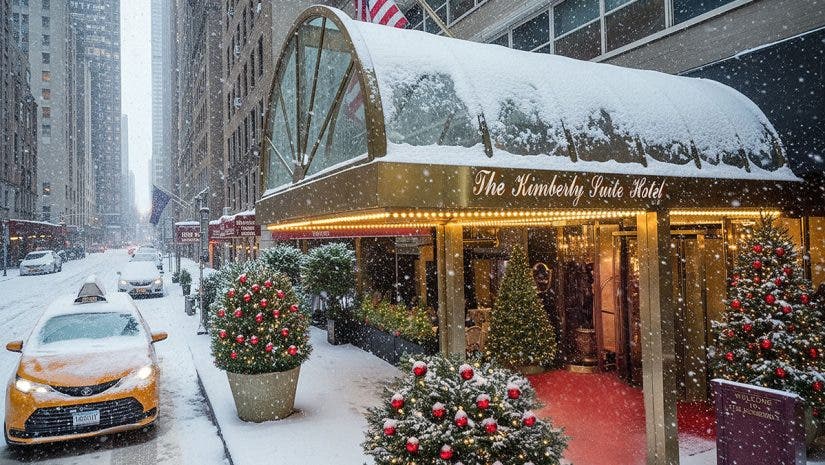
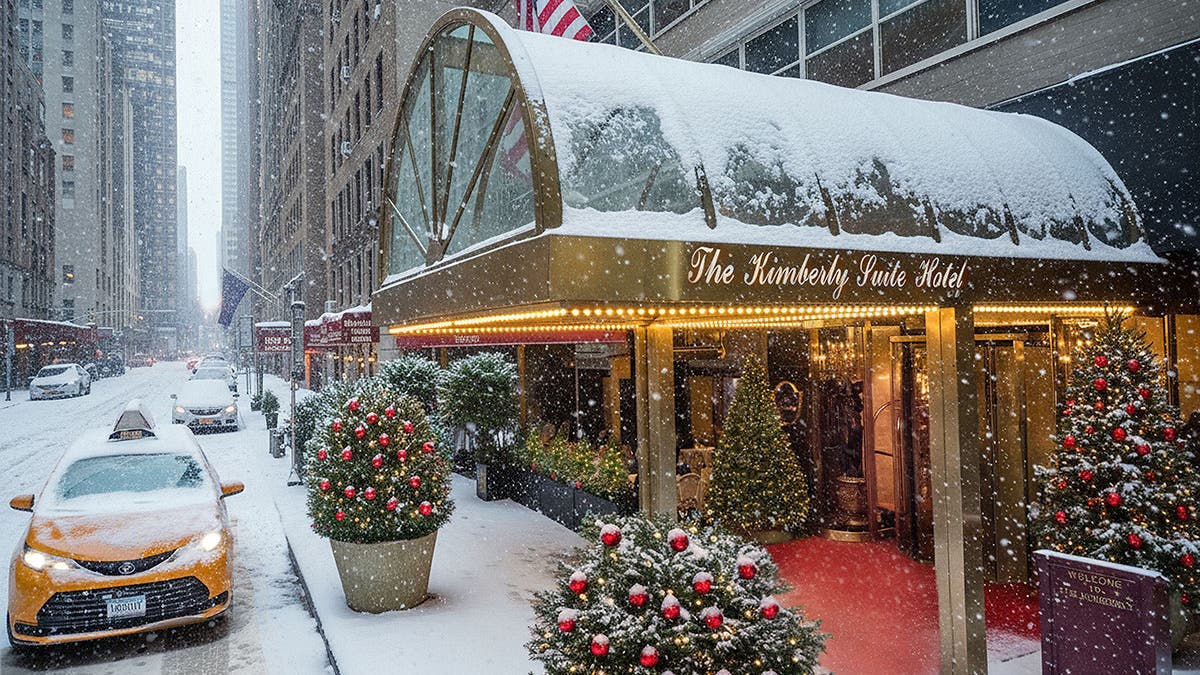
I’ve photographed nearly 100 hotel properties over the years. Many of them multiple times. It can be a genuine creative challenge to return to a location and reimagine an image captured years earlier. Most hotels periodically undergo resets and refreshes. Each update brings an expectation for imagery that feels new, distinctive, and visually compelling. Creating one strong new image is often sufficient. Creating two dramatically different images from the same capture frame once seemed nearly impossible. Today, AI editing tools have made that ambition not only achievable but increasingly commonplace.
A Long Time Client, A Classic Assignment
In May of 2025, my longtime client, The Kimberly Hotel on 50th Street in New York City, reached out to refresh their visual branding. One of the key images required was the hotel’s exterior. This is an area I have photographed an estimated 30 to 40 times over the past 15 years. This time, a new approach was essential. The plan was to borrow the hotel’s tallest ladder. I would position the camera so the logo sat closer to eye level, offering a fresh perspective. The goal was to capture both an early-morning and a dusk version of the same scene.
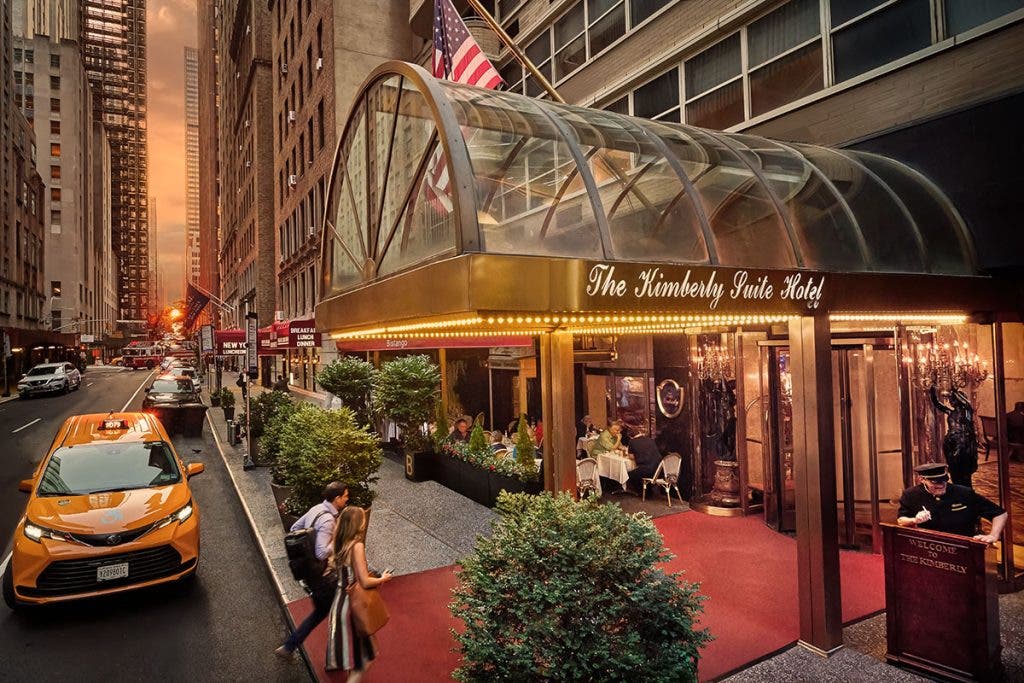
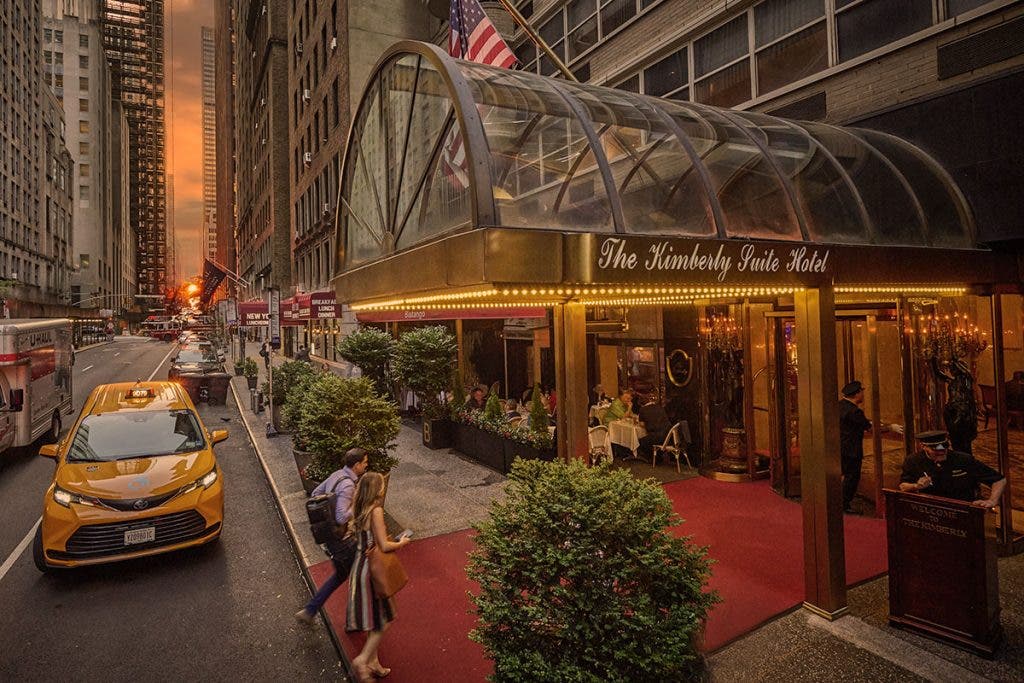
One of our original shoot dates, part of a two-day shoot, was rained out and rescheduled. Unbeknownst to both me and the hotel’s Sales and Marketing Director, Marcia James, we had selected an extraordinary summer day. For anyone familiar with New York City, it turned out to be Manhattanhenge. A rare phenomenon occurring only twice a year. During Manhattanhenge, the setting sun aligns perfectly with Manhattan’s street grid under clear skies. In hindsight, the rainout could not have been better.
When Everything Comes Together
My crew and I headed outside around 8:00 PM to prepare for the exterior shoot. This was after a full day of photographing guest rooms and balconies. Stylist Heather Bean, digital tech Alex Medina, assistant Millen Maharjan, and I immediately sensed this would be a special evening. Looking west along 50th Street, the sun appeared as a glowing golden sphere descending between the buildings. With ample summer daylight lingering, we had time to capture the dusk atmosphere required for the hotel’s entrance.
Earlier in the day, I realized that the hotel’s 12-foot ladder provided the ideal height. This eliminated the need for my tallest Gitzo tripod. We mounted the tripod head directly to the ladder using a super clamp. This ensured stability for my Nikon D850 paired with my trusted 17–35mm lens set at 17mm. As with the morning shoot, the plan was to capture the dynamic energy of the street in front of the always-busy hotel.
The camera was tethered and everything aligned—timing, weather, and vantage point. Thus, we captured a quintessential New York moment. Golden sunset light, an arriving yellow cab, a fire engine passing through the frame, diners filling the hotel restaurant. Of course, guests arriving at the entrance, and even a perfectly timed appearance by a New York City pigeon. The image was so successful that the hotel’s General Manager, Mujo Perezic, immediately envisioned it as the property’s holiday card and asked whether it could be transformed accordingly.
Let it Snow!
Never one to shy away from a creative challenge, I saw this as an opportunity to fully explore the latest Photoshop AI editing tools. I had been using Adobe Firefly for over a year with strong results, but was eager to push deeper into newer features, including Nano Banana- Genesis 2.0. Armed with a new monthly upgrade of 4,000 AI credits—and a great deal of patience—I began the transformation process.
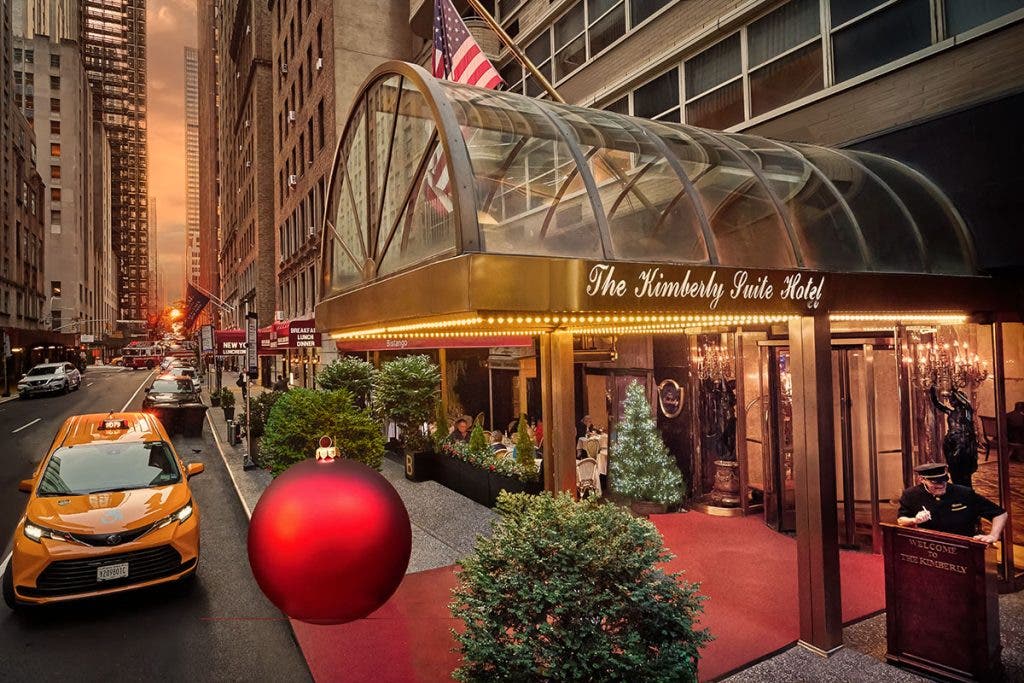
Removing the summer atmosphere, guests, foliage, and warm sunset light was only the beginning. Since the image had already been finalized, standard Photoshop corrections had already been addressed, including removing a doorman and a U-Haul truck, cleaning up street and sidewalk debris, and correcting architectural distractions such as air-conditioning vents. Working with AI editing tools requires an understanding that it has a mind of its own; precision in prompt wording becomes critical. The process involved building layers carefully, working in small sections, and preserving the integrity of the original photograph. In total, I created nearly 20 separate versions, saved both locally and to the cloud, ultimately compositing elements from several to arrive at the final image.
More than Just a Simple Prompt
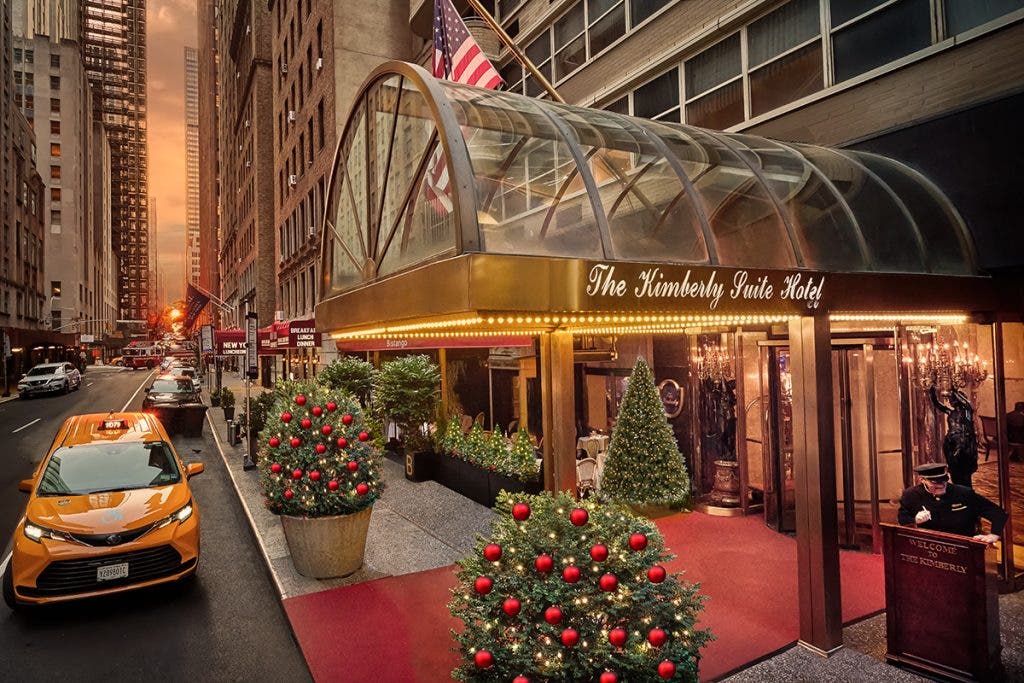
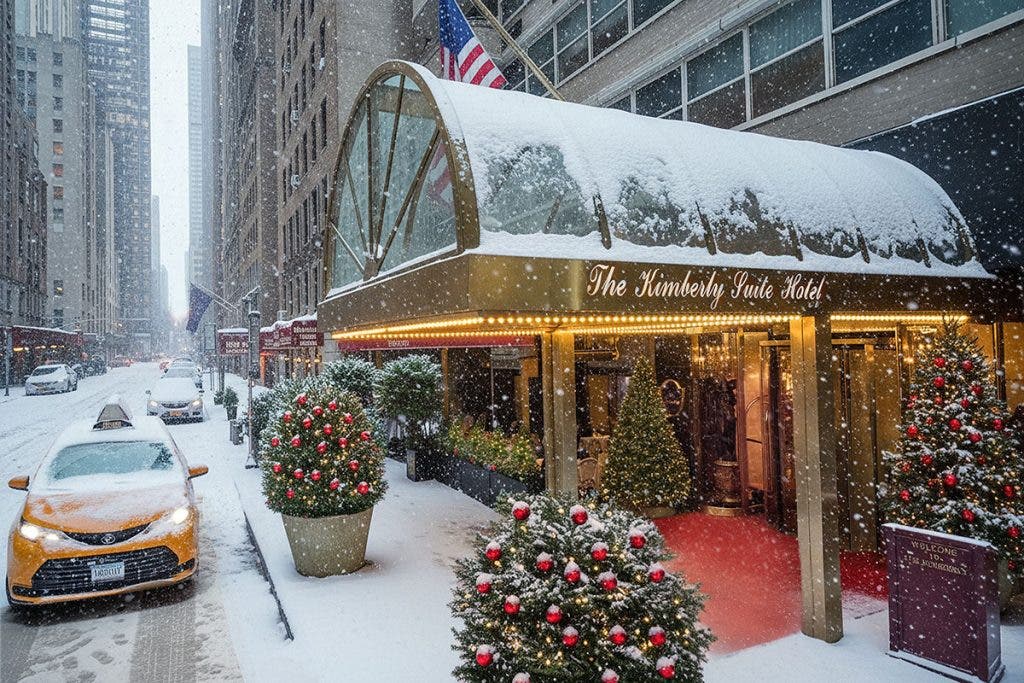
The process was time-consuming. Each AI-generated layer needed to be rasterized to access traditional Photoshop tools, and Auto-Align proved essential for maintaining consistency with the base images in the lower layers. The result was a seamless transformation: faithful to the original capture, yet completely reimagined as a winter blizzard scene for the holiday season.
To start, I sourced donor imagery for the large tree planters partially hidden behind arriving guests in the original photo. I then created white twinkling lights and red Christmas ornaments using Firefly. Achieving the correct scale, color, shading, and realism—particularly for the ornaments—required significant trial and error. Each ornament exists on its own layer, cloned from one large single ball after ditching generated clusters. This allowed for precise placement and realistic light interaction once snow was later added.
In Their Summer Clothes
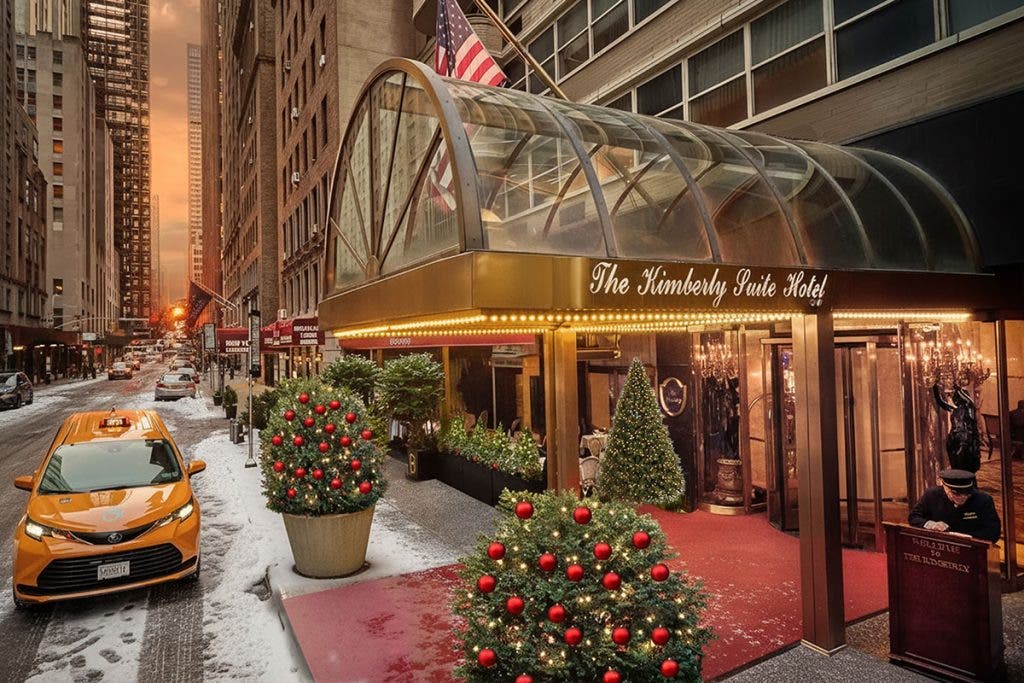
The summer evening diners presented another challenge. Rather than painstakingly retouching them out, I created a separate blank image populated with illuminated trees and bushes generated using Nano Banana, both with and without ornaments. The strongest elements were isolated and composited into the scene. Throughout the process, I kept the client closely informed, sharing progress and adjusting direction based on their feedback while managing the demands of such a time-intensive workflow.
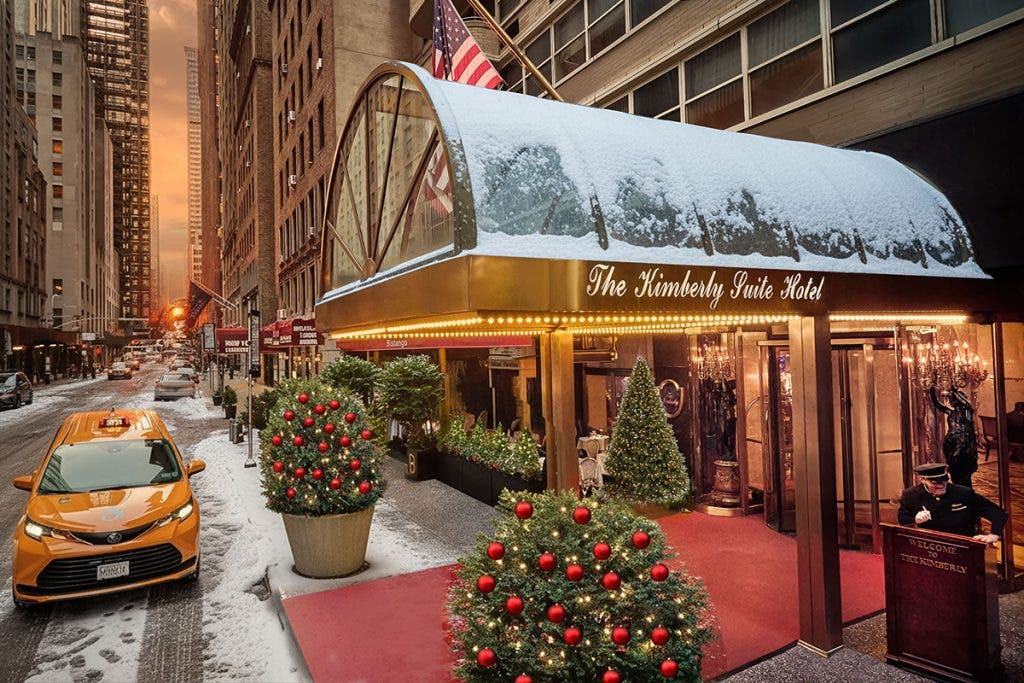
As expected, the AI editing tools occasionally introduced their own creative interpretations—additional “mystery” doormen appeared in several versions. Rewriting prompts four, five, or even six times became standard practice rather than the exception.
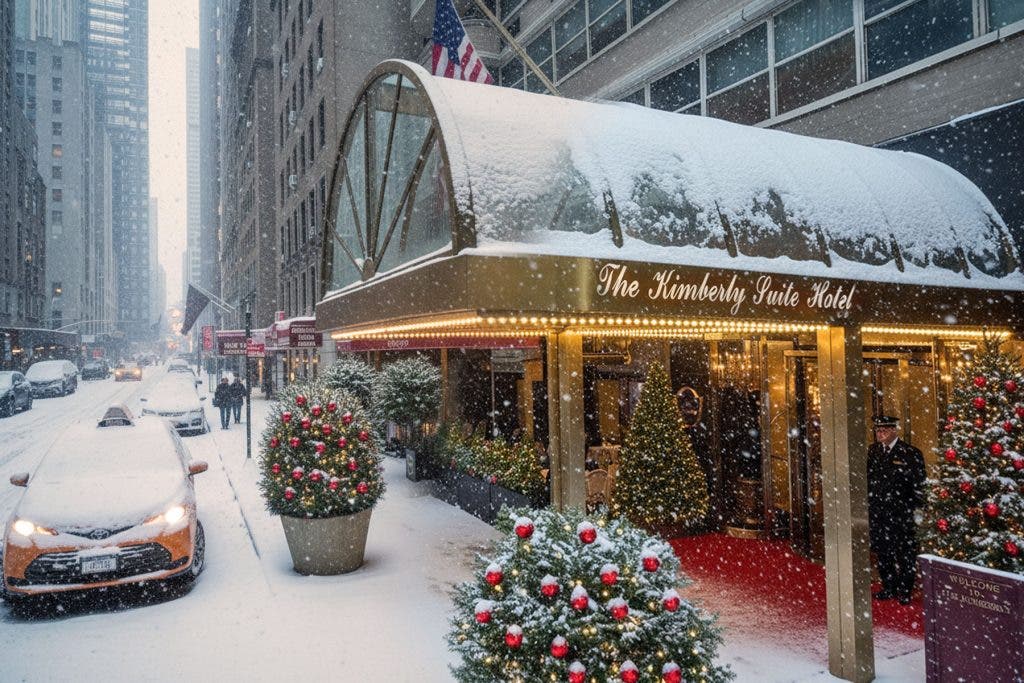
Finally, snow was added to complete the winter transformation. Working in isolated sections paid off, allowing the original image to remain intact. Snowflakes were generated naturally through AI prompts, but special care was taken to preserve the visibility of the hotel’s illuminated signage and iconic red entrance carpet. Footprints were briefly added, then removed, while tire tracks in the street and a freshly cleared taxi windshield were introduced using separate variations, completing a convincing and atmospheric winter scene.
From One Job Comes Two, Actually Three!
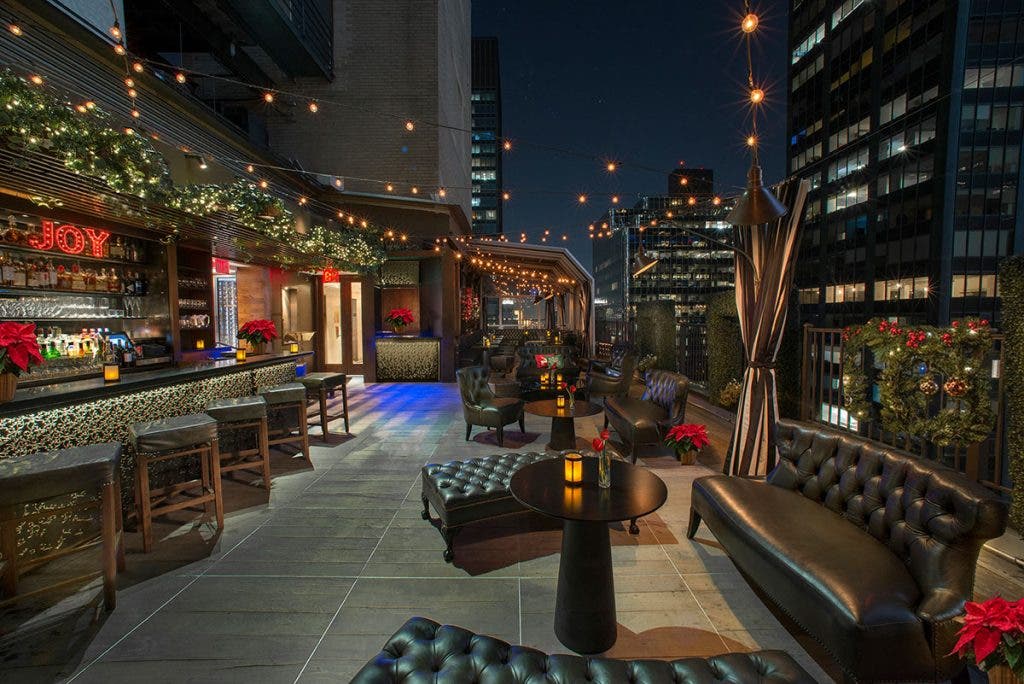
Within minutes of the final presentation, I received a call from Jordana Maurer, Manager of the hotel’s open-air rooftop bar, Upstairs at The Kimberly, asking if I could create a holiday card from an existing image I had taken several years earlier. A few days later, and Nano Banana running wild a few times, we ended up using a minimalist approach, and we arrived at a simpler final design.
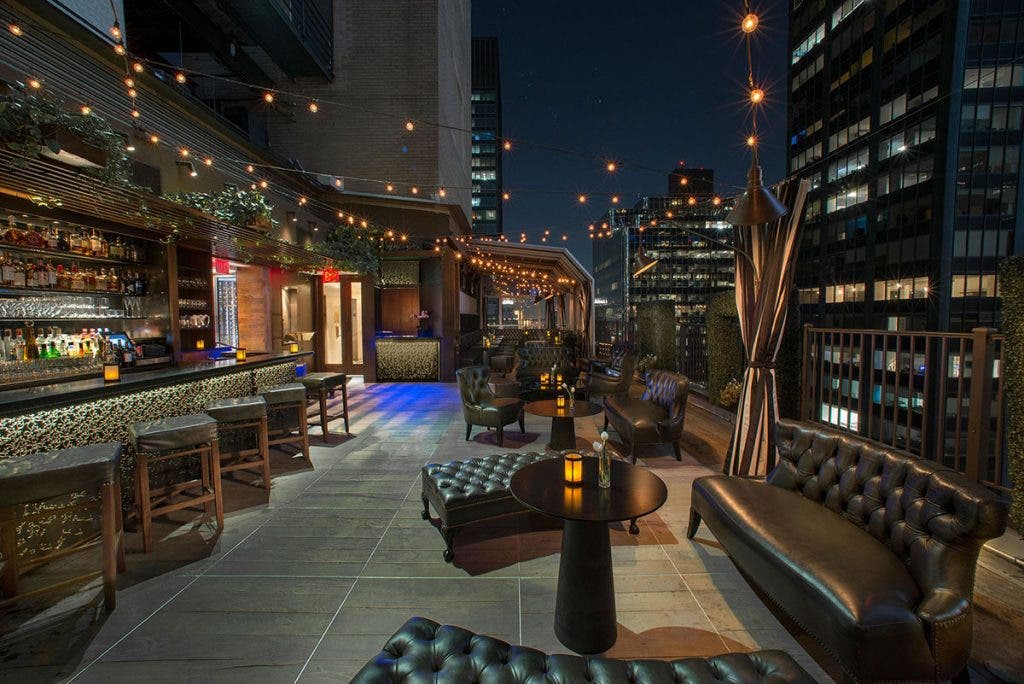
What began as a single exterior photograph ultimately became two distinctly different images—created from the same capture frame—demonstrating how AI, when used thoughtfully and precisely, can expand the creative possibilities of architectural and hospitality photography. AI has both advantages and limitations, but in this case, it allowed a client to envision a scenario that would have been nearly impossible to capture under unpredictable extreme weather conditions. Over the past 30 years, our profession has experienced more change than in the previous 175 combined. AI has been evolving rapidly in the past few years, reshaping how we work—and we can only hope it continues to enhance, rather than replace, the art of photography and our profession.