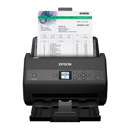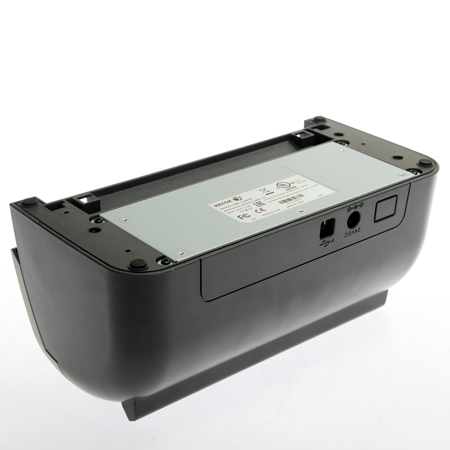
Picture does not represent the actual item
See what's in the box

Picture does not represent the actual item
See what's in the box
This item is no longer available.
Good Value
Even at a pricey $ the unit qualifies as a good value. It's our second one, we have years of experience with the 152i. It is bombproof, never fails to get the job done.
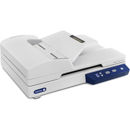
Xerox Documate 152i
Appears to be well made and sturdy. Assembly instructions were fairly easy to follow (all pictures, no narrative. Installation of the software was incomplete. had to eventually contact Support to resolve a licensing issue with one of the apps. Eventually got it installed, and works very well.
Xerox DocuMate 152i
Next generation scanning technology for today's cluttered office
Improving on perfection is easier than it sounds. The new and improved Xerox DocuMate 152i may look like its award-winning predecessor, but this small scanner has been overhauled with new features. A complete small-office document management solution, the DocuMate 152i is 40% faster and includes robust PC and Mac TWAIN drivers and software. The Xerox DocuMate 152i, color sheetfed document scanner, now scans up to 50 images per minute (ipm) in duplex mode, includes a 50-page automatic document feeder and has the ability to automatically scan documents into searchable PDF files. The scanner also offers a more powerful suite of bundled software designed to help you organize and find the information important to you.
• Small desktop scanner holds 50 pages in document feeder
• Able to scan up to 2,500 pages a day
• Scans 25 double sided documents in one minute
• New and improved paper feeding mechanism and LED lamps
• Creates searchable PDF files in one step with included software bundle
Designed To Do More
It's easy to say that "you want to do more with the paper on your desk." The hard part is finding the right tool to help you achieve that goal. Well-known for quick and easy scanning setup and operation, the Xerox DocuMate 152i is designed for small businesses, home offices and students who are looking for an easy-to-use scanner that includes all the tools needed to declutter their paper filled lives. Powered by Visioneer OneTouch technology, the scanner allows users to scan to the "destination" of their choice by pressing a single button, eliminating multiple steps usually required to save scanned documents in popular file formats.
Visioneer OneTouch allows you to scan documents to your choice of 9 preset yet completely user configurable destinations. This enables your documents to be scanned with the correct settings for resolution, color, cropping, file format and then delivered to virtually any application, folder or device - all at the touch of a button. The DocuMate 152i produces clear and sharp scans of any document, in color or black and white. Worried that your highlighted notes from the meeting won't scan clearly What about the receipt that was folded in your pocket Real world documents are never a problem for the DocuMate 152i. Visioneer Acuity technology enables the scanner to instantly improve the visual clarity of every scanned image. You get perfect scans from imperfect originals.
Xerox DocuMate 152i Scanner Software Solutions
Visioneer
OneTouch
Visioneer OneTouch is an easy-to-use utility that connects the DocuMate 152i scanner with a powerful set of scanner settings to greatly improve the efficiency of your workflow- so that with one touch, the document is scanned automatically to email, Microsoft Word, your printer or simply a file folder.
In addition to scanning directly to all popular destinations, Visioneer OneTouch also links the DocuMate 152i with industry-leading document management software, such as Xerox DocuShare or Microsoft SharePoint-forming an easy-to-use workflow from paper to a selected destination. A Software Development Kit (SDK) is also available which provides the ability to develop specific links and integrate them into the Visioneer OneTouch control panel quickly and easily.
Acuity
Visioneer Acuity enables your scanner to instantly improve the visual clarity of every document that you scan. Using advanced algorithms and dynamic thresholding Acuity will intelligently correct documents containing imperfections, improve quality of scanned images for archiving, increase OCR accuracy and save time.
Nuance
OmniPage Ultimate OmniPage Ultimate edition provides a precise OCR and layout retention solution, quickly turning scanned documents into editable, formatted text. The text can then be used in virtually any word processing, desktop publishing or web publishing program.
PaperPort Professional
Millions of professionals rely on PaperPort to save time and money by transforming paper documents into searchable digital documents. PaperPort Pro combines the efficiency of document management, the convenience of superbly scanned documents and the power of creating PDF files, to bring a new level of operational proficiency to your organization.
Power PDF
Nuance Power PDF is the smarter PDF software choice for businesses. Combining powerful functionality, superior Microsoft Office support, built-in intelligence, DMS integration and intuitive ease of use, Nuance Power PDF provides everything you need to create, convert, edit, assemble and securely share PDF files for increased productivity, enhanced collaboration and improved compliance.