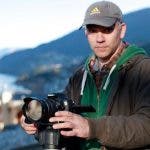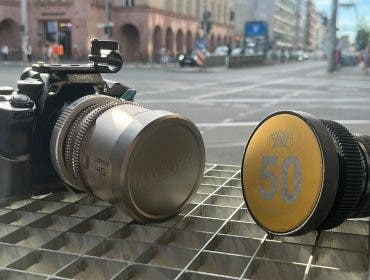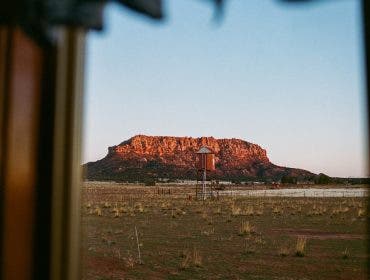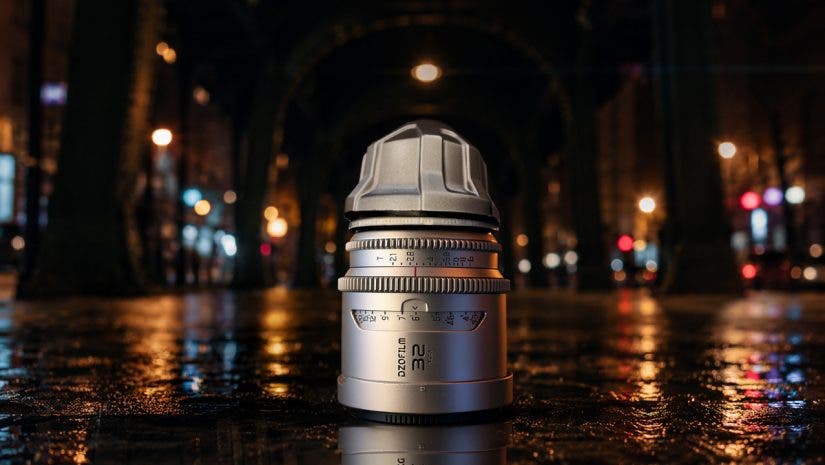
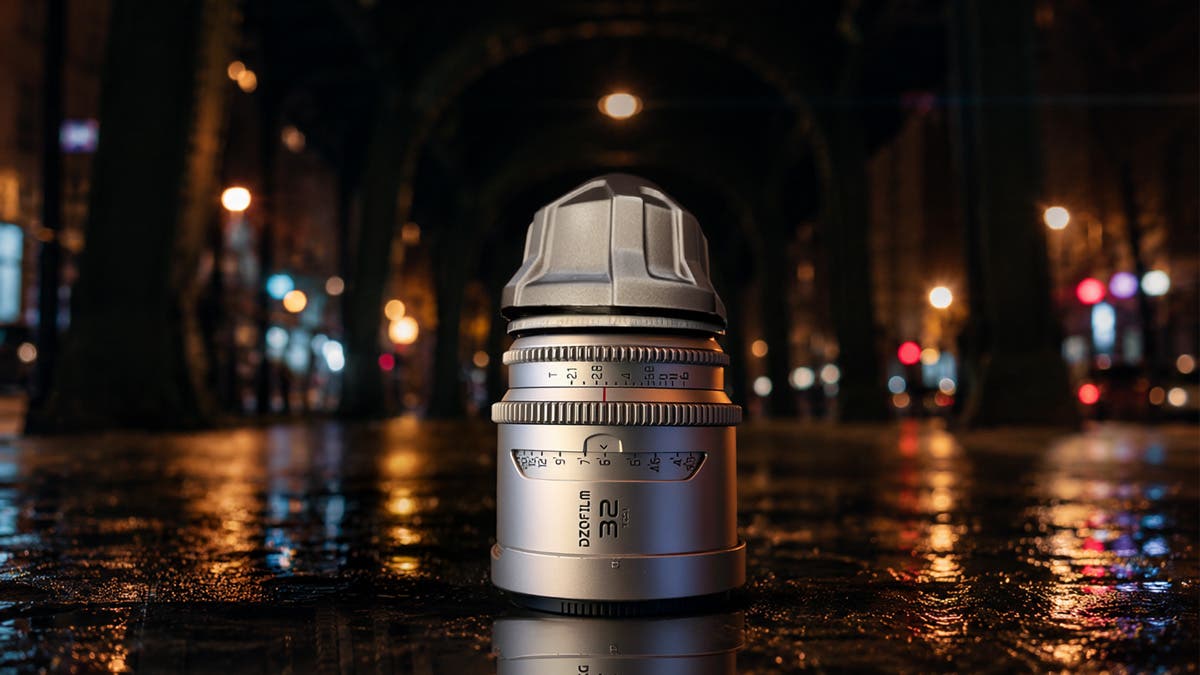
I had three DZOFilm Arcana 1.5x anamorphic lenses on loan and a shoot I had been wanting to do for a while: the very late, nearly abandoned Berlin streets. This footage was intended for Instagram, which meant 9:16. So when I got the Arcanas, I wanted to test a technique I’d read about called vertiscope.
This technique keeps the lens mounted normally while the camera body is rotated for vertical shooting. The anamorphic characteristics such as the flares, separation, and the bokeh carry into a vertical frame instead of getting cropped out of a horizontal one.
I am using my Sony a7RV, which captures video by cropping the sensor to give you a 16:9 or 9:16 aspect ratio for vertical shooting. There’s no open-gate option for my camera, which means I wasn’t capturing the full sensor area these lenses could take advantage of. A camera with open-gate recording, like Panasonic’s LUMIX S1 II, or the new Sony FX5, would give you more vertical information to work with before you ever get to the crop. I didn’t have one of those, so I knew I would lose some information. I had my Sony a7RV, the three DZO lenses, an E to PL adapter, and a long, peaceful summer night biking around Berlin.
What Vertiscope Actually Means
Vertiscope isn’t an official term. It’s a relatively new name that got into the filmmaking vernacular for a specific approach: shooting anamorphic for a vertical frame by rotating the camera body 90° while the lens stays mounted the normal way. The squeeze itself doesn’t change. Your glass still squeezes along its own horizontal axis, exactly as it would in a 16:9 setup. What changes is that this axis now runs along the short side of your frame instead of the long one.
The appeal is straightforward. Anamorphic glass has a look. Specifically, it has oval bokeh, the horizontal flare streaks, and a specific edge fallof. Plenty of people shooting vertical content want access to this content. Cropping a horizontal anamorphic shot down to 9×16 throws away most of the frame and most of what made the shot distinctive. Vertiscope keeps the character intact while you compose for the space you’ll actually publish in.
Vertiscope Lenses
The Arcana set from DZO I used for this shoot has three focal lengths, 32mm, 45mm, and 75mm, all T2.1. They all weigh around 700g. Also, they are currently around $1,000 per lens. For the build quality, level of performance, and the weight, that is a phenomenal price point. Anamorphic sets are usually heavy enough to dictate your entire rig. These are small enough that they could be used on a gimbal. They definitely didn’t weigh me down as I biked around Berlin.
While these are 1.5x anamorphic lenses, the optical trick here is the aperture. DZO pairs the 1.5x squeeze with a 14-blade dynamic elliptical iris. This gets you closer to 2x character than the squeeze ratio alone would suggest: the bokeh, the horizontal streak flares. I wasn’t sure if this was simply a marketing claim, but I ended up being convinced. The anamorphic look on these lenses is excellent. It genuinely reads closer to 2x glass than what I expected from a 1.5x.
Specific Lens Considerations
While they are mostly clean, they do have some vintage feel to them. There’s visible vignetting and some barrel distortion, most noticeably on the 32mm. Neither bothered me for the subject matter I was shooting. However, based on my previous experience, you do have to be careful with the 32mm. The barrel distortion can be really intense. Some subjects, such as a face, can look strange if too close to the lens.
The 32mm did most of the work. I used it for nearly all of the Bornholmer Bridge shots (the ones on the riveted steel bridge). Additionally, the 32mm was used for the brightly lit tram stop at S-Bahnhof Bornholmer Straße, as well as the closing time-lapse shots at Putlitzbrücke. It worked very well for the shots I chose, as there was nothing near the front element. I used the 45mm lens to cover the shot under the row of lights on Schönhauser Allee, under the elevated U-Bahn tracks. The 75mm handled the tighter compositions.
Shooting Anamorphic Vertical Video at Night
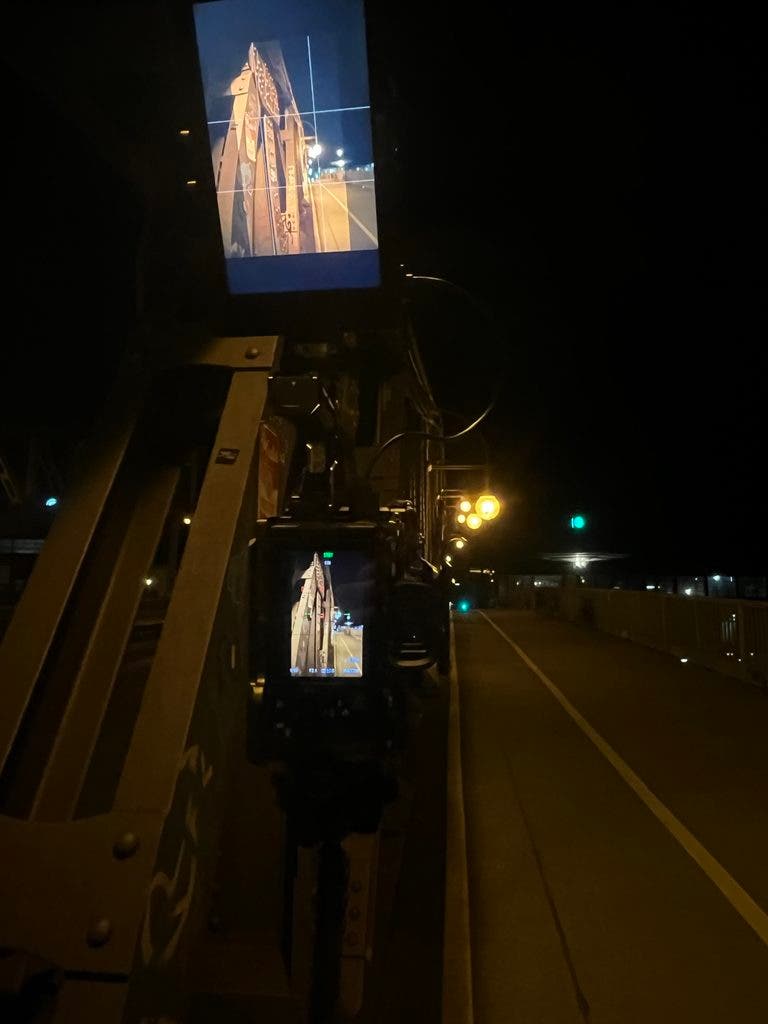
The first shots I took from Bornholmer Bridge were shot on the 32mm. The bridge is a historical bridge made of riveted steel with graffiti and stickers. The streetlights running alongside it give you a receding line of practical sources. This is exactly what you want when you’re testing flare behavior. The flaring was almost non-existent in this shot. Next, the tram stop at S-Bahnhof Bornholmer Straße gave me something different. It gave me a lit shelter and a yellow tram against near-total darkness, one bright object in an empty frame. Again, the flaring here was very well controlled. However, you can definitely feel the barrel distortion and vignetting.
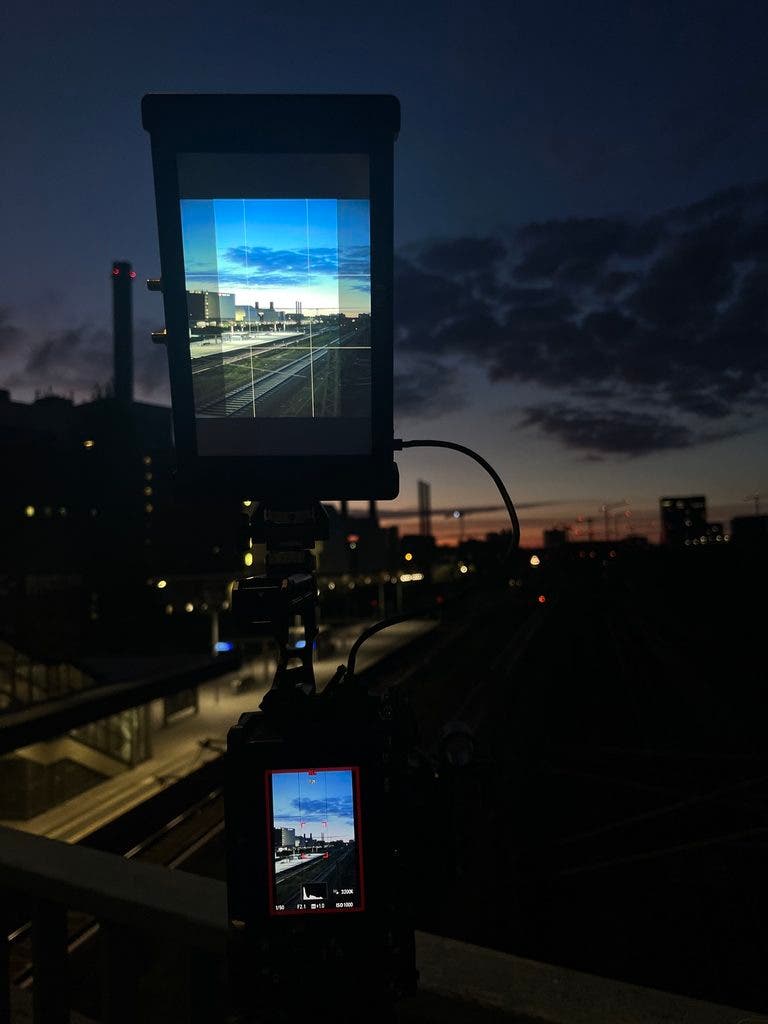
Schönhauser Allee under the elevated U-Bahn tracks was a 45mm shot: the cobblestones, the pendant lamps receding into the distance, the whole corridor doing the perspective work for me. Putlitzbrücke closed the night, back on the 32mm, looking out across the rail yard as the sky went blue.
Setting Up the Shots
All shots were taken from a tripod. I wanted the stillness to match the emptiness, and a locked-off frame does something to a deserted street that a moving shot does not. All shots were wide open at T2.1, 1/50 shutter speed, and ISO between 800 and 1200 depending on how dark the location was.
Rotating the camera with my Tilta cage, which has lots of mounting options, allowed me to mount my Small HD Cine 7. This is a fairly heavy 7” monitor, which was powered by a 99W V-mount battery, adding even more weight. Handholding this would be difficult for sure. The camera rig is very poorly balanced for handheld work. Not impossible, but too top-heavy. However, when on a tripod this is not a problem. If I were building this rig specifically for vertical, I’d go with a 5″ monitor instead. The only thing to check is that it offers custom desqueeze, so you can dial the ratio yourself rather than being stuck with whatever presets the manufacturer decided to include.
The last two shots are time-lapses shot in video mode and sped up in post. I’d gone out to Putlitzbrücke hoping to catch first light hitting the tracks, and stood there long enough to watch it not happen. It was getting very early. The sun wasn’t going to cooperate. What I got instead was cloud movement across a blue-hour sky over the rail yard.
Focusing for Vertiscope
Focusing anamorphic glass wide open at night is genuinely hard. Even locked off on a tripod, you’re fighting shallow depth of field, low contrast to judge sharpness against, and the way anamorphic falloff behaves at the edges.
My SmallHD Cine 7 really helped here. It’s big enough to actually judge focus by eye rather than guessing, and, more usefully, it let me preview the desqueezed 9×16 crop live. In the monitor’s Anamorphic menu, I set Desqueeze to Custom and dialed it in by eye until the image looked right, landing at 0.65x. The math for 1.5x glass works out near 0.667, so that was close enough to read correctly on the screen.
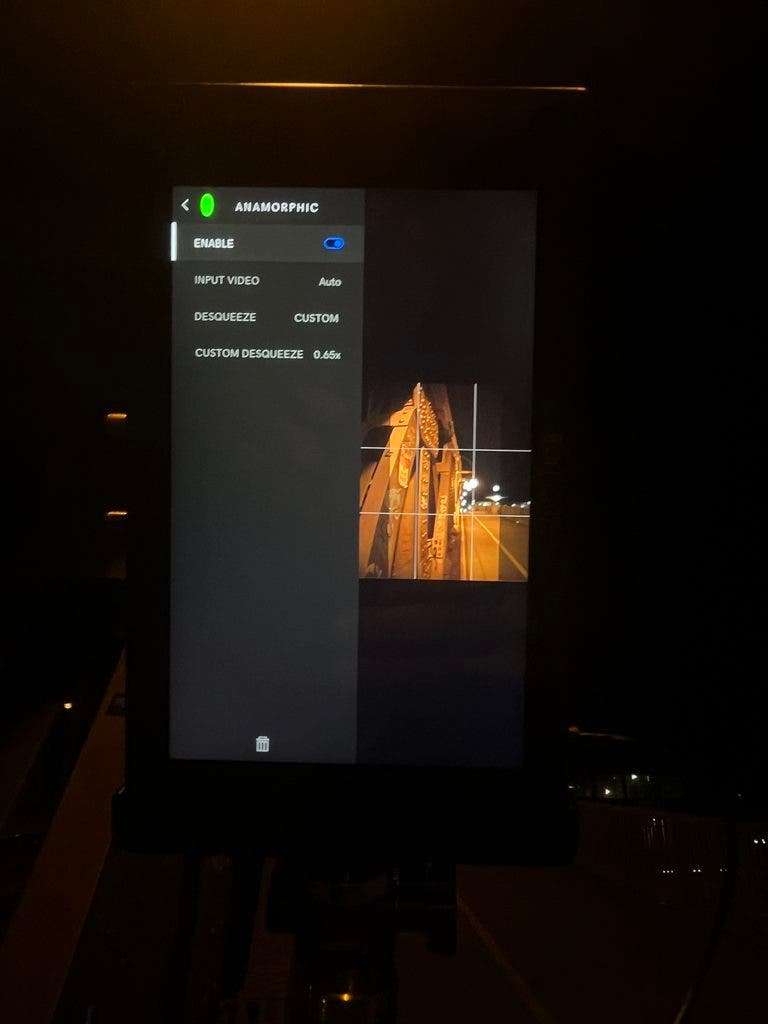
That second function matters more than it sounds. Composing a squeezed vertical image without seeing the corrected frame is a good way to discover in post that you framed the wrong thing. Watching the delivery format while shooting removed most of that risk. The camera’s own screen showed the squeezed image while the Cine 7 above it showed what I was actually making.
Post-Processing Vertiscope Footage
I edit in DaVinci Resolve, and while I have the Studio version, you don’t need it to desqueeze the footage. The way to desqueeze is to go to the Clip Attributes for all the files and change the pixel aspect ratio to the correct one for your lens. If shooting vertical, change the image orientation. Where Studio earns its money is elsewhere, in noise reduction particularly, if your low-light footage needs it.
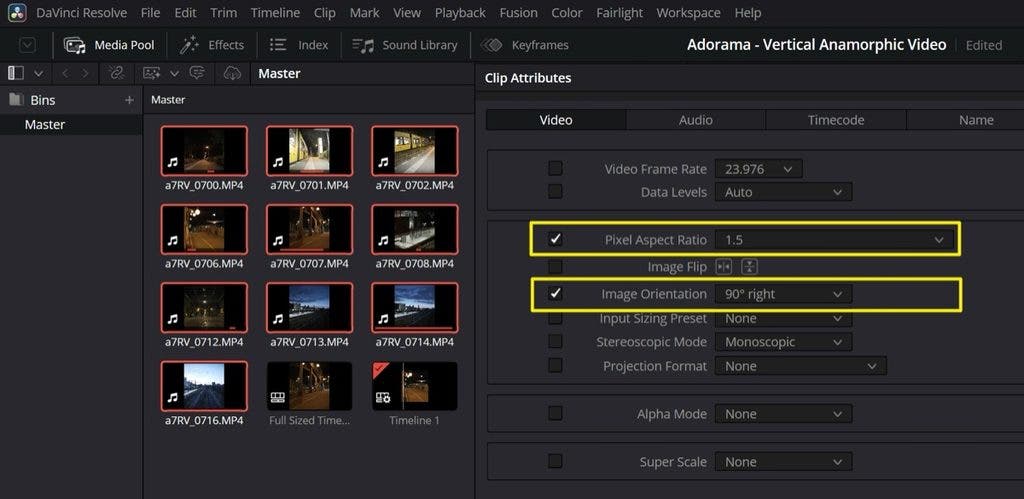

This is what the footage looks like before desqueezing. As I mentioned before, the image was captured onto a 16:9 sensor, so there is some information that is being lost.

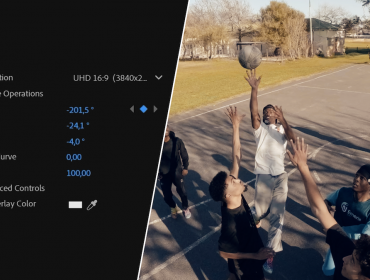
This is what the desqueezed image looks like before cropping. This is the maximum width and height captured by the sensor. One thing to watch: DaVinci Resolve will zoom in to fill a 9×16 timeline by default. Scaling back on both X and Y axes to about 0.67 shows you the full frame with letterboxing on the top and bottom. This is worth doing to see what the fill crop is actually taking from you and if you prefer this look.
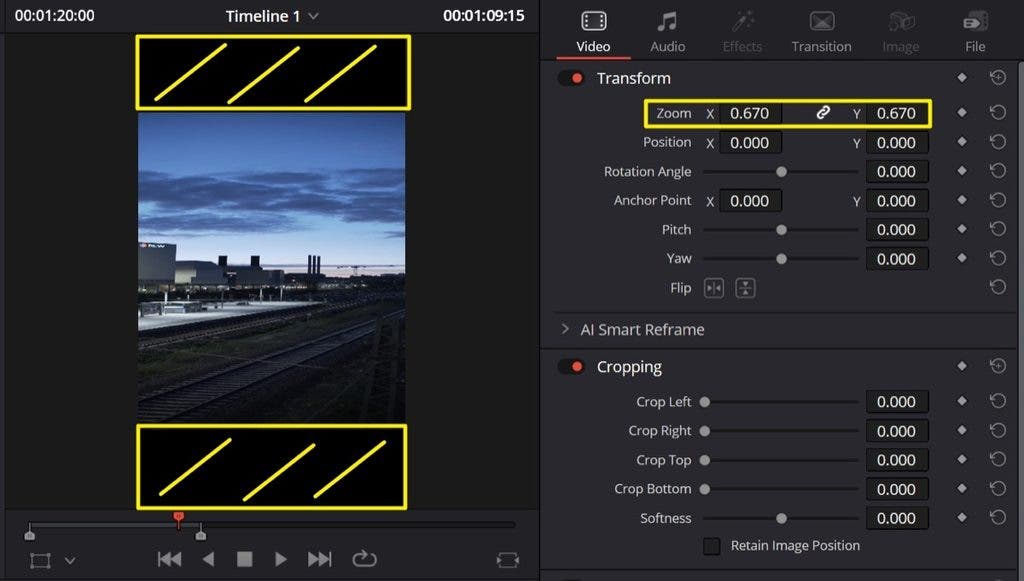

Here is the final version. I cropped in to fill the 9:16 frame. I wanted the viewer to get the maximal immersion into the scenes.
The other post-adjacent decision is lens orientation. Everything here was shot my way, lens mounted normally, camera body rotated. That keeps the anamorphic character running horizontally inside a vertical frame.
Rotating the Lens
The alternative is rotating the lens itself, which puts flares and bokeh on the vertical axis instead. That’s essentially what Greig Fraser did on Project Hail Mary, working with ARRI to create a custom anamorphic lens set mounted sideways on the ALEXA 65 to fill the taller IMAX frame, with flares running up and down rather than across. This gave the film a very spacey feeling and added a different look to the normal, which fit the themes very well.
Custom glass for a specific large-format production is not something us mere mortals have the option of having done for us, but the principle is the same one at work here: rotating the anamorphic axis changes where the character lands. If you want vertical flares, you can keep the camera rotation and lens rotation the same for vertical video or offset the lens 90° for Landscape shooting. That’s a physical adjustment that can be made by rotating the lens within the PL mount. Or by using specific anamorphic lenses that have rotation capabilities.
Verdict
Worth it, I really like the final output. The separation, the flares, the bokeh, the general anamorphic quality in a 9:16 frame; all of this elevated this footage well past what I’d have gotten shooting spherical and cropping. It’s unexpected, it’s beautiful, and in a format where nearly everything looks the same, that counts for a lot.
The caveat is the one I started with. Shooting this on a 16:9 crop camera means leaving usable area on the table, and then cropping in again to fill the frame loses even more of the image. I’d like to shoot some more footage this way on an open gate body, maybe with the just-announced Sony FX5, which brings open gate to the FX line for the first time. This would allow me to see what the technique looks like with the full sensor height available.
But that’s a wish, not a complaint. I’m very happy with what came out of this night.