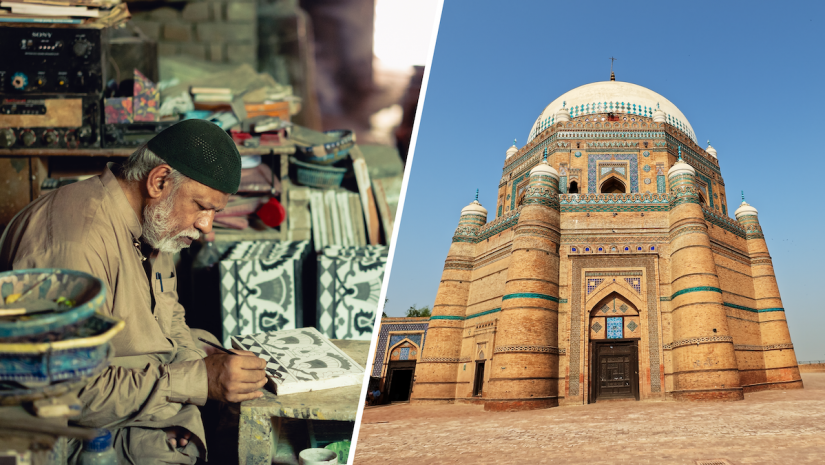
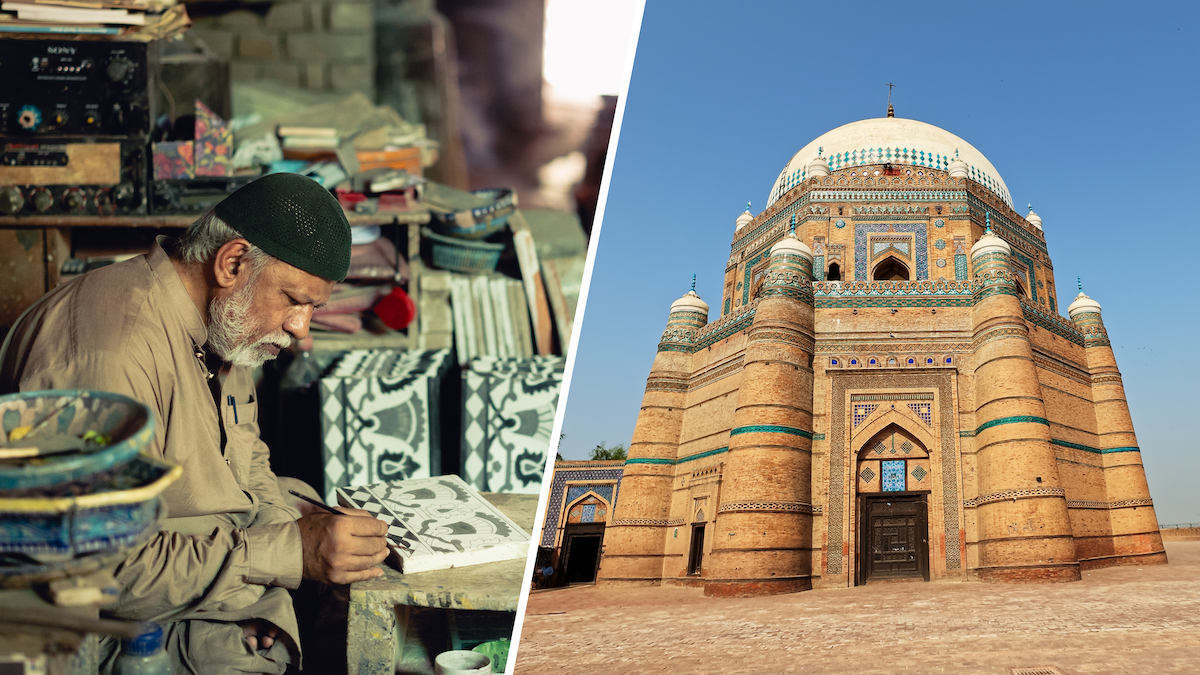
I traveled recently to Multan, Pakistan, to document the last remaining family of Kashigars. I anticipated two long international flights, then uncomfortable internal bus journeys in the extreme heat and humidity for my solo shooting of this documentary film, so I made careful camera gear choices and packed light with the GoPro MISSION 1 PRO. When I shoot locally in Cape Town, I, by contrast, have lighting setups, tripods, an assistant, and the ability to plan many scenes in advance. But this project in the ancient old city was a completely different beast.
Kashigari is the dying art of hand-crafting blue tiles that famously adorn regional mosques and historical shrines. As part of the project, I walked in the streets of Multan city to show daily life, ordinary people, and their renowned craftsmen.
Traveling across the world meant luggage limits. While my clothes weighed just over 10kg, my camera gear far exceeded that. I packed two mirrorless camera bodies with a 24-70mm for video, a 50mm and 85mm for photos, plus a drone. I had to leave my 70-200mm behind and travel with a less-preferred lightweight tripod. To stay agile, overcome tight spaces, and bypass filming restrictions in certain locations, I added two critical tools to my travel kit: the GoPro MAX 2 for impossible 360-degree angles, and the GoPro MISSION 1 PRO. These two items have become non-negotiable for my local and international creative projects since I acquired them in the last few months.
As discussed in a previous article detailing the technical capabilities like the 1-inch sensor, 8K resolution, open gate, and 10-bit log footage, I have started relying on the GoPro MISSION 1 PRO as far more than a standard action camera.
In this article, I will share four ways the MISSION 1 PRO facilitates my solo documentary filmmaking.
1. Capturing the Full Scene in Tight Spaces
When you are a solo shooter in cramped environments, you need a reliable catch-all angle.
Scenario 1: The Kashigar Studio
The artisan’s workspace is a beautiful chaos; authentic, raw, and steeped in history, with sand and traditional tiles everywhere. The master craftsman, known as Ustad Ji in the local language (Respected Master), prefers sitting on the floor like his forefathers.
I set up my first mirrorless camera for a slightly wide shot with a 24-70mm. I placed the second mirrorless with a 50mm on a stool for a tight crop on the artisan’s face. In that moment, I could not help but think that I needed a third angle. The film is not only about Ustad Ji, but also his legacy. It also speaks about his workshop where he connects with sand, clay, and ink. I used the MISSION 1 PRO to capture him and his workspace from the front as a historical memory.
Scenario 2: The Khussa Maker
In parallel to the tilemaker project, I decided to shoot a traditional shoe (khussa) maker in the same city. The workspace was just over a meter wide. The proud artisan laid his best shoes out for viewing. But to capture all of that with a 24-70mm, I would need to move into the middle of the street. He also constantly leaned forward to talk about his shoes, frequently moving out of the tight 50mm frame. That was my second angle. By placing the MISSION 1 PRO right in front of him, I captured the entire scene in 8K. This allowed me to crop perfectly to 4K in the timeline later.

2. Cinematic Slow Motion on the Fly
For the tilemaker’s documentary film, I shot a few slow-motion shots with MISSION 1 PRO in tight spaces where I needed a wide angle for slow motion or b-roll. I set the frame rate and ISO range and let MISSION 1 PRO do its thing with auto shutter speed. A planned interview is one thing, but for run-and-gun, I worry less about perfect settings, the 180-degree shutter rule, or matching color profiles. For me, story comes first, then good visuals that capture everything I want to show. Not to mention crisp sound.
The MISSION 1 PRO’s frame rates far exceed my a7S III, offering 8K resolution with Open Gate that I could easily reframe for vertical Reels later. Whether you are shooting in NTSC (8K at 60fps, 4K at 120/240fps) or PAL (8K at 50fps, 4K at 100/200fps), these high frame rates deliver pristine, buttery slow motion without disrupting my fast-paced workflow.

3. Lightweight Filmmaking, Restricted Areas and Shooting in Public
Scenario 1: Restricted Area
At one of the historical shrines, authorities stopped me from bringing in my main cameras and selfie stick out of respect for the holy site, aiming to prevent influencers from treating the tomb like a modeling set. Their instruction to me was, “No big cameras with big lenses.”
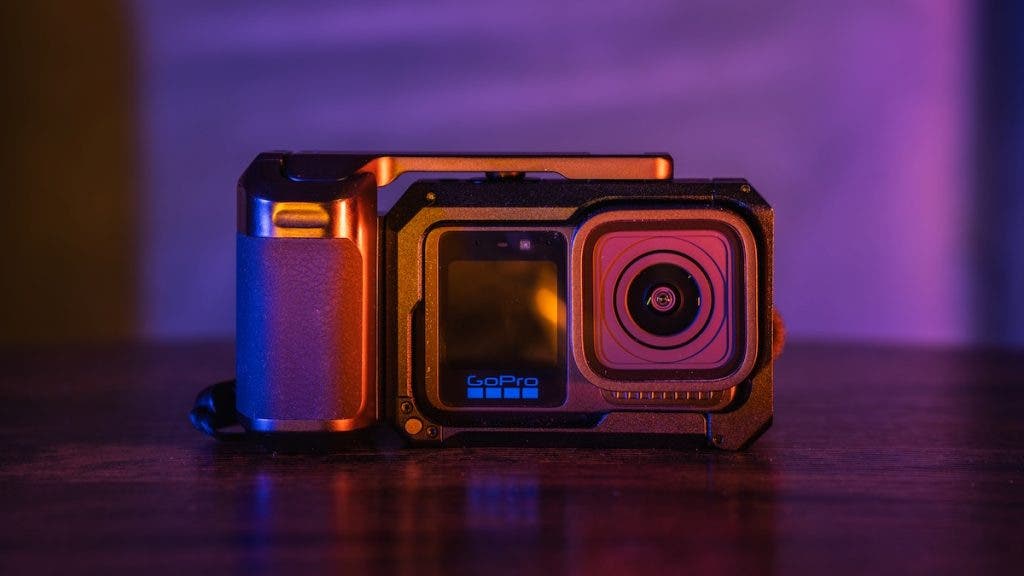
This is where true lightweight filmmaking was super handy. I removed the MISSION 1 PRO from its Point-and-Shoot Grip, slipped it into my pocket, and walked inside. While I could not physically zoom or pull focus, the 8K 10-bit raw footage and phenomenal in-body stabilization captured the immersive feeling of walking into the tomb flawlessly. Here, I also clipped a lightweight GoPro mic from my GoPro Wireless Mic System and synced it with the MISSION 1 PRO inside, allowing the Kashigar host to narrate the tile work seamlessly.

Scenario 2: Lightweight and Discreet Filmmaking
As in many traditional cultures, the people of Multan are extremely gracious. Strangers stopped me in the streets, invited me for drinks, and offered help. However, their curiosity also drew small crowds around me; some elders even suggested what questions I should ask my subjects. Despite their well-meaning intentions, though, I wanted to show people on the street in their element. I wanted to show their food, nightlife, and the busy roads without them being distracted by the presence of the camera.
For a filmmaker and photographer accustomed to working seamlessly with big camera bodies and lenses, and relying on zooming in or out and manual focus, it definitely takes courage to trust a camera like the MISSION 1 PRO. I left my camera bag behind and only took the MISSION 1 PRO in its Point-and-Shoot Grip to shoot footage on the street one evening, so I could shoot somewhat discreetly in public. The Grip makes you feel like you are holding something. It also helps with framing and gives a more solid feel in the hand. I can imagine that from far away, most people would have thought that I was holding a cellphone and filming casually. I drew no attention and had relative anonymity in my filming!

4. POV & Behind-the-Scenes
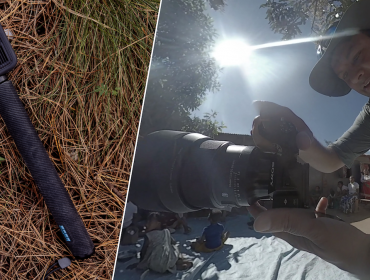
As a solo filmmaker, behind-the-scenes content and street photography are crucial parts of my process for BTS, vlogs, and documentary films. For my project, I strapped the MISSION 1 PRO to my chest and used the Quick Capture feature (pressing the top shutter button to power on and record instantly).

I usually turn off the front screen so subjects in the streets do not get distracted by seeing themselves on the front monitor. The MISSION 1 PRO syncs perfectly with my GoPro Wireless Mic System, capturing my BTS process flawlessly without requiring any direct attention.
I can also strap this on my subjects’ heads or chests.
Final Remarks: Would I use MISSION 1 PRO Going Forward?
MISSION 1 PRO is now officially part of my filmmaking kit. I have learned to rely on it, especially when traveling.
Is this my main camera body? No. It serves mostly as a supportive role.
There is a time and place for meticulously planning the shoot, shot list, camera angles and settings, color grades, and focal lengths. Other times, getting the shot is the priority. MISSION 1 PRO has helped me achieve that: get the shot while maintaining highly reliable footage quality, resolution, bit depth, and color. While there are limitations to consider, as discussed in my first article, MISSION 1 PRO’s results have inspired such trust in me that, when the need arises, I don’t hesitate to set aside my mirrorless systems and use this tiny, powerful camera for professional-level filmmaking.