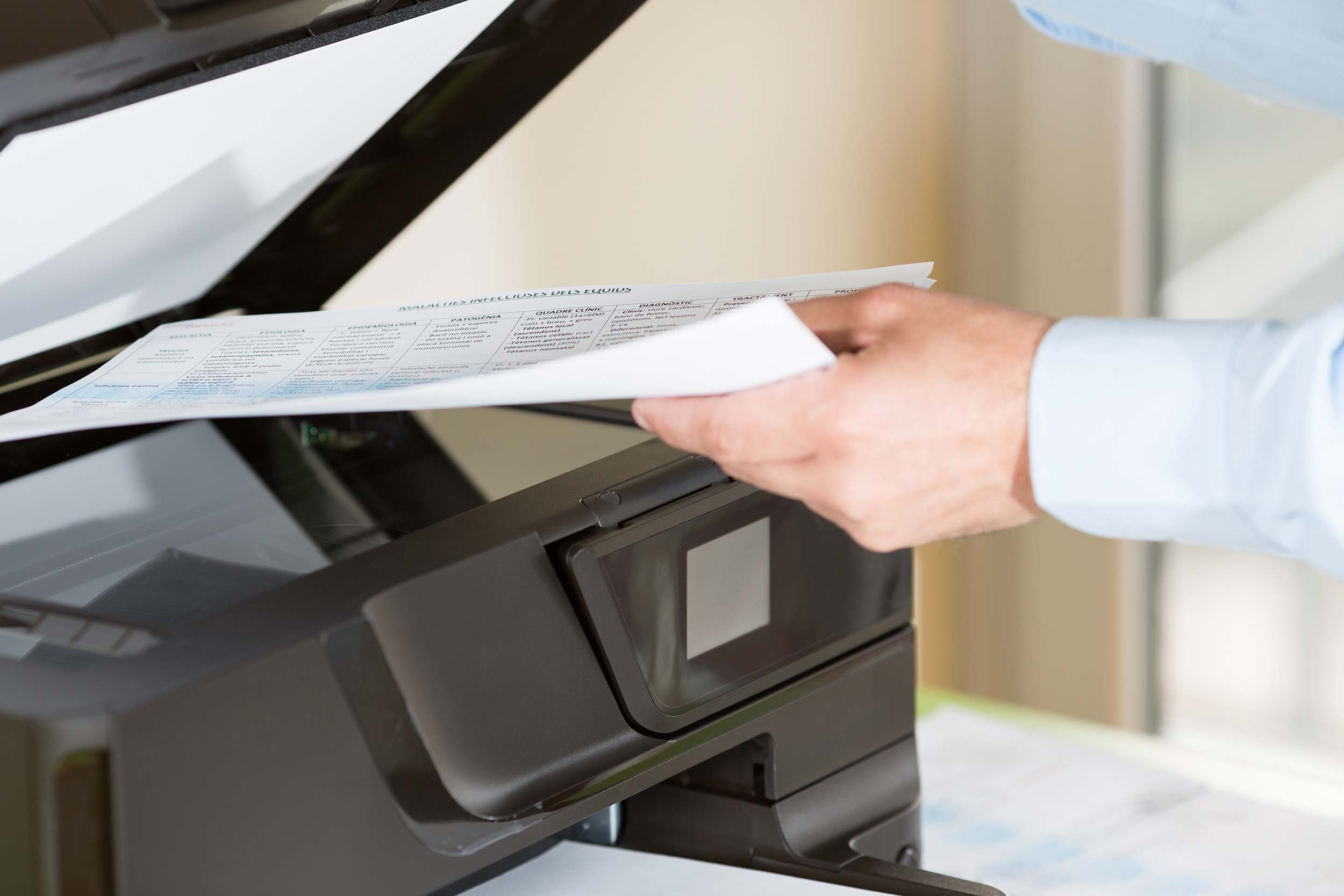
Gone are the days when business owners, employees, and even students would have to purchase separate devices or pay for various printing and copying services. With the birth of modern multifunction printers, document production, contribution, and sharing has been made easier, faster, and in some cases, cheaper.
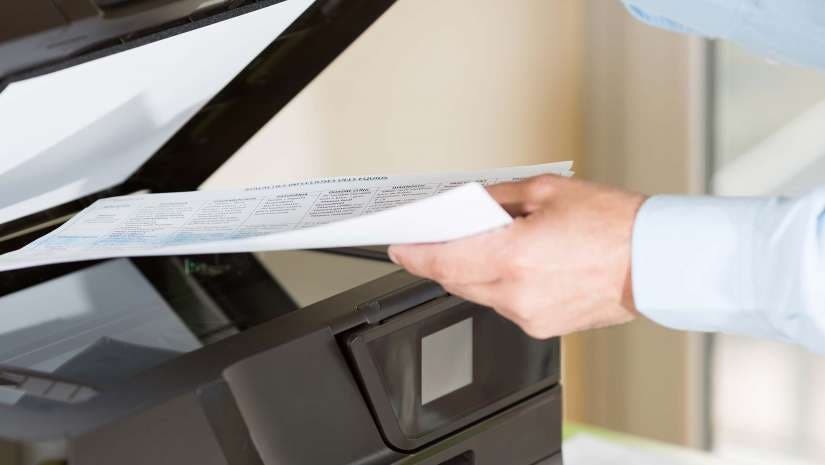
Also called all-in-one printers (or AIOs), multifunction printers have a range of features beyond just printing. They incorporate multiple functionalities and allow you to do everything—from copying, printing, scanning, faxing, and/or emailing documents—wirelessly in one device, so you can save space and precious time.
Perhaps one of the best things about having a good multifunction printer is that it adapts to your business and personal needs. Anyone can have it and operate it by themselves in the comforts of their own home or business space.
Veteran printer brands like Canon, Hewlett-Packard, and Epson offer a wide range of more compact multifunction inkjet and laser printers, but other brands like OKI, Xerox, and Ricoh also have their own that offer extraordinary performance and versatility.
What’s the difference between inkjet and laser printers?
Laser or inkjet? It’s important to understand the differences between these two types of printers to ensure that you get the one that best suits your needs.
The inkjet printer is the most common choice for household and general printing needs. They’re those printers with replaceable ink cartridges that have mini nozzles that spray ink onto practically any type of paper.
The advantages of using an inkjet printer are that they’re a lot cheaper; they usually come in smaller sizes; they operate quietly; they deliver high quality prints; and they require low cost papers. However, the ink is not waterproof, the printing takes a while (usually not any more than 6 pages per minute), and the ink dries up when the printer is not used for a long period of time, leading to ink clogging.
The regular, black-and-white laser printer or monochrome printer usually costs the same as inkjet printers and is the usual go-to choice for printing documents with very small fonts. It also prints in a completely different way compared to inkjets, but similar to photocopiers—it blasts bright laser lights against a page and allows static electricity to attract powdery ink from its toner cartridge onto the page. The surface is then “fused” to set and bond the toner to the paper. This means laser printers don’t require any ink, so it prints sharper, higher quality, waterproof documents at remarkable speeds and much lower costs.
While both inkjet and laser printers are good for household and office needs, your choice solely depends on the pros and cons of each specific printer type as well as your printing needs.
What are the best multifunction all-in-one printers?
So what are our top picks for the best multifunction printers? Check out the list below to see our choices.
Inkjet All-in-One Printers
Canon PIXMA MX922
Adorama Price: $84.95
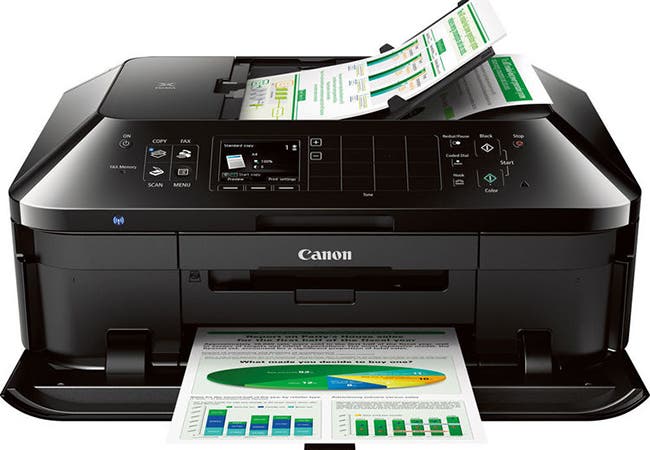
The Canon PIXMA MX922 is perfect for homes and small office spaces. It handles pretty much every office chore, from double-side printing and scanning, to faxing documents. Like most inkjet printers, the PIXMA MX922 can be quite noisy when it operates, but it has a Quiet Mode feature as well. You can also transfer images for printing and scanning using an Apple or Android device, via Wi-Fi, Ethernet, or even Google Cloud. It also allows printing on CD, DVD, and Blu-Ray.
At roughly $85, you already get impressive, high-quality prints—including crisp and vivid photos.
Key Specs and Features:
- Auto Duplex Print, Scan, Copy, Fax
- Print Speeds of 15 ipm (Black) / 10 ipm (Color) / 4 seconds (4×6″ Photo)
- Copy Speed of 8.4 ipm
- Maximum Print Resolution of 9600 x 2400 dpi
- Maximum Optical Scan Resolution of 2400 x 4800 dpi
- Fax Memory of 250 Pages
- USB 2.0, Wi-Fi, Ethernet, Bluetooth
Epson Expression ET-2650 EcoTank
Adorama Price: $249.99
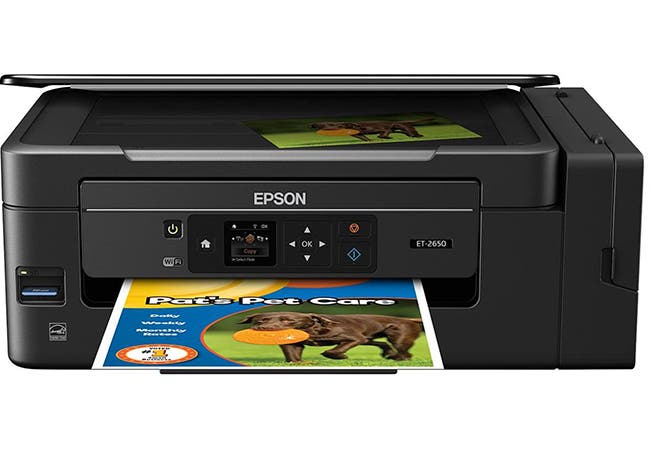
As many printer owners know, inkjet cartridges can be expensive and a hassle to replace, which is why many hope to switch to laser printing. The Epson Expression ET-2650’s EcoTank design includes a refillable supersized ink tank system that provides up to two years of ink supply, so you get the low print cost of a laser printer. It offers automatic two-sided printing, scanning, and copying. It’s also one of the best wireless all-in-one printers as you can also easily print images straight from your smartphone (and other Apple and Android devices) wirelessly via Wi-Fi Direct, which is not often featured in multifunction printers.
Key Specs and Features:
- Double-Sided Print, Scan, and Copy
- Print Speeds of 10 ppm (Black) / 4.5 ppm (Color)
- Copy Speeds of 7.7 ISO cpm (Black) / 3.7 ISO cpm (Color)
- Maximum Print Resolution of 5760 x 1440 dpi
- Maximum Scan Resolution of 1200 x 2400 dpi
- EcoTank Refillable Ink Tank System
- Maximum Print Size of 8.5 x 47.2”
- Built-in SD Card Slot
- USB 2.0, Wi-Fi, Wi-Fi Direct Connectivity
Epson Expression ET-2600 EcoTank
Adorama Price: $249.99
The Epson Expression ET-2600 EcoTank is another favorite, even though it’s basically the same as its slightly more expensive sibling, the ET-2650. The price difference is due to the fact that the ET-2600 doesn’t come with a built-in SD card slot and doesn’t have Wi-Fi Direct connectivity.
Without a doubt, the ET-2650 is definitely worth the minor investment—but if you can do without the card slot and Wi-Fi Direct (it comes with general Wi-Fi connectivity and a USB port anyway) then the ET-2600 is a good pick. After all, the best bargain here is Epson’s EcoTank ink tank system!
Key Specs and Features:
- Double-Sided Print, Scan, and Copy
- EcoTank Refillable Ink Tank System
- Print Speeds of 10 ppm (Black) / 4.5 ppm (Color)
- Copy Speeds of 7.7 ISO cpm (Black) / 3.7 ISO cpm (Color)
- Maximum Print Resolution of 5760 x 1440 dpi
- Maximum Scan Resolution of 1200 x 2400 dpi
- Maximum Print Size of 8.5 x 47.2”
- USB and Wi-Fi Connectivity
HP Officejet 8040
Adorama Price: $139.99
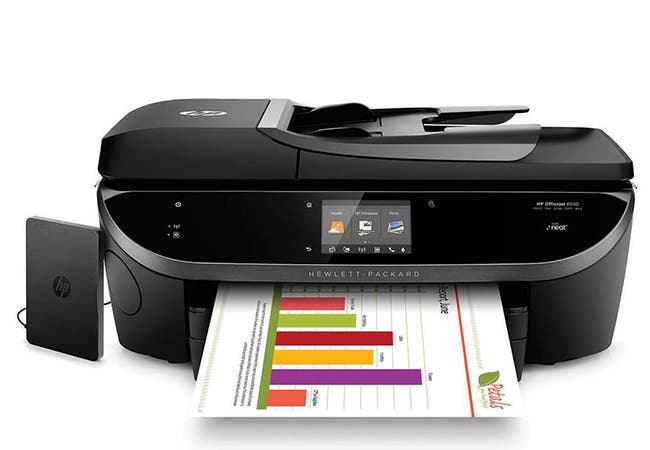
The HP Officejet 8040 is well-loved for its inclusive 1TB external hard drive and Neat Organization System, which allows users to easily organize information obtained from scanned documents—from business cards to receipts—and export them to Microsoft Excel and other similar programs. And like some of the best all in one printers, it does high-quality printing, high resolution scanning and copying, and even faxes documents with ease. You can also save paper with its automatic duplex printing feature and borderless printing capabilities. Transferring of data and images, even from mobile devices, is faster with the updated USB 2.0 port, Ethernet, and Wi-Fi with NFC connectivity options.
Key Specs and Features:
- Automatic Duplex Printing, Scan, Copy, and Fax
- Print Speeds of 22 ppm (Black) / 21 ppm (Color)
- Copy Speeds of up to 21 cpm (Black) / up to 19 cpm (Color)
- Maximum Print Resolution of 4800 x 1200
- Maximum Optical Scan Resolution of 1200 x 1200 dpi
- Borderless Printing
- USB 2.0, Ethernet, Wi-Fi with NFC Connectivity
Laser All-in-One Printers
Canon imageCLASS MF249dw Monochrome
Adorama Price: $234.00
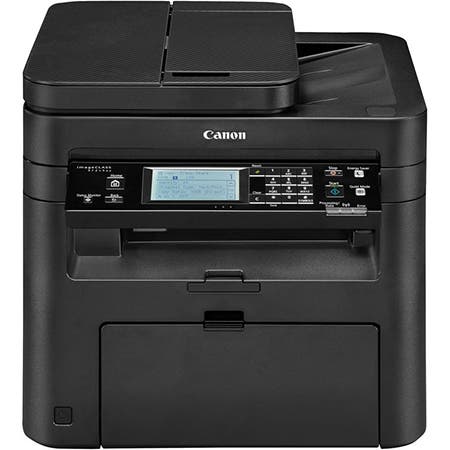
With Canon’s imageCLASS MF249dw monochrome laser printer, productivity is increased in terms of high speed printing at 22 ppm (16 ppm in duplex mode), high resolution scanning and copying at 600 x 600 dpi with speeds of up to 28 cpm, and easy faxing. Like the Canon PIXMA MX922, it also has a Quiet Mode feature to reduce operational noise.
Another favorite feature is its user-friendly, tiltable touchscreen LCD, where you can easily change settings.
The imageCLASS MF249dw is also compatible with multiple wireless printing services, like Apple’s AirPrint and other Canon mobile apps, but you can always use the USB 2.0 port, Ethernet, and Wi-Fi connectivity options for speedy document and image printing.
Key Specs and Features:
- Auto Duplex Print, Scan, Copy, and Fax
- Print Speed of 28 ppm
- Copying Speeds of 28 cpm (Simplex) / 16 cpm (Duplex)
- Maximum Print Resolution of 600 x 600 dpi
- Maximum Optical Scan Resolution of 600 x 600 dpi
- 250-Sheet Input Tray & 50-Sheet ADF
- USB 2.0, Ethernet, Wi-Fi Connectivity
Canon imageCLASS MF726Cdw/h4>
Adorama Price: $345.99
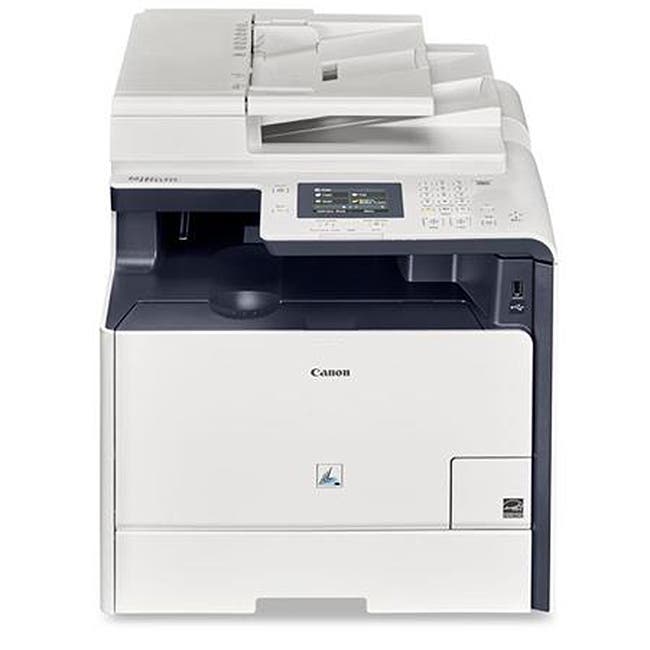
- All-Mode Duplexing Print, Scan, Copy, Fax
- Print Speed of 21 ppm
- Maximum Print Resolution of 1200 x 1200
- Maximum Optical Scan Resolution of 600 x 600 dpi
- 7-Line QVGA Color Touch LCD Display
- 250-Sheet Input Tray & 50-Sheet ADF
- USB 2.0, Ethernet, Wi-Fi with NFC Connectivity
OKI Data MC362w
Adorama Price: $359.99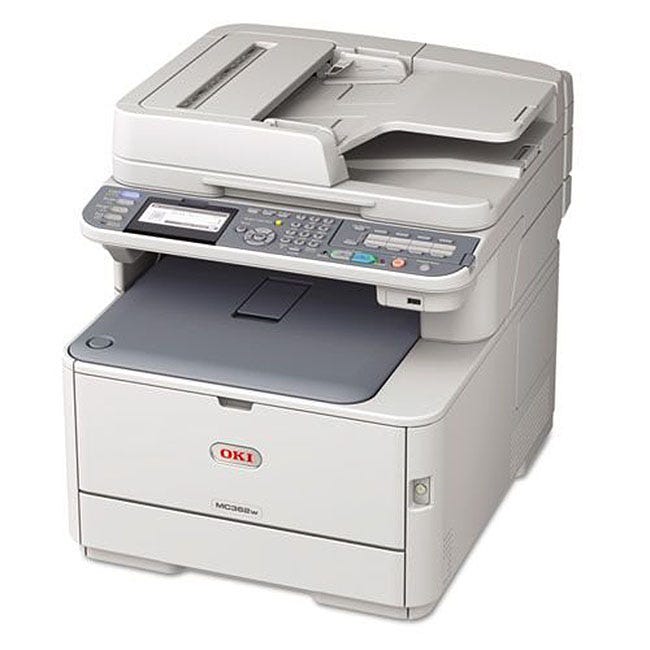
The brand may not be as popular, but the OKI Data MC362w color laser printer is definitely one of the best wireless all-in-one printers for small office use. It is highly efficient at speed printing, scanning, copying and faxing. In fact, it can print and copy up to 23+ high quality colored and monochromatic pages per minute, with the first print out at just 8 seconds. It also includes a reversing ADF (automatic document feeder) that speeds up scanning by automatically doing both sides without the need for you to wait and manually flip them over. It features a monochrome LCD for convenient change of settings and 1GB of RAM for printing large files. For smaller files, you can easily transfer data via its USB 2.0 port and Ethernet, or even via compatible apps like Google Cloud Print 2.0 and Apple AirPrint.
Key Specs and Features:
- Auto Duplex Print, Scan, Copy, Fax
- Print Speeds of 31 ppm (Black) / 27 ppm (Color)
- Maximum Print Resolution of 1200 x 600 dpi
- Maximum Optical Scan Resolution of 600 x 600 dpi
- 100-Sheet Multipurpose & 250-Sheet Trays, 50-Sheet Reversing ADF
- Front USB 2.0 & Ethernet Connectivity
Canon imageCLASS MF247dw Monochrome
Adorama Price: $184.99
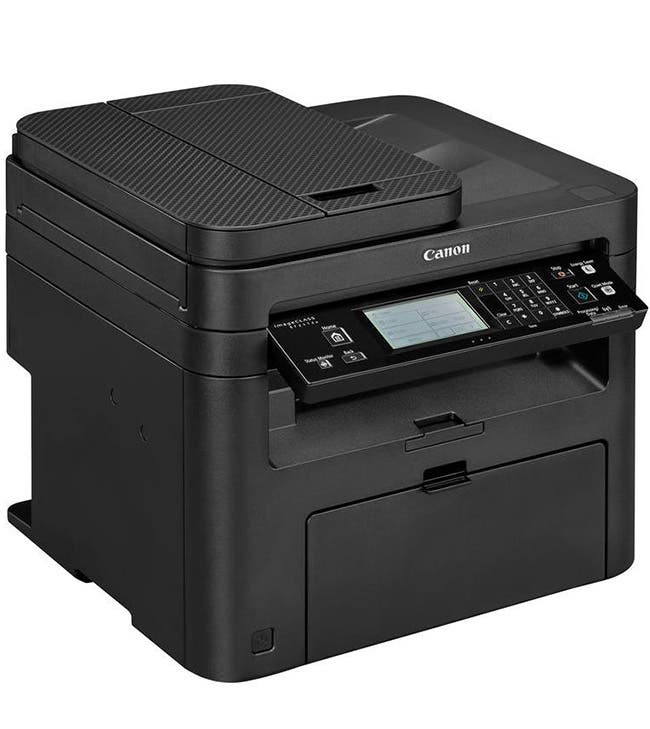
The Canon imageCLASS MF247dw is undoubtedly one of the best multifunction laser printers for small offices that don’t include colored printing in their daily workflow. It’s almost half the price of its sibling with color printing capabilities, the MF726Cdw, but also has faster print speeds of up to 28 black-and-white pages per minute (16 ppm in duplex mode) with the first print out in just 6 seconds or less. It also allows double-sided printing, so you can save time and paper, as well as on-the-go printing via services like Canon PRINT Business, Apple AirPrint, Mopria Print Service, and even Google Cloud Print.
And like many of Canon’s printers, it has Wi-Fi Direct connectivity for data and image transfer from almost any mobile device.
Key Specs and Features:
- Auto Duplex Print, Scan, Copy, and Fax
- Print Speed of 28 ppm
- Copying Speeds of 28 cpm (Simplex) / 16 cpm (Duplex)
- Maximum Print Resolution of 600 x 600 dpi
- Maximum Optical Scan Resolution of 600 x 600 dpi
- 250-Sheet Input Tray & 35-Sheet ADF
- USB 2.0, Ethernet, Wi-Fi Connectivity